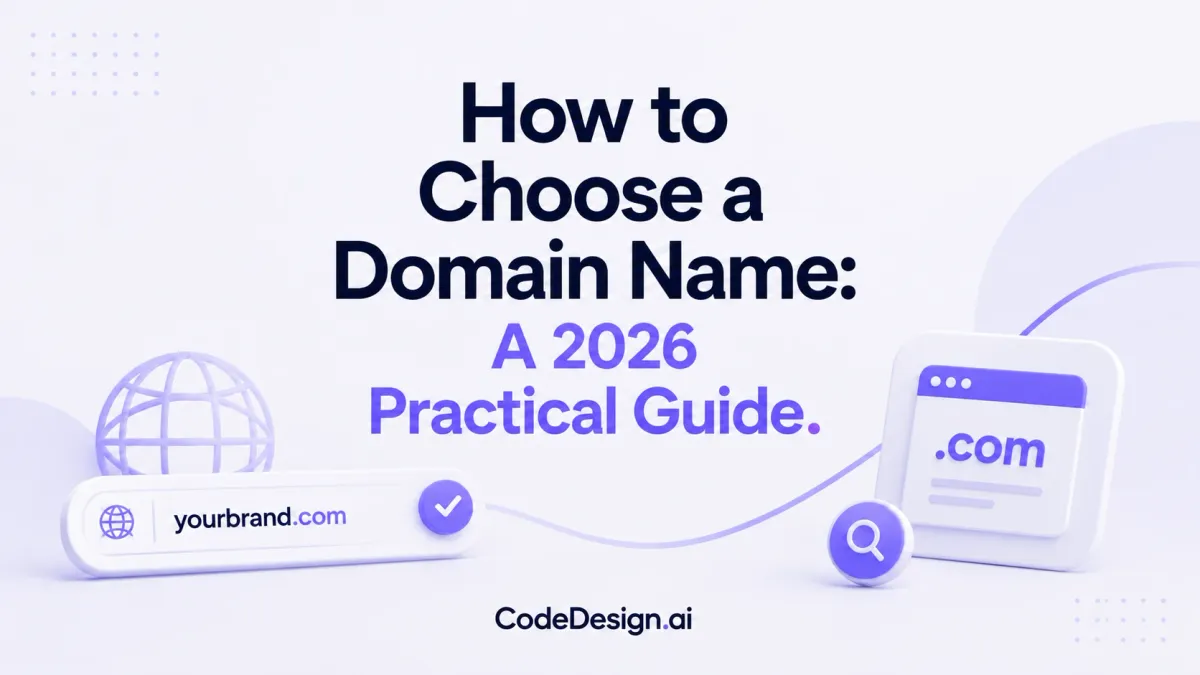
How to Choose a Domain Name: A 2026 Practical Guide
You've probably done this already. You land on a domain registrar, type in the perfect name, hit search, and get the same blunt message every founder gets: taken.
That moment feels small, but it rarely is. Your domain name becomes the phrase people type, say out loud, add to email signatures, remember from a podcast mention, and judge before they've seen a single line of your website. It's branding, trust, and usability compressed into one decision.
The good news is that choosing well isn't about waiting for genius to strike. It's about balancing three practical pillars: Brand, SEO, and Usability. Get those in sync, and you can stop chasing “available” names and start choosing a domain that supports the business you're building.
Table of Contents
- Your Digital Address Matters More Than You Think
- Brainstorming Beyond the Obvious
- Crafting a Name That Sticks
- The Ultimate Domain Evaluation Checklist
- Final Due Diligence to Avoid Hidden Disasters
- Securing and Managing Your New Domain
Your Digital Address Matters More Than You Think
A new business owner usually starts with the same assumption: if the business name sounds good, the domain choice should be simple. Then reality shows up. The exact match is gone, the obvious alternatives look awkward, and every workaround seems to make the brand worse.
That's where people make expensive mistakes. They tack on hyphens, add random words, squeeze in numbers, or settle for something they'll feel embarrassed saying out loud. A domain picked under pressure often creates friction later in sales conversations, referrals, and search visibility.
A better way to think about it is this. Your domain is digital real estate. It's not just an address. It's part storefront sign, part memory shortcut, and part trust signal.
The three pillars that matter
| Pillar | What it means | What good looks like |
|---|---|---|
| Brand | Does the name sound like a real business people can remember? | Clear, distinct, easy to say |
| SEO | Does it support discoverability without becoming robotic? | Relevant, natural, not stuffed with keywords |
| Usability | Can someone hear it, type it, and spell it correctly on the first try? | Simple, clean, low-friction |
Practical rule: A domain doesn't need to say everything. It needs to be remembered, trusted, and typed correctly.
Many first-time founders overvalue one pillar and ignore the other two. They chase pure SEO and end up with a forgettable exact-match phrase. Or they chase clever branding and choose a name nobody can spell. Or they go ultra-short and sacrifice clarity.
That's why learning how to choose a domain name is less about creativity alone and more about trade-offs. The best choice usually isn't the shortest, fanciest, or most keyword-heavy option. It's the one that holds up when a customer sees it in search results, hears it in conversation, and types it on a phone without hesitation.
Brainstorming Beyond the Obvious
The first round of ideas is almost always too literal. Founders type the business name, the service, or the city into a registrar and hope something clean appears. If it doesn't, they assume they're out of options.
They're not. They just need a better method.

Start with meaning, not availability
Before checking availability, build a raw list around what the brand needs to communicate. That usually includes:
- Core offer like design, repair, coaching, billing, analytics
- Emotional tone like calm, bold, trusted, fast, local
- Audience signals like studio, family, legal, creator, growth
- Distinctive language from your niche, product style, or region
This gives you a vocabulary bank instead of one brittle idea.
If your site also needs to support search visibility, keep your service language nearby while you brainstorm. A practical companion to this process is learning how to add keywords to your website, because the right domain supports relevance without carrying the entire SEO burden by itself.
Use combinations, not just exact names
The strongest domains often come from combinations rather than exact business names. Start mixing:
A clear noun plus a brand word
Example pattern: “harborbookkeeping” or “northatelier”A descriptive modifier plus service
Example pattern: “steadytax” or “brightstudio”A made-up but pronounceable word
Think names that feel ownable, not random. If you need to spell it three times, it's not ready.A founder name plus category
Useful for creators, consultants, and personal brands that may expand later
One useful correction to common advice: short isn't always better if the short option becomes vague. Krystal.io reports that 62% of users prefer domain names that feel authentic and clear over short ones, especially for businesses where trust and clarity matter early in the buying journey, such as B2B and local services (Krystal.io on choosing a domain name for your business).
That matters because many founders reject a solid descriptive option too early. A name that communicates what you do can outperform a tiny acronym that nobody understands.
Clarity usually wins at the start. You can earn cleverness later.
A quick idea filter for different business types
Use these simple templates when the blank page gets frustrating:
Small businesses
Go for service + brand personality.
Good fit: names that sound trustworthy and local, even if they're slightly longer.Creators
Choose your name, your niche, or a broad brand you won't outgrow.
Avoid boxing yourself into one content format if your work may expand.Agencies and freelancers
Pick something that sounds credible in email, proposals, and referrals.
If the name feels playful but weak in a sales call, keep looking.
A long list helps. Aim for variety, not perfection. Put obvious options, descriptive options, and brandable experiments side by side. The winner usually appears after you stop trying to force the first idea to work.
Crafting a Name That Sticks
A domain can look fine in a spreadsheet and still fail in practice. What matters is whether someone can recall it later, pronounce it naturally, and type it correctly without seeing it.
That's where memorability becomes practical, not abstract.

What memorability looks like in practice
There's a strong pattern in the domains people remember fastest. The five most well-known websites globally have an average domain name length of exactly six characters, and names under 10 to 11 characters are ideal because people process, read, and enter them faster, especially on mobile devices. Data also shows that successful two-word domains often sound like two distinct claps when spoken, such as “Drop-box.”
That rhythm matters more than many founders realize. Short, punchy combinations travel well in conversation. They're easier to say in meetings, easier to remember after hearing once, and less fragile when someone types them from memory.
Here's what usually helps:
Short words beat complicated ones
Familiar words reduce hesitation.Two-word rhythm often beats one forced invented word
If the words are short and clean, the name feels natural.Dictionary-based combinations are easier to trust
They don't require explanation every time you say them.
The fastest real-world tests
A memorable domain should survive normal human use, not just founder enthusiasm.
The simplest tests are often the most revealing:
Say it once out loud
If the other person asks you to repeat or spell it, that's a warning.Write it from memory later
If you can't remember where the letters go, your audience won't either.Check for hidden friction
Numbers, doubled letters, odd spellings, and hyphens all create mistakes.
For teams naming across social, email, and web, some of the same logic used in domain naming also applies to handles. This breakdown of 8 business username strategies is useful because it sharpens the same instincts: rhythm, consistency, readability, and distinctiveness.
If you have to add “with a hyphen” or “the number 4” when saying the domain, it's already costing you attention.
What doesn't work well? Names that are clever only in writing. Names that depend on unusual spelling. Names that look premium but sound confusing. Many domain decisions go wrong because the founder evaluates them visually, while customers often encounter them in audio, memory, or rushed typing.
If you want a quick filter, ask one blunt question: Would someone get this right after hearing it once? If the answer is shaky, keep trimming.
The Ultimate Domain Evaluation Checklist
By this point, you should have a shortlist, not one “favorite.” Good domain decisions improve when you compare options against the same criteria instead of falling in love with the cleverest candidate.
Start with the checklist below and force each name to earn its place.

The five checks that matter most
Brand fit
Does the name sound like a business people can trust a year from now, not just a workaround you accepted today? Generic exact-match domains can look useful in the moment, but brandable names improve long-term memorability by 40% according to the methodology outlined by Seekahost (Seekahost SEO best practices for domain names).Radio test
Say the domain aloud to someone without showing it to them. If they can't type it back correctly, it fails. The same source emphasizes the radio test as a core usability check.Email test
Type the domain later from memory, without copying and pasting. This catches awkward spelling and subtle confusion quickly.
A related consideration is whether your site structure can support SEO beyond the domain itself. This guide to website builder SEO is worth reviewing because domain choice helps, but on-page structure, metadata, and content still carry most of the work.
A short explainer can help if you want another perspective before deciding:
Trademark check
Search USPTO.gov if you're in the United States, or the relevant national database in your market. A good available domain can still be a legal problem if the mark is already protected in your category.Social consistency Look for matching handles across the platforms you plan to use. Perfect alignment isn't always possible, but avoid a domain that forces your brand into three different identities.
Seekahost's guidance also notes that domains with hyphens see 30% higher typing error rates, which is why I treat hyphens as a last-resort move rather than a branding choice.
Quick decision templates by persona
Different buyers should score domains differently. Here's a practical version.
| Persona | Prioritize first | Acceptable compromise | Avoid |
|---|---|---|---|
| Small business | Clarity and trust | Slightly longer descriptive name | Abstract acronyms |
| Creator | Personal brand flexibility | Niche cue in the domain | Trendy wording you'll outgrow |
| Agency | Credibility and memorability | Two-word brandable domain | Joke names that weaken proposals |
Pick the name that survives every test with the fewest explanations. That's usually the right one.
If you want to speed up ideation before this scoring step, one option is to use a tool like CodeDesign.ai's AI domain name generator to generate naming directions, then run only the strongest candidates through your checklist. The tool matters less than the discipline of evaluation.
Final Due Diligence to Avoid Hidden Disasters
Most beginners stop after availability, branding, and trademark checks. That's not enough if you're buying an older domain.
A domain can carry baggage you can't see on the checkout page. Past spam use, low-quality backlinks, or a history tied to manipulative SEO can follow the name into your new launch.

Check the domain's past before you buy
This is the quiet professional step many guides skip. A 2024 study found that 28% of purchased domains carried hidden SEO penalties or spammy links, which can damage rankings long-term (PlatoForms on choosing the best domain).
Use a few simple checks before purchase:
Wayback Machine review
Look at older versions of the site. If the domain previously hosted spam, thin affiliate pages, or unrelated content, be cautious.Backlink profile scan
Use a tool like Semrush to see whether the domain picked up suspicious links.Brand history check
Search the name directly. If users already associate it with something negative or irrelevant, don't assume you can fix that quickly.
Buying a used domain without checking its history is like signing a lease before walking through the building.
A clean expired domain can be useful. A contaminated one can waste months.
When .com matters most
You don't need a .com in every single case, but you should treat it as the first option, not an afterthought. The same PlatoForms reference notes that .com accounts for 36.5% of all domains and signals the most credibility to users.
That matters most when:
You want broad trust quickly
Non-technical buyers often assume the .com version by default.You sell beyond one region
A .com usually travels better than a country-specific extension.You rely on word-of-mouth
If people remember the brand name but default to typing .com, owning it removes friction.
Country-code domains can make sense for local businesses with a local audience. Newer extensions can work for niche brands or younger audiences. But if you're building a general business and the .com version is available and clean, take it seriously.
Securing and Managing Your New Domain
Once you've chosen the name, buy it cleanly and set it up so it doesn't become an administrative problem later. Domain mistakes at this stage are rarely strategic. They're usually operational.
Buy it cleanly and protect it immediately
Start with the registrar basics:
Add privacy protection
This helps reduce spam and keeps personal contact details less exposed.Use a business-controlled email
Don't register a business-critical domain under a personal inbox you may stop using.Document ownership
Keep registrar login details and billing ownership in a secure place your business can access.
What to do right after registration
After purchase, make the next step simple.
Connect the domain to the site you're building
Don't let a good domain sit idle for months.Set renewal reminders
Losing a domain because a card expired is a painful, preventable error.Choose hosting and publishing with care
If you're comparing platforms for a WordPress build, this guide on evaluating WordPress hosting performance is a practical companion to the domain decision.
When you're ready to go live, a straightforward next step is to follow a clear publishing workflow like this guide on how to publish a website. The domain is only the address. Your site still needs pages, structure, copy, and a clean launch process.
A good domain won't build the business for you. But it will stop getting in your way.
Your domain is the first real asset your online business owns. If you want to move from naming to launch in one workflow, CodeDesign.ai lets you generate site ideas, build pages, manage publishing, and connect your domain without needing a complicated setup.