Master the No Code Website Builder for Your Business in 2026

You've got a business idea, a product to launch, or a service people already want. What you don't have is time to learn front-end development, manage hosting, and call a developer every time you want to change a headline.
That's where a no code website builder earns its keep. It removes the technical bottleneck between “I should have a website” and “my site is live.” For founders, agencies, and small teams, that shift matters because websites aren't one-time design projects anymore. They're living assets you update, test, publish, and improve.
The practical question isn't whether no-code works. It's whether a platform gives you enough speed at the start, enough control during design, and enough operational depth after launch.
Table of Contents
What Is a No Code Website Builder
A no code website builder is a tool that lets you create and publish a website without writing code. In plain terms, it gives you a visual way to build pages, edit content, publish updates, and manage the basic infrastructure without touching programming syntax.
The biggest benefit fits in one sentence: no-code lets anyone turn an idea into a professional website quickly, without needing to understand programming or depend on a developer for every change.
That matters because the category isn't a side trend anymore. The broader low-code and no-code market reached $26.9 billion in 2023, grew 19.6% year over year, and is forecast to reach $65 billion by 2027, according to Gartner as cited in this low-code and no-code market breakdown. Website builders sit inside that larger shift. They're one of the clearest ways non-technical people start using no-code in real business work.
What problem it actually solves
Most founders don't struggle with ideas. They struggle with translation.
They know what they sell, who they serve, and what they want a visitor to do next. The friction starts when that strategy has to become page structure, design blocks, forms, hosting, mobile layouts, and publish-ready pages. A no code website builder compresses that stack into one working environment.
Practical rule: If your website depends on a specialist for every small update, your marketing will move slower than your business.
Why people use it instead of traditional development
A traditional build gives you maximum technical freedom, but it also brings more setup, more dependencies, and more maintenance. No-code trades some of that complexity for speed and accessibility. For many service businesses, consultants, creators, agencies, and early-stage SaaS teams, that's the right trade.
A good starting point is understanding where no-code fits in the broader website stack. This overview of what no-code means in practice is useful if you're comparing visual builders with more technical workflows.
Here's the simplest mental model:
You handle the business logic. Offer, message, pages, branding, calls to action.
The platform handles the technical layer. Rendering, hosting, publishing, and routine infrastructure.
The result is faster iteration. You can launch, adjust, and improve without rebuilding from scratch.
Core Features of Modern No Code Website Builders
Calling these tools “drag-and-drop builders” undersells what modern platforms do. The better way to think about them is as a digital toolkit for launching and managing a website from one place.

What happens behind the editor
A no-code website builder typically works by converting visual edits into browser-ready page assets behind the scenes. That means you change layout, text, and media in a point-and-click editor while the platform handles rendering, hosting, and publishing, as explained in Webnode's description of how no-code website builders work.
That hidden layer is the reason these tools feel simple. You move a section. The platform translates that action into something a browser can display. You publish a page. The platform pushes it through the delivery pipeline without asking you to manage server setup.
The toolkit that actually matters
Not every feature list deserves equal weight. These are the ones that change real outcomes.
Visual editing: This is the surface you work in every day. Good visual editing should let you click directly into a section, replace copy, swap images, and adjust spacing without hunting through nested settings.
Templates and starters: Templates solve the blank-page problem. They give you a page structure that already understands common business needs like hero sections, testimonials, contact forms, and service blocks.
Content management: Websites don't stay finished for long. You need a clean way to update headlines, publish blog posts, manage images, and keep pages current.
Integrations: Most businesses use other tools. Forms, analytics, CRM connections, and campaign tools matter because your website rarely operates alone.
Hosting and publishing: This is the infrastructure piece many founders underestimate. Built-in hosting and fast publishing remove a whole class of technical errors from the process.
A useful test is whether the platform helps after the first publish, not just before it.
| Feature | What it solves |
|---|---|
| Visual editor | Makes site changes accessible to non-technical users |
| Template library | Speeds up launch and reduces design guesswork |
| Content tools | Keeps updates manageable after launch |
| Integrations | Connects the site to sales and marketing workflows |
| Hosting and publishing | Removes infrastructure setup from daily work |
If your main priority is conversion work rather than a full site, it can also help to review how teams optimize landing pages with AI tools. The decision logic is similar. Speed matters, but structure and editability matter more.
A website builder is useful when it shortens the distance between a business decision and a published change.
Two Paths to Building Your No Code Website
Most articles treat all no-code builders as if they offer the same building experience. They don't. The workflow itself is now one of the biggest product differences in the category.

Path one with an AI companion
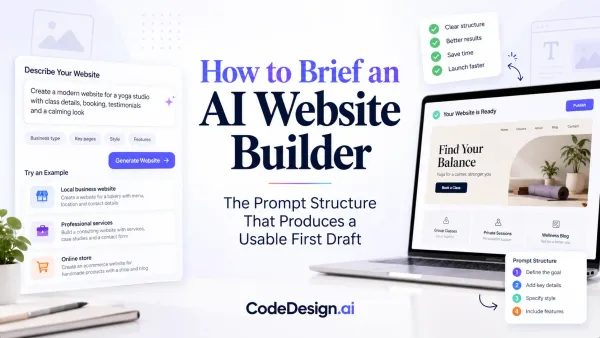
Some users don't want to start by dragging boxes onto a page. They want to describe the business, explain the goal, and get a working first draft. That's where an AI companion model helps.
Instead of manually assembling every section, you prompt the builder with what the company does, who it serves, and what pages are needed. The system generates a site structure, draft copy, and starting layout. This path works well when momentum is the obstacle. You know what you want to say, but you don't want to spend hours setting up the skeleton.
This is especially useful for:
Early-stage founders who need a launchable draft quickly
Client service teams that want a starting version before design review
Marketers who think in messaging first and layout second
Path two with visual drag and drop control
The second path is hands-on visual control. With it, you refine hierarchy, spacing, section order, imagery, and responsive behavior with more precision.
That matters because AI can give you velocity, but it won't always make the exact design choice you would make. A polished site often comes from deliberate adjustments: tightening a hero, rebalancing a feature grid, simplifying a footer, or reshaping a mobile layout so it reads cleanly.
Here's the practical difference between the two approaches:
| Approach | Best for | Common limitation |
|---|---|---|
| AI companion building | Fast starts, structure, idea-to-draft workflow | Needs refinement to match brand and layout preferences |
| Visual drag-and-drop building | Precise layout control and detailed editing | Slower if you start from a blank page |
When the dual builder model makes sense
The strongest workflow often combines both.
A common pattern looks like this: a client starts by describing the business in an AI companion builder, gets a generated site structure and draft messaging, then moves into a separate visual editor to polish images, spacing, section order, and brand details. No code is required at either step, but the experience changes based on what the user needs in that moment.
That dual approach is the part many platforms still miss. Some tools are fast but rigid. Others are flexible but slow to start. A platform like CodeDesign.ai gives users two distinct building experiences: a Vibe Coding AI Companion Website Builder for natural-language creation and editing, plus a Visual Drag-and-Drop Website Builder for direct design control. That setup fits how real teams work. They don't always want one mode. They want the right mode for the current task.
Start with conversation when speed matters. Switch to direct manipulation when polish matters.
The point isn't that one path is better. It's that different phases of website creation need different interfaces. Early on, you need momentum and structure. Later, you need control.
Mastering Responsive Design Without Writing Code
Responsive design is where many first-time users hit friction. A page can look clean on a desktop canvas and then feel cramped, oversized, or awkward on a phone.

Why responsive design feels hard at first
The challenge usually isn't color or typography. It's behavior.
Spacing that looks balanced on a wide screen can become too loose on mobile. A row of three columns may need to stack. A headline that feels sharp on desktop can wrap badly on smaller screens. Responsive design asks you to think of your website less like a poster and more like water poured into different containers. The content stays the same, but the shape changes.
That's why responsive controls tend to have the steepest learning curve for beginners. You're not just designing one page. You're managing how the same page adapts across devices.
How to make device-specific editing manageable
The fix is not more theory. The fix is better tooling.
A strong visual editor makes responsive work easier by letting you inspect and adjust layouts directly in device previews. Instead of guessing what a spacing value does, you see it. Instead of reading code-based breakpoints, you work on the actual page. That's a big difference for non-technical users because the feedback is immediate.
A practical way to handle responsive editing:
Start with desktop structure. Get the core hierarchy right first.
Switch to tablet and mobile views early. Don't wait until the page is “done.”
Adjust spacing before typography. Layout issues usually create the biggest visual problems.
Check content stacking. Multi-column sections often need special attention.
Review forms and buttons last. These are the elements that must remain easy to use.
This walkthrough shows the editing style in motion:
Mobile design isn't a separate project. It's the same page under tighter constraints.
The good news is that once you understand responsive behavior visually, it stops feeling abstract. You begin to recognize patterns. Tighten padding here. Stack cards there. Shorten the headline so it doesn't overpower the viewport. That's how a no code website builder becomes practical rather than intimidating.
SEO and Long-Term Management in No Code Platforms
A website that launches cleanly but becomes hard to manage after a month is a short-lived win. The true test starts after publish day.
Recent roundup coverage notes that the market is moving toward more specialized no-code stacks because the primary decision is increasingly about workflow depth, not just editor simplicity. It also argues that the harder question is whether no-code can support ongoing business operations as traffic, content volume, and team size grow, as discussed in this analysis of specialized no-code website builder platforms.

Launch is only the first job
SEO is where many old assumptions about no-code fall apart. The weak platforms did create that reputation. They made it hard to manage metadata, page structure, blog workflows, redirects, or technical cleanliness.
A mature builder has to support the daily operating model of a business site:
Publishing new pages without breaking structure
Managing blog content in a repeatable way
Handling forms and leads without duct-taping external tools
Reviewing performance signals so changes are informed, not random
Maintaining backups and collaboration as more people touch the site
Built-in SEO tools matter. Not because they magically rank a website, but because they remove friction from the basics. If editing titles, descriptions, URLs, and page content is painful, your SEO discipline will break down over time.
What good post-launch workflows look like
For long-term growth, look for a platform that supports both creation and optimization. That includes an SEO audit workflow, blogging support, analytics visibility, and an easy way to revisit old pages without rebuilding them.
There's also a practical content operations angle that gets overlooked: image weight. Teams often blame a builder for slow pages when the problem is oversized media. A simple companion process like offline image compression for web can improve publishing hygiene before assets even go live.
One useful reference on this side of the problem is website builder SEO workflow guidance, especially if you're trying to turn a no-code site into a repeatable content and optimization system instead of a static brochure.
The best no-code workflow doesn't stop at “published.” It supports editing, auditing, measuring, and improving.
If your site will carry blog content, landing pages, lead forms, and frequent updates, operational maturity matters more than flashy setup screens. That's the difference between a builder you outgrow and one you can run as part of the business.
Website Ownership and Export Options
A website platform can feel convenient right up until you want to leave it.
That's why ownership deserves more attention than it gets. Most buyers look at templates, ease of use, and pricing first. Those matter. But the deeper question is whether your business is building an asset you control or renting space inside a closed system.
The difference between access and ownership
Access means you can log in and edit your site. Ownership means you have a credible path to move, reuse, or repurpose the work you've created.
For a business owner, that distinction matters when any of these situations happen:
You rebrand and want more development flexibility
Your team grows and needs deeper workflow control
An agency takes over and wants to integrate the site into another stack
You change platforms because your business model has changed
Without export options, migration becomes painful. The content may be yours in theory, but the structure, layout logic, and front-end implementation stay trapped inside the builder.
Export is business insurance
Code export is often framed as a developer feature. It's better understood as an insurance policy.
If a platform can export clean site output or connect with systems outside its own ecosystem, you preserve strategic freedom. You're less exposed to pricing changes, roadmap limitations, or platform lock-in.
That's why exportable workflows matter even for non-technical founders. You may never touch HTML or React yourself, but someone on your team eventually might. This overview of an AI HTML website builder with code export is a useful example of what to look for when evaluating portability.
A practical buying rule is simple:
If you only need a temporary campaign page, lock-in may be acceptable.
If the website is a core business asset, export and portability should be on the checklist.
If you manage client sites, lack of export becomes a long-term operational risk.
Closed systems can still be useful. They're just less forgiving when your needs change.
How to Choose the Right No Code Website Builder
Choosing a no code website builder isn't about finding the one with the longest feature list. It's about matching the platform to the way you work.
One 2026 industry summary reports that WordPress held 60.2% of all websites in January 2026 and had been the market leader for 12 years, which helps explain why modern builders now compete on broader capabilities like SEO, analytics, and export options rather than visual editing alone, according to this website builder market summary.
Use this checklist when comparing tools:
Start speed: Can you get from idea to draft without friction?
Design control: Can you refine layout details without fighting the editor?
Responsive editing: Does mobile design feel manageable inside the tool?
SEO operations: Can you handle metadata, content updates, audits, and blogs in one workflow?
Ownership: Can you export, migrate, or extend the site later?
Team fit: Will this still work when more people need to edit, review, or publish?
If you want the shortest version of the decision, it's this: choose the builder that fits both your launch phase and your next phase. Speed gets a site live. Control keeps it usable. Operational depth keeps it growing.
If you want one platform that covers prompt-based creation, visual editing, publishing, SEO workflows, and exportable ownership, take a look at CodeDesign.ai. It's built for teams that want to move quickly at the start without boxing themselves in later.