AI Powered Website Builder: How It Works and What to Choose
You're staring at a blank homepage, a half-finished brief in Google Docs, and a calendar that won't slow down. You know your business needs a real website, not another patchwork of social profiles and DMs, but the usual path feels expensive, slow, and oddly technical for something that should help you sell. That's where an AI powered website builder changes the conversation, because it can turn a plain description of your business into a working first draft instead of making you start with wireframes, plugins, and endless template hunting.
Table of Contents
- Why AI Powered Website Builders Are Changing the Game
- How AI Website Builders Work Behind the Scenes
- Core Features That Separate Great AI Builders from Gimmicks
- Real Workflows and Use Cases Across Different Audiences
- The Ownership Question Most Guides Ignore
- Your Evaluation Checklist and Quick-Start Recommendations
- Building Your Site with Confidence and Control
Why AI Powered Website Builders Are Changing the Game
A solo florist, consultant, or coach usually wants the same thing first, a site that looks credible, explains the offer clearly, and starts collecting leads without taking over the week. That is why AI powered website builders have moved from novelty to a practical business tool. Analysts tracking the category place the AI-powered website builder market at $2.69 billion in 2025, and the same market page points to continued growth as these tools spread across small business workflows, according to these market stats.
The older path still asks for more effort than many owners can spare. You hire an agency, wrestle with a CMS that expects technical judgment at every turn, or settle for a template that never quite fits the business. An AI powered website builder shortens the first draft stage because it can generate a layout, draft copy, and style direction from a natural-language brief, so the distance between an idea and a usable site becomes much smaller.
A good first website does not have to be perfect. It has to be live, clear, and easy to improve.
That matters beyond solo founders. Freelancers need client drafts fast, agencies need repeatable workflows, and SaaS teams need landing pages that can ship before a campaign window closes. Microsoft's overview of AI website builder workflows makes the practical point well. The system can produce a draft layout with placeholder content first, then let the user customize typography, colors, and images.
The speed difference is also why no-code tools keep gaining attention. A plain-language brief can now produce something closer to a working site than a blank canvas, which helps teams spend more time refining the message and less time assembling structure. For owners who want a clearer frame for that trade-off, this overview of no-code site building shows how these tools fit into a broader build process.
The harder question is not whether AI can help you start faster. It is how much control you will keep later over the code, hosting, and SEO if the site needs to grow beyond the first draft.
How AI Website Builders Work Behind the Scenes
An AI builder works a lot like an architect who starts with a conversation, then turns that conversation into a draft structure you can react to. You describe the business, the audience, and the goal, and the system translates that into a site shape instead of waiting for you to specify every section by hand. That is why the first draft often feels surprisingly close to something a designer would have mocked up after a kickoff call.
The three-stage pipeline
The process usually moves through input understanding, code generation, and output rendering, as described in this breakdown of how AI website builders work. First, the system interprets your prompt. Then it generates the site's HTML, CSS, and JavaScript. Finally, it renders or deploys the result in a browser so you can review it as a live page.
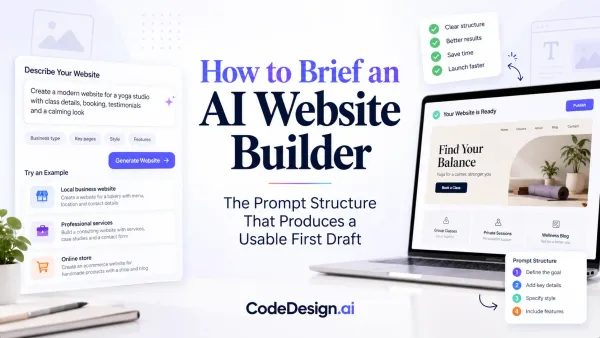
That structure explains why a weak prompt leads to a vague site. A strong prompt gives the builder enough context to make sensible decisions about hierarchy, page types, and tone. Guidance from Builder.io's prompt explainer says the prompt should include the business type, target audience, key pages, brand personality, and required features, and the key idea is that specificity matters more than length.
Practical rule: If the prompt does not tell the system who the site is for and what it needs to do, the output will drift toward generic.
What effective prompts include
A useful brief for an AI powered website builder is usually compact, not sprawling. You might specify that the business is a local accounting firm, the audience is small businesses, the key pages are Home, Services, About, and Contact, the brand should feel calm and trustworthy, and the site needs a contact form and a booking link. That is enough for the system to make structural choices without forcing you to write every headline upfront.
The workflow is also iterative. This guide to AI website builders describes the common loop clearly, generate a first draft, review the structure, refine with follow-up prompts or visual editing, then publish. That is the part many first-time users miss. The AI does not finish the job in one shot, it gets you to a reviewable starting point quickly.

Code export workflows matter here because they change what “finished” means. If you can move from draft to editable code, the builder stops being a closed design toy and becomes part of a longer production pipeline. That distinction becomes important once the site needs deeper custom work, or when you want to protect your ability to move the site to another host later.
Core Features That Separate Great AI Builders from Gimmicks
A polished demo can hide a weak product. A business owner usually notices the difference later, when the home page needs a proper blog, the contact form starts routing badly, or the platform won't let them control the design at the right level. The better tools handle both the fast draft and the practical details that make a site usable after launch.
What matters most in real use
The first filter is context-aware generation. A platform should understand that a law firm, a bakery, and a SaaS landing page need very different structure and tone. Generic template swapping won't do that well, but a stronger AI system can adapt the page hierarchy, copy blocks, and call-to-action placement to the business model.
The second filter is editability. You need a visual editor that lets you refine the AI output without rebuilding from scratch. You also want hosting, SSL, forms, and SEO support built into the workflow so you're not immediately stitching together extra services after launch. CodeDesign.ai's feature set is one example of a platform organized around that broader workflow, with generation, editing, hosting, and export in one place.
The other feature that keeps getting ignored is ownership. If the builder can't export code or let you move the site later, then speed comes at the cost of control. That trade-off matters more for client work and growth-stage businesses than for a simple personal brochure site.
| Feature Priority by Audience Type | Solo Entrepreneurs | Agencies & Freelancers | SaaS Founders |
|---|---|---|---|
| Prompt-based generation | High | High | High |
| Visual editing | High | High | High |
| Code export | Medium | High | High |
| Built-in hosting and SSL | High | High | Medium |
| SEO tools | High | High | High |
| Collaboration tools | Low | High | Medium |
| Form builders | High | High | High |
| Analytics | Medium | High | High |
Which features are table stakes
For solo owners, simplicity wins if the site is mostly a brochure, a booking page, or a lead-capture funnel. For agencies, collaboration, repeatability, and export options matter more because every project has a handoff moment. For SaaS founders, the evaluation shifts toward code control, integrations, and the ability to grow the site into a product-facing asset rather than a static brochure.
Worth watching: if a builder looks powerful but hides hosting, forms, SEO settings, or export behind a maze of add-ons, the real workflow is probably more brittle than the marketing suggests.
Real Workflows and Use Cases Across Different Audiences
The same tool can feel perfect or frustrating depending on who's using it. A founder who needs a clean launch page has different priorities than an agency juggling five client revisions or a freelancer who wants to hand off a site cleanly at the end of a project. The strongest platforms make those handoffs less painful.

Solo entrepreneur workflow
A portfolio designer, coach, or local service provider usually wants the fastest path from blank page to live site. The smart move is to start with a tight prompt, then use the editor to replace the most generic sections first, usually the hero, service summary, and contact block. That's where the site starts to feel like the business instead of a template.
A platform such as CodeDesign.ai for coaches fits that pattern because the workflow can begin with AI generation and continue into visual editing, hosting, and later code export if the business grows. The important part isn't the novelty of AI, it's whether the draft can be turned into a usable site without a second migration project.
Agency and SaaS workflows
Agencies need consistency across clients, especially when branding, layout, and approvals have to move quickly. A good AI builder helps by generating a base structure that designers can standardize, then duplicate and customize across projects. That cuts down on repetitive setup work while still leaving room for human judgment.
For SaaS founders, the workload shifts toward conversion. They care about headline variants, form performance, analytics, and whether the site can support future product pages or integrations. The AI draft is useful, but only if the platform keeps the site flexible after launch.
Here's the uncomfortable truth. Some builders are great at brochure sites and awkward at anything more interactive. A closed, no-code-only tool may feel quick at first, then become a bottleneck when the project needs authentication, databases, or deeper logic.
The cleanest workflow is usually the one that leaves room for change. That means reviewing the generated structure carefully, revising the weakest sections, and checking whether the platform supports the next step, not just the first one.
The Ownership Question Most Guides Ignore
Most builder comparisons obsess over launch speed and ignore what happens after the site goes live. That omission is a problem, because the actual costs show up when the business wants to change platforms, hand the site to a developer, or move into a CMS later. A fast start is helpful, but a trapped site can be expensive in time and stress.
Portability is a business decision
The market now splits into two practical categories, AI-augmented no-code editors and AI-native code generators. The first category is usually best for marketing sites and portfolios, while the second is better when a site needs login flows, databases, or deeper product logic. Independent guidance from this AI builder comparison and this 2026 buyer guide both point toward the same trade-off, speed is useful, but fit matters more.
That's why ownership questions should be asked before you build, not after. Can you export clean code? Can another developer take over without rebuilding the whole site? Can you modify the pages later, or does every change force you back into the same closed interface?
What true control looks like
For practical purposes, true ownership means you can keep moving even if your needs change. That might mean exporting HTML, CSS, and React code, syncing to WordPress, or handing the files to a developer without having to reverse-engineer the entire site. Those options matter because websites rarely stay static.
If the platform can't survive a handoff, it's not just a design decision. It's an operational risk.
Publishing guidance matters here because a site that launches quickly still needs a path for ongoing edits, hosting changes, and future migrations. The more your business depends on the site, the more dangerous lock-in becomes. That's especially true for founders who expect the site to evolve into a landing-page system, a lead engine, or a product hub.
A website builder can be the right tool and still be the wrong category for your future. The point isn't to reject AI generation, it's to choose the version that won't force a rebuild when the business gets more complex.

Your Evaluation Checklist and Quick-Start Recommendations
A good trial should answer a few practical questions fast. Does the AI understand a real business prompt, or does it force you into generic templates? Can you edit enough detail to make the site feel custom? Can you leave with your work intact if you need to?
What to test before you commit
- Prompt quality: Try a prompt that includes your business type, audience, pages, tone, and needed features. If the result ignores most of that input, the builder is too shallow for serious use.
- Template variety: Check whether the platform offers starting points across industries, not just one visual style.
- Editing flexibility: Move sections, change spacing, and adjust content blocks. If small edits feel like surgery, the workflow will get old quickly.
- Export options: Look for code export or a clear migration path. This matters most if you expect future handoff or custom development.
- Hosting and support: Test how quickly pages publish and how responsive support feels when something breaks.
- SEO and forms: Make sure the site can handle metadata, blog structure, and form submissions without clumsy workarounds.
For many owners, the best trial is an actual project, not a sandbox. Build the actual homepage, use the actual business name, and write the actual offer. That reveals whether the builder helps with momentum or just creates another draft to clean up later.
How to choose your starting lane
If you need a simple brochure site, start with the platform that gets you live fastest and still lets you edit comfortably. If you run an agency, prioritize collaboration and reusable workflows. If you're building a SaaS page or expect future technical complexity, make export and ownership a must-have.
One platform worth evaluating in that context is CodeDesign.ai, because it combines AI site generation, hosting, editing, export, and a free plan in a single workflow. The company also says it has 4M+ sites created, which is a useful adoption signal if you want to judge maturity rather than just polish.
Building Your Site with Confidence and Control
An AI powered website builder is strongest when it gives you both speed and room to grow. The first draft should arrive quickly, but the true test is whether you can shape it into something your business can own, edit, and trust over time. That balance matters more than the hype around instant generation.
The right choice depends on what your site has to do. A simple marketing page can live comfortably inside a no-code AI builder, but a site that needs deeper logic, future handoff, or long-term SEO flexibility deserves a platform that doesn't trap your work behind the first launch. That's why ownership, export, hosting, and editing control belong in the first round of evaluation, not the last.
If you're ready to test the workflow with a real project, start with a free plan and build the page you need. CodeDesign.ai gives you prompt-based generation, visual editing, hosting, and export in one place, so you can see whether AI speed and long-term control feel right for your business before you commit.