The 10 Best AI Website Generators of 2026

A founder writes one prompt over coffee. By the end of the hour, there is a homepage, services page, contact form, and a publish button waiting. That speed is why AI builders are getting serious attention from freelancers, small businesses, and lean teams that need a site live without a long design cycle.
The speed is useful, but it is no longer the deciding factor. Nearly every major builder can produce a decent first draft. The key difference shows up six months later, when the site needs custom pages, cleaner SEO structure, better performance, or a move to another platform.
That is where ownership matters.
Some tools help you launch quickly, then trap the site inside their own system. Your content, layouts, forms, and integrations start to depend on platform-specific parts that do not travel well. It works like renting a fitted office where the desks, wiring, and walls all belong to the landlord. Leaving is possible, but the move is expensive and messy.
This guide compares AI website builders through that lens. It looks at who gets you online fast, who gives you room to grow, and who lets you leave with your work intact. Tools with real export options, including AI website generator with code export, deserve extra attention because they let you choose a builder for today without closing off tomorrow.
Table of Contents
1. CodeDesign.ai

CodeDesign.ai is the one I put first for a simple reason. It treats AI speed and long-term control as equally important. Most builders are strong on one side of that equation and weak on the other.
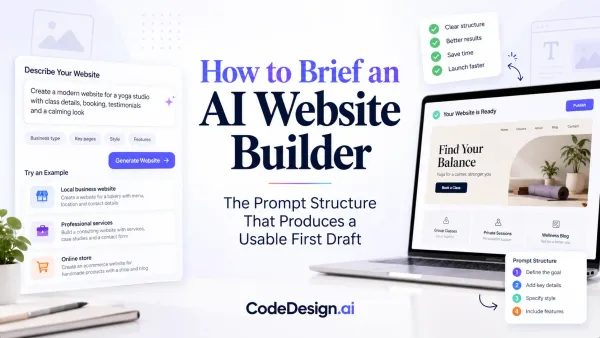
You start with an AI-first workflow. Describe the business, offer, audience, or page you need, and the platform generates full pages that you can refine through prompts. If chat-based building stops being efficient, you can switch into a visual editor and adjust layout, content, and sections manually without throwing away the AI draft. That handoff matters more than it sounds. The best tools don't force you to choose between “magic” and actual control.
Why CodeDesign.ai stands out
The ownership angle is where it separates itself. You can publish on its hosted stack, sync to WordPress, or export clean HTML/CSS and React code through the CodeDesign AI website generator. That's the difference between renting furniture in a staged apartment and owning the truckload when you move. If your stack changes later, your site doesn't have to die with the builder.
The platform also leans into practical production details instead of just generation demos. It includes built-in forms, analytics, backups, templates across industries, AI blogging support, and domain registration across 400+ TLDs. The content owner also highlights SEO and AEO optimized content, image size optimization, and a 95% page speed booster, plus integrations with Zapier, WordPress, OpenAI, GPT, and Claude. I can't independently verify that page-speed figure from the approved source set, so I'd treat it as a product claim rather than a benchmark.
Practical rule: If a builder can't give you a clean exit path, assume you're rebuilding later.
Prompting quality matters here too. QuillBot's AI website builder guidance says users should specify the site type, include brand details like tone, colors, keywords, and industry, and keep each prompt focused on one page because clear, single-purpose prompts produce cleaner layouts in QuillBot's prompting advice. That lines up with what CodeDesign users need most. Vague prompts create generic sites.
Best fit and trade-offs
CodeDesign.ai works well for founders, agencies, SaaS teams, and designers who want AI acceleration without giving up exportability later.
Best strength: True portability through HTML/CSS and React export, plus WordPress sync.
Best workflow: AI chat generation first, visual refinement second.
Best for teams: People who need forms, blogs, funnels, and hosting in one place.
Main limitation: Advanced exported builds and custom integrations may still need a developer.
The content owner says projects can go from prompt to usable output in as little as 30 to 60 seconds. That kind of speed is impressive for early drafts, but the bigger win is that the draft doesn't trap you.
Visit CodeDesign.ai.
2. Wix Harmony

Wix Harmony is one of the easiest on-ramps for people who want a website, not a web project. You answer prompts, Wix assembles a site, and then you polish it inside a mature visual editor with hosting, forms, payments, bookings, and apps already wired in.
That convenience is Wix's superpower. It removes a lot of setup friction that scares off non-technical users. If you want to go from domain to live site inside one vendor account, Wix still does that better than most.
Where Wix gets it right
Wix also benefits from mainstream AI builder expectations. Figma Make says users can turn prompts into responsive, interactive sites and publish them without coding, while Wix markets AI-generated business-ready sites that are ready to edit on Figma's AI website generator page. That's a fair shorthand for what Wix is optimizing for. Structure, speed, and immediate publishability.
The catch is the exit strategy. Wix is excellent when you want the whole Wix stack. It's less appealing if you think you'll eventually want to host elsewhere, extensively customize the codebase, or migrate without compromise. If you need help getting a generated site live in a more flexible publishing workflow, this guide on how to publish web site projects is worth reviewing alongside your platform choice.
Wix is a strong all-in-one system. It's not a strong “leave whenever you want with everything intact” system.
Visit Wix Harmony.
3. Framer AI

Framer AI is what I recommend when the site itself is part of the brand. If the homepage needs to feel polished, animated, and customized instead of merely functional, Framer is usually in the conversation.
Its AI tools work inside a design-led environment, so the output often looks sharper than what you get from more utility-focused builders. Marketing teams like it because they can move fast without ending up with something that feels like a generic small-business template. Designers like it because they're still operating on-canvas with strong control over typography, spacing, and motion.
Who should use Framer AI
Framer isn't the best AI website generator for everyone. It's better for landing pages, campaigns, portfolios, and polished marketing sites than for users who want a pure “tell it what I do and never touch design again” experience.
The practical trade-off is this:
Choose Framer if: visual quality is part of the sales pitch.
Skip Framer if: you need a broad app ecosystem or a beginner-proof setup.
Expect: better aesthetics, more design nuance, and a bit more learning.
Independent roundups don't agree on a single winner in this category. Lists from All About Cookies and Zapier surface different tools, including Wix, Hostinger, Jimdo, Framer, and Chariot, which tells you the market is fragmented by workflow and priorities rather than dominated by one standard as summarized in this roundup discussion.
Visit Framer AI.
4. Webflow AI

Webflow AI sits closer to visual development than classic website building. That's why teams with CMS-heavy sites, structured component systems, and stricter brand standards still choose it even when simpler AI builders are available.
The AI layer helps with site generation, copy, and SEO assistance, but its primary benefit comes from its integration with a platform built for more complex web operations. You get stronger layout control, CMS flexibility, and team workflows than you'd get in a simpler drag-and-drop tool.
Where Webflow AI earns its place
Webflow is not the easiest option on this list. It asks more of the user. In return, it gives more control over the finished product.
That trade works when your site isn't just a brochure. It's especially useful for marketing teams managing collections, reusable sections, and content operations that need more than a one-page generator can offer.
Global adoption data also points in the same direction. Over 75% of organizations using AI in digital workflows have integrated AI into at least one customer-facing application such as website or marketing content creation, and a market analysis estimates automation in layout generation, content insertion, and SEO-related metadata can reduce development time by up to 60 to 70 percent compared with traditional manual workflows in this AI website builder market analysis. Webflow fits that efficiency story when a team wants AI assistance without dropping down to a toy editor.
Visit Webflow.
5. Squarespace

Squarespace still wins on taste. Not in every case, and not for every industry, but if you're a creator, consultant, photographer, or small brand that wants a site to look composed with minimal effort, it's hard to ignore.
Its AI features are more assistive than transformative. You get help with copy and guidance inside a polished all-in-one builder rather than a radically new AI-native workflow. For some users, that's a downside. For others, it's exactly the point. They don't want a chatbot as a design partner. They want a stable editor with tasteful defaults.
Why people still choose Squarespace
The trade-off is customization depth. Squarespace is smooth, but it's not where I'd go for advanced visual systems, unusual interactions, or a highly portable code strategy.
Still, for a lot of small businesses, beauty and simplicity beat raw flexibility. If your real job is selling a service or publishing work, not managing web infrastructure, Squarespace keeps the website from becoming its own side business.
Good templates save more bad websites than advanced settings do.
Visit Squarespace.
6. Hostinger AI Website Builder

Hostinger's AI Website Builder is the budget-friendly all-in-one pick. It wraps AI generation, hosting, SSL, and editing into one flow that feels straightforward even for first-time users.
You generate the site structure, copy, and visuals, then clean things up in a block editor. That's not glamorous, but it is practical. A lot of users don't need a design playground. They need a serviceable website and a bill they can live with.
Best use case for Hostinger
Hostinger makes the most sense for lean projects, simple business sites, and owners who value low setup friction over ecosystem depth.
There is a trade-off, though. The lower-cost builders often look great during setup and narrower a year later when your marketing stack gets more ambitious. One of the biggest blind spots in “best AI website generator” roundups is integration planning. UseMotion notes that 68% of small businesses using AI marketing tools report difficulty integrating AI-generated content outputs with other platforms, which is exactly why exportability and sync options matter in this AI website builder integration analysis.
If SEO is a deciding factor for you, review this guide on website builder SEO considerations before locking into any low-cost platform.
Visit Hostinger AI Website Builder.
7. GoDaddy Airo + GoDaddy Website Builder

GoDaddy Airo is built for the person who buys a domain and wants the rest handled in the same sitting. That's its lane. It folds conversational AI into GoDaddy's website builder and surrounding tools like email and marketing.
For solopreneurs, that's useful. There are fewer moving parts, fewer accounts, and less setup anxiety. You don't need to know which plugin, host, or form service to combine because the platform has already made those decisions for you.
What GoDaddy does best
GoDaddy is strongest at reducing friction at the start. It is weaker when your site becomes a more serious digital asset that needs deeper customization or a less constrained publishing model.
That doesn't make it a bad choice. It makes it a specific one. If you just need a dependable, beginner-friendly setup for a local business, consultant page, or simple offer site, Airo is a reasonable shortcut.
Where I'd hesitate is on long-term flexibility. Bundled ecosystems are comfortable. They're also where ownership questions usually appear late, after the site is already working and the business depends on it.
Visit GoDaddy Airo.
8. 10Web AI
10Web AI matters because it keeps WordPress in the picture. If your priority is ownership through a standard CMS rather than a closed builder, 10Web is one of the more practical options available.
It can generate WordPress sites, recreate existing pages into editable WordPress versions, and support workflows that include Figma imports. For agencies and migration projects, that is very appealing. You aren't just creating a site fast. You're creating it in an ecosystem with a long-established plugin and content model.
Why 10Web matters for ownership
The trade-off is complexity. WordPress gives freedom, but it also gives responsibility. Updates, plugins, performance tuning, and occasional stack weirdness come with the territory.
Still, if “exit strategy” is your filter, 10Web scores well because the destination is standard WordPress rather than a sealed platform. Historically, AI-assisted builders moved from niche to mainstream quickly. Independent trend analysis estimated around 15 to 20 percent of newly created business websites globally used some form of AI-assisted builder by 2020, rising to roughly 30 to 35 percent in developed markets by 2023 in this historical market analysis. Tools like 10Web make sense in that shift because they bring AI speed into a stack many businesses already trust.
Visit 10Web AI.
9. Durable
A plumber, cleaner, or solo consultant usually has the same problem. They do not need a design system or a complex content stack. They need a site, a contact path, and something that looks trustworthy by the end of the day.
Durable is built for that job. It combines AI site generation with basic business tools like CRM, booking support, blog assistance, and automated lead follow-up in one dashboard. For a brand-new business, that all-in-one setup can remove a lot of early friction.
When Durable is the right call
Durable fits owners who value speed over control. If the goal is to get a service business online quickly, test messaging, and start collecting leads, it does that well.
The trade-off shows up later. Durable works best while your website is still a simple storefront. Once you want tighter design control, more specialized integrations, or a clearer exit path, the platform starts to feel restrictive. That matters in an article about ownership. A fast builder is helpful today, but if you cannot take much with you tomorrow, the convenience comes with a cost.
That is the main difference between a closed convenience-first tool and a platform with stronger export flexibility, such as CodeDesign.ai. One gives you a fast rented shop. The other is closer to leaving with the keys and floor plan.
Durable still has a real place in this list. For local businesses that need to launch first and refine later, it is one of the more practical options.
Visit Durable.
10. Dorik AI

Dorik AI is the value-focused option I point people toward when they want a straightforward builder, agency-friendly handling, and less overhead than the larger platforms.
It works well for portfolios, simple company sites, microsites, and client projects that don't need a giant ecosystem. The editor is easier to hand off than a more advanced design platform, which matters for freelancers and agencies managing multiple smaller accounts.
Where Dorik fits
Dorik's trade-off is depth. You get simplicity and pricing clarity, but not the broad integration range or advanced commerce tooling you'd expect from larger suites.
That said, simple is often underrated. A lot of websites don't fail because the tool lacked enterprise capability. They fail because the owner never wanted to become a part-time webmaster.
There is also a broader market tailwind behind these tools. The global AI-powered website builder market is projected to grow from approximately USD 3.17 billion in 2023 to about USD 31.5 billion by 2033, with roughly 25.8 percent CAGR, and North America currently holds an estimated 38 to 43 percent regional share according to this market forecast. Dorik benefits from that expansion by serving buyers who want AI assistance without paying for a heavyweight platform.
Visit Dorik AI.
Top 10 AI Website Builders Comparison
| Product | Core features | Quality ★ | Value 💰 | Target 👥 | USP ✨ |
|---|---|---|---|---|---|
| CodeDesign.ai 🏆 | Agentic AI chat + visual editor; exportable HTML/CSS/React; hosting (free SSL), SEO, forms, analytics, domains | ★★★★★ (~4.8/5) | 💰 Generous free tier; competitive paid & agency plans; occasional lifetime deals | 👥 Creators, entrepreneurs, agencies, developers | ✨🏆 Agentic AI + true export/portability; no vendor lock‑in |
| Wix Harmony (Wix) | AI generator + drag‑drop editor; apps, commerce, hosting & forms | ★★★★☆ | 💰 Free tier; paid plans for custom domain & commerce | 👥 Non‑technical users, small businesses | ✨ Mature app ecosystem & commerce features |
| Framer AI | Design‑led on‑canvas AI; CMS population, code snippets, motion & interactions | ★★★★☆ | 💰 Mid‑range; designer‑focused plans | 👥 Designers, marketing teams | ✨ Polished visuals, fine‑grained motion & interactions |
| Webflow AI | AI builder + pro visual designer; CMS, component workflows & scalable hosting | ★★★★☆ | 💰 Pro pricing for teams; workspace credits | 👥 Teams, enterprises, pro designers | ✨ Pro‑level control with scalable hosting & CMS |
| Squarespace (w/ AI) | AI copy & design guidance; Fluid Engine; commerce, scheduling & templates | ★★★★☆ | 💰 No permanent free plan; 14‑day trial; all‑in‑one pricing | 👥 Creators & small businesses prioritizing aesthetics | ✨ Award‑winning templates and easy commerce |
| Hostinger AI Website Builder | AI site generation (structure/copy/images); block editor + bundled hosting, SSL & domains | ★★★☆☆ | 💰 Very low entry promos; renewal rates can be higher | 👥 Budget‑conscious users, beginners | ✨ Low‑cost integrated hosting + builder bundle |
| GoDaddy Airo + GoDaddy Website Builder | Conversational AI builder; domains, hosting, marketing, email bundled | ★★★☆☆ | 💰 Bundled, entry‑level pricing; simple tiers | 👥 Solopreneurs & quick‑launch users | ✨ Fast domain‑to‑live workflow with marketing tools |
| 10Web AI (WordPress) | AI generation for WordPress; Elementor editor; import/Figma conversion; white‑label | ★★★★☆ | 💰 WP hosting & agency plans; white‑label options | 👥 Agencies and WordPress users | ✨ Keeps sites on standard WP + migration & white‑label |
| Durable | Instant AI site creation; lightweight CRM, bookings & AI agents for tasks | ★★★★☆ | 💰 Affordable plans; free domain on paid tiers | 👥 Solo founders, small local businesses | ✨ Ultra‑fast launch + built‑in lightweight marketing stack |
| Dorik AI | AI site generation & blogging; white‑label multi‑site management; fast publish | ★★★☆☆ | 💰 Budget‑friendly pricing for agencies/clients | 👥 Agencies, portfolios, simple multi‑page sites | ✨ Affordable white‑label & multi‑site workflow |
Your Next Website Starts with an AI Prompt
The best AI website generator isn't automatically the one that builds the fastest homepage. It's the one that still makes sense six months later, after you've connected analytics, started ranking pages, collected leads, and realized your website is part of a larger business system.
That's why ownership matters so much in this category. A builder can feel amazing during the first hour and expensive during the second year. The usual trap looks like this: the AI output is good enough to launch, the built-in tools are convenient, and then the platform becomes the boundary around your business. You want cleaner code, another CMS, better integration paths, or more control over hosting, and suddenly “easy” has become “start over.”
SEO and structure deserve the same scrutiny. Many AI-generated sites look acceptable on the surface but create cleanup work later. Independent audits cited in Marketer Milk's coverage found about 40 to 50 percent of AI-written marketing pages fail basic accessibility checks, often because of weak heading structure, missing alt text, or poor semantic output in this review of AI website builder quality issues. That doesn't mean AI builders are flawed by default. It means launch speed shouldn't blind you to what sits underneath.
The strongest tools now separate themselves in three ways. First, they help you generate usable first drafts quickly. Second, they give you enough editing control to make the site yours. Third, and most overlooked, they let you keep ownership of the work when your stack evolves.
That's why CodeDesign.ai stands out in this list. It doesn't force an either-or decision between AI convenience and professional control. You can generate pages from prompts, refine them visually, publish quickly, and still keep pathways open through exportable code and WordPress sync. For agencies, SaaS teams, and founders who don't want to repaint the whole house every time the business changes, that's a practical advantage.
AI has already changed how websites get built. The bigger change is how quickly people now expect to iterate, publish, test, and reposition online. If you want a broader view of that shift, this look at the impact of AI on websites is a useful companion read.
Choose for launch speed, yes. But also choose for what happens after launch. That's where the expensive mistakes usually hide.
If you want AI speed without giving up ownership later, CodeDesign.ai is the most balanced place to start. You can generate a site from a prompt, refine it in a visual editor, publish fast, and keep your options open with WordPress sync and exportable code. For founders, agencies, and small teams, that's the difference between a quick launch and a dead-end rebuild later.