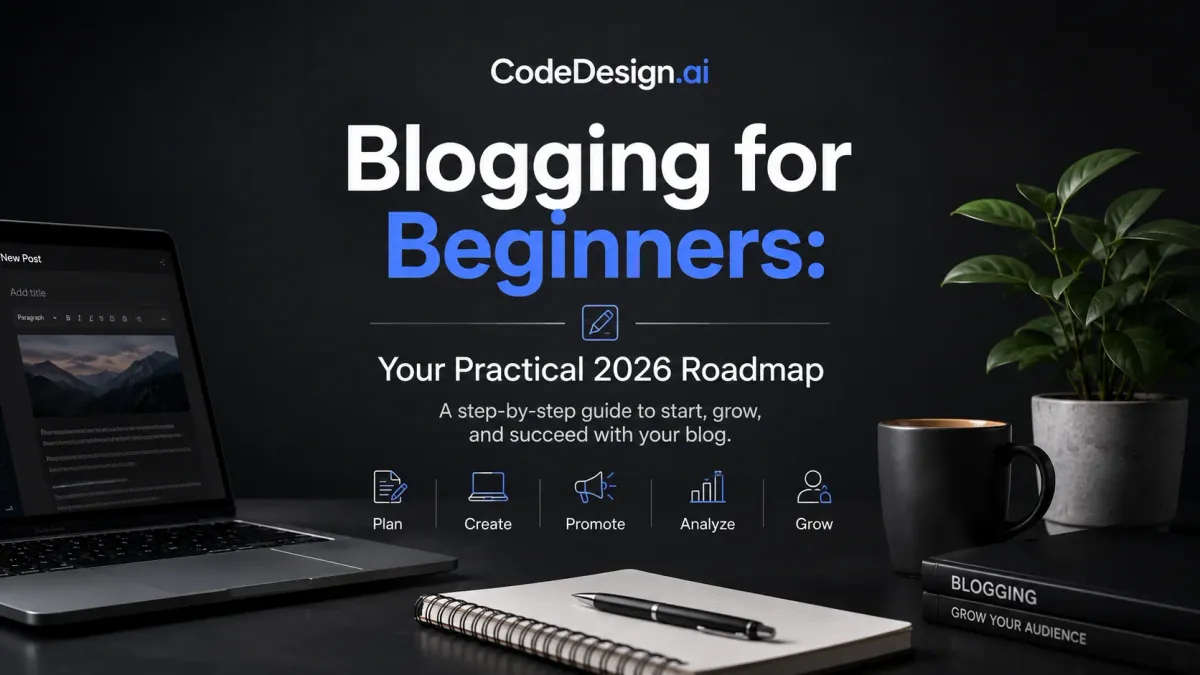
Blogging for Beginners: Your Practical 2026 Roadmap
You may want to start a blog because you have ideas to share, but the first decision is really about how you will publish consistently. A self-hosted site gives you control and room to grow, a platform like Medium or Substack lowers the setup burden, and an AI-assisted builder such as CodeDesign.ai can help you get a site live without getting stuck in the technical details. The right choice is the one you can keep using long enough to build trust, own your content, and make future SEO work possible.
Blogging is crowded now. Recent industry roundups estimate over 600 million blogs worldwide and about 7.5 million new blog posts every day (source). Readers also move quickly, with the average blog visit lasting about 52 seconds and many posts landing around 1,416–1,427 words (source). That means a beginner needs more than a topic idea. You need a publishing model, a niche you can stick with, and a simple process that fits real life without making every post feel like a fresh start.
Table of Contents
- Choosing How You'll Publish Before You Write a Word
- Picking a Niche You Can Actually Rank For
- Setting Up Your Site, Domain, and Design
- Writing and Optimizing Your First Ten Posts
- Growing Traffic With Realistic SEO and Promotion
- Measuring What Matters and Monetizing Without Overcomplicating It
- Your First 90 Days as a Beginner Blogger
Choosing How You'll Publish Before You Write a Word
A solo founder sits down on Sunday night with a notebook and a half-formed idea for a blog about home espresso. She wants to publish every week, she does not want to manage servers, and she wants the blog to support a future product or service. That first choice shapes everything that follows in blogging for beginners, because your publishing model determines how much control, speed, and flexibility you have later.
Self-hosted, hosted, or AI-assisted
A self-hosted WordPress blog gives you the most ownership and portability, which matters if the blog may become a business later. WordPress remains a familiar choice for independent publishers because it gives you control over the site, the content, and the way you grow over time. That strength comes with more setup and more maintenance, so it suits people who are ready to handle a little more work in exchange for long-term control.
A hosted creator platform like Medium or Substack reduces friction. You can start faster, publish without worrying about technical upkeep, and avoid some of the work that comes with managing your own site. The tradeoff is less control over design, monetization rules, and portability if you later want to move. That can be fine for writing practice or an early audience test, but it is a weaker fit if you want the blog to feel like your own asset.
An AI-assisted builder sits between those two paths. CodeDesign.ai lets you generate and edit a site, publish on managed cloud hosting, sync to WordPress, or export HTML/CSS and React code. That matters if you want speed now without giving up future flexibility, because you can get a usable site live without starting from a blank page, then keep the option to move or expand later. If you want a practical overview of the workflow, this publishing guide shows how the setup fits together once you have chosen a model.
Practical rule: Pick the model that matches your tolerance for setup. If you want full control, choose self-hosted. If you want the fastest first post, choose a hosted platform. If you want speed plus ownership, choose a builder that exports your work.
How the choice affects your first month
The beginner mistake is choosing a platform before choosing a goal. If you want to test ideas quickly, a hosted platform can be enough. If your plan includes search traffic, email capture, and a product later, ownership and SEO control matter more. That is the decision, because a blog is not only a place to publish writing, it is also a system for keeping your work reachable and easy to grow.
A quick way to decide is simple: ask three questions, then answer them truthfully.
- Do I need full control later? If yes, lean toward self-hosted or an exportable builder.
- Do I need to publish this week? If yes, reduce setup friction.
- Do I want to move the site someday? If yes, avoid lock-in where possible.
For a beginner who wants to publish weekly without babysitting infrastructure, the best choice is usually the one that makes publishing feel routine instead of technical. A good publishing model should make it easier to stay consistent, own your work, and build a site that can rank and grow instead of one that only feels simple on day one.
Picking a Niche You Can Actually Rank For
A lot of niche advice stops at “follow your passion.” That sounds encouraging, but it doesn't tell you whether the topic is winnable. A better question is whether you can publish useful posts in a space where searchers need answers and the first page isn't locked up by giant publishers.
Start with experience, then narrow
Begin with what you already know, then split it into three to five sub-angles. “Coffee” is broad and hard to own. “Home espresso for small kitchens” is narrower, more specific, and easier to build around. That shift helps because beginners need a niche that can support repeated posts, not a one-off burst of inspiration.
Next, check the search results for your idea. A working benchmark from beginner niche guidance is a KD score under 30 (source). That doesn't guarantee success, but it's a useful filter when you're deciding whether a topic is realistic for a new site.
Test demand before you commit
Search your idea and look at the top results. If you only see huge brands, large magazines, and generalist authority sites, the topic may be too crowded for a new blog. Then scan Google People Also Ask for the questions people keep repeating. Those questions often reveal the exact angles a beginner can cover first.
You can also check whether the niche has an active community on Reddit, in newsletters, or inside smaller creator circles. If real people keep asking the same questions, you've found a topic with enough motion to support a blog.
A niche doesn't need to be forever. It does need to be interesting enough that you can write in it for a year without hating the work.
Choose for repeatability, not excitement alone
The goal is not to find the most profitable topic on paper. The goal is to find a topic you can explain clearly, learn in public, and keep publishing on. When beginners get stuck, it's usually because the niche was chosen for image, not for stamina.
Setting Up Your Site, Domain, and Design
The setup phase is where many beginners freeze. They spend days comparing templates, changing fonts, and wondering whether they need every feature before the first post can go live. You don't. You need a clean site, a clear name, and a few basic pages that make the blog look real.
Launch the basics first
If you're using an AI-assisted builder, start by describing the blog's purpose, then pick a responsive template that matches the niche. CodeDesign.ai also offers domain options across 400+ TLDs, free SSL, managed cloud publishing, WordPress sync, and exportable code, which gives you room to grow without rebuilding later.
For beginners, the important part is not perfect design. It's removing friction. Pick a template, connect the custom domain, and publish a simple homepage before you fuss over details. A live site beats a half-finished draft every time.
Build the first-week essentials
Your first week should cover the parts that make the site trustworthy and usable.
- About page: Tell readers who the blog is for and why it exists.
- Contact form: Give people one obvious way to reach you.
- Legal pages: Add the basic pages your site needs to look complete.
- Logo and colors: Keep them simple enough that they don't slow you down.
- Analytics connection: Make sure you can see what's happening from day one.
That last point matters because a blog without measurement turns into guesswork quickly. Once traffic starts, you need to know which posts attract attention and which ones need work.
Choose for future control, not just launch speed
Managed cloud publishing is useful if you want the easiest path to shipping. WordPress sync helps if you want to publish in one place and expand later. Exporting clean code matters if the blog later becomes a business, because it gives you more control over where the site lives and how it evolves.
For a beginner-friendly design workflow, this website design guide is a useful companion when you're deciding how simple the first version should be.
Writing and Optimizing Your First Ten Posts
The first ten posts turn a blog from an idea into something readers can find, read, and return to. Beginners often stall here because they keep waiting for the perfect article, when the primary job is to build a repeatable publishing habit. In 2026, a strong post is clear, easy to scan, and useful within the first few seconds.

Use a structure readers can scan
A strong opening has three jobs, it hooks the reader, states the promise, and makes the topic feel specific. The London School of Economics recommends opening blog posts with something that creates immediate interest, such as a surprising fact, a paradox, a useful summary point, or a strong quote (source). That advice fits beginner blogs because readers decide quickly whether the post deserves their time.
After the opening, use clear H2 and H3 sections, short paragraphs, and concrete examples. Readability matters just as much as depth. Long posts can work well, but only if the writing stays easy to follow and each section earns its place.
Build your first ten around a simple content mix
A practical beginner mix is to start with foundational posts, then include a smaller number of refreshes and a few more advanced pieces once the site has some traction. That balance keeps your early effort focused on posts that can bring in search traffic, instead of spreading your energy across complicated articles too soon.
For on-page SEO, keep the basics tight.
- One focus keyword: Make the topic clear from the start.
- Semantic variations: Use related phrases naturally.
- Meta title and description: Write them for clicks and clarity.
- Internal links: Connect the new post to related older posts.
- Clean URL slug: Keep it short and readable.
- Keyword placement help: If you want a practical walkthrough, use how to add keywords to your website as a checklist while you draft and edit.
A beginner-friendly ten-post launch list for a home espresso blog might include setup guides, grinder comparisons, cleaning basics, drink recipes, and a few troubleshooting posts. CodeDesign.ai can help draft structure, generate page layouts, and keep the publishing workflow moving, but the writing still needs your own voice and judgment.
The University of Wisconsin–Madison's writing guidance also reminds writers to use credible evidence and statistics where they strengthen the argument (source). That habit pays off early, because strong posts are easier to trust, share, and improve.
Growing Traffic With Realistic SEO and Promotion
New bloggers often expect traffic to show up almost immediately. That's the fastest way to get discouraged. A Databox summary found that 55%+ of experts said initial traction takes 3–9 months, and about 32% reach 1,000 monthly sessions in 4–6 months (source). That timeline sounds slow only if you expect a shortcut.

Promote each post the same day it goes live
The beginner promotion routine should be simple and repeatable. Submit the post to Google Search Console, share it in two relevant communities, turn it into a short thread for LinkedIn or X, and pitch one post per month to a newsletter in the same niche. You're not trying to be everywhere. You're trying to give each post a few honest chances to be seen.
Promotion also gets easier when the post solves a specific problem. Broad content is harder to share because people don't know who it's for. Narrow content gives communities a reason to care.
Build links and updates into the calendar
Backlinks matter, but beginners don't need a complicated campaign. Start with useful assets people want to reference, like original observations, templates, or a simple expert roundup. Those are easier to pitch than generic opinion pieces.
Just as important, know when to update instead of publish again. If an older post already has some traction, a refresh can be a smarter use of time than a brand-new article. That ties directly to the earlier content allocation rule, because not every publishing hour should go toward something new.
Practical rule: If a post is close to ranking or already getting visits, improve that post before starting a brand-new one.
If you want a technical companion for this stage, this website builder SEO guide fits the early optimization work without adding jargon.
Keep promotion tied to your niche
The more specific your blog, the easier promotion gets. Communities respond to useful posts that fit their exact problem. A general blog can still grow, but it has to work harder to get the same attention.
Measuring What Matters and Monetizing Without Overcomplicating It
A blog can be publishing on schedule and still leave beginners guessing. The real questions are simple, is the site getting traction, and can it earn without turning into a cluttered mix of random links and half-finished offers? Keep measurement narrow and keep monetization close to the posts that already help readers.

Watch only the numbers that help decisions
Inside your analytics, focus on sessions, top pages, average engagement time, and traffic sources. Those numbers tell you which posts deserve more attention and which channels are worth repeating. Everything else can wait until the site has enough activity to make the extra detail useful.
The goal of measurement is not collecting charts for their own sake. It is choosing what to publish next, what to update, and what to stop spending time on.
Start monetization where trust already exists
Begin with affiliate links inside useful posts. If you recommend products you use, the offer stays tied to the reader's problem instead of feeling pasted on. After that, a single digital product, such as a checklist or template, is usually the next simple step.
Sponsored posts usually fit later, once the audience is clear and the niche has a recognizable shape. Ads can come even later, because they are easier to justify after the site has enough steady traffic to support them.
The earlier content rule matters here too. Posts aimed at beginners can earn 3.68x more SEO traffic than advanced content on average (source). That makes beginner-friendly content especially valuable while you are building the first revenue layer.
Treat updates as a revenue lever
Refreshing an older post often gives you more return than publishing another advanced article nobody finds. It compounds the work you have already done in a practical way. Keep the post useful, tighten the structure, and make the call to action clearer.
For analytics workflow support, this website analytics page helps you read the numbers with less guesswork.
Your First 90 Days as a Beginner Blogger
The first 90 days are about building a system, not chasing a viral hit. If the site can survive this period with a realistic routine, it has a real chance to keep growing after month six. That's the milestone that matters.
| Phase | Primary Focus | Key Output |
|---|---|---|
| Days 1 to 30 | Choose the publishing model, lock the niche, launch the site, publish the first cornerstone posts | A live blog with a clear topic and working structure |
| Days 31 to 60 | Build publishing rhythm, add internal links, connect analytics and Search Console | A steady posting habit with measurable pages |
| Days 61 to 90 | Start promotion, refresh one older post, test one monetization path | A repeatable publishing and growth loop |
Use the first month to remove friction
Pick the publishing model, lock the niche, and get the site live. Publish the first three cornerstone posts as soon as you can, even if the design still feels simple. A finished site teaches you more than another week of planning.
Use the middle month to build rhythm
Keep the content mix balanced with the 40% / 20% / 10% split from earlier. Add internal links as you publish, and check analytics and Search Console regularly so you're not guessing. By this point, the goal is consistency, not novelty.
Use the last month to test traction
Share new posts in relevant communities, refresh one older article, and test one affiliate link or one simple product. Then review the four metrics that matter most and decide what to repeat next month.
The win isn't one popular post. It's a publishing system you can keep using when the excitement fades.
If you want a faster way to turn this roadmap into a live blog, CodeDesign.ai can help you generate the site, edit it visually, publish on managed hosting, and keep ownership options open as you grow. If you're starting from zero and want a practical setup that doesn't trap you later, it's a sensible place to begin.