Difference Between Website and Webpage Explained Simply
You're staring at a new business idea, a blank builder, and a browser tab full of terms that sound almost the same. Website and webpage get mixed up all the time, especially when you're trying to launch fast and just want to know what you need to build first.
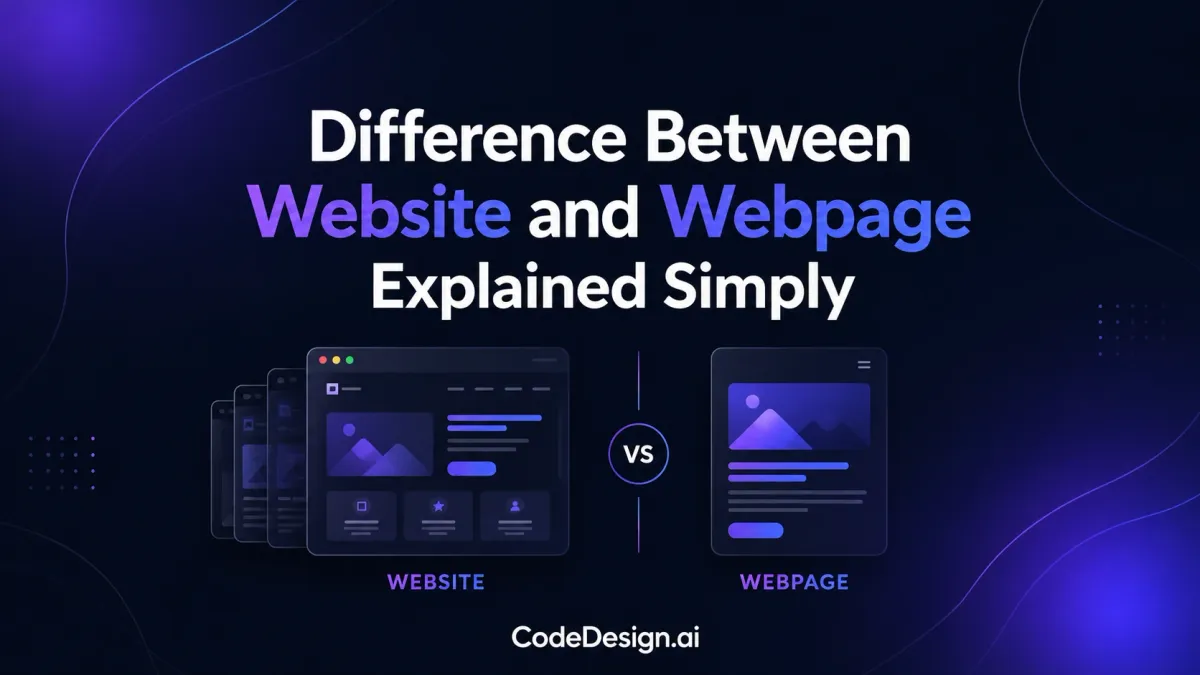
A simple way to keep them straight is this, a webpage is one document, and a website is the full collection of related pages under one domain. That distinction sounds small, but it changes how you plan your pages, organize navigation, measure performance, and publish a real project without creating confusion later.
| Attribute | Webpage | Website |
|---|---|---|
| Basic idea | One standalone page | The whole collection of pages |
| Address | A domain plus a specific path or slug | The main domain itself |
| Purpose | One focused task or message | A full digital presence with multiple goals |
| Navigation | Usually one page's content and links | Shared menus and paths between many pages |
| Editing | Updated as a single unit | Managed as a larger structure made of many pages |
| Reliability | Can be removed without taking down the rest of the site | Can stay online even if one page changes or disappears |
Table of Contents
- What Is a Website and What Is a Webpage
- How Structure, URLs, and Hosting Tie Them Together
- Side-by-Side Comparison of Key Differences
- Real-World Examples and Use Cases
- Common Misconceptions Worth Clearing Up
- Building and Organizing Sites and Pages in CodeDesign.ai
- When to Think in Pages and When to Think in Sites
What Is a Website and What Is a Webpage
You might be planning a new business and asking a very practical question, what exactly am I building here, a site or just a page? The easiest way to picture it is a shop and a single product on a shelf. The shop is the whole place, while the product is one thing inside it that has its own purpose.
A webpage is a single document a browser can render. It usually has one job, such as introducing a service, collecting a lead, or explaining a product. A website is the larger collection of related webpages that live under one domain, share a design system, and work together as one online property, which is why the web's original model treated a site as a container for many linked documents rather than one giant page SEO Guru Atlanta.

Practical rule: if you can point to one address and say, “this is the whole property,” you're talking about a website. If you can point to one page and say, “this is one specific piece inside it,” you're talking about a webpage.
A business website often includes a home page, an about page, a services page, a contact page, and maybe a blog or legal pages. That's why the difference matters for real work, not just vocabulary. The site is the full digital home, and each webpage is one room in that home. If you want a beginner-friendly walkthrough of how those rooms usually get arranged, the article on website design for beginners gives a useful starting point.
Quick definition snapshot
| Attribute | Webpage | Website |
|---|---|---|
| What it is | One HTML document | A collection of related pages |
| How you open it | Through a specific page address | Through the main domain |
| What it does | Handles one task or topic | Organizes many tasks and topics |
| Mental model | One piece | The whole structure |
That mental model is the one to keep. Once it clicks, the rest of the topic becomes much easier to use in conversations with clients, developers, or AI tools.
How Structure, URLs, and Hosting Tie Them Together
The browser bar tells you a lot about the difference between a website and a webpage. A website is usually reached through a domain URL, while a webpage is reached through that domain plus a more specific path or slug Wix. So the site is the entry point, and the page is the exact location inside it.
That structural difference matters because websites share resources. Menus, stylesheets, branding, and hosting usually support the whole site, not just one page. A site can be built so one page fails, changes, or gets removed without shutting down the rest of the pages, since the website is made of multiple linked parts and associated resources BYJU'S.
What the browser and host are doing
A website-level setup holds the shared experience together. Navigation helps visitors move between pages. Shared styles make the pages feel like one brand. Hosting keeps the whole structure available under the same domain.
A webpage still behaves like an independent content unit inside that structure. It can be edited, indexed, measured, or even removed on its own. That's why one page might be built for search traffic, while another exists for support, sales, or legal information. The page is the unit of action, but the site is the system that makes those units feel connected.
A useful test is simple, if the domain changes, the whole site identity changes. If only the slug changes, you're usually dealing with one webpage.
That also explains why a site can contain many pages without becoming confusing. A homepage, a product page, and a contact page are all separate webpages, but together they form the website. For a practical example of moving from structure to publishing, see the guide on how to publish a web site, which is where the site-level idea starts turning into a live project.
A final detail helps with reliability. Because the website is a collection, page-level issues don't always take the whole property offline. That operational flexibility is one reason the distinction became so important once websites stopped being simple brochure pages and became full business systems.
Side-by-Side Comparison of Key Differences
A side-by-side view makes the distinction easier to use in real planning. One webpage is a single unit with one goal. A website is the larger system that organizes many pages into a coherent experience.
| Criterion | Webpage | Website | Why It Matters |
|---|---|---|---|
| Structure | One document | Many related pages | Helps you plan whether you need one focused asset or a full digital property |
| Purpose | One topic, one task | Multiple goals and audiences | Prevents you from forcing a single page to do too much |
| URL pattern | Domain plus path or slug | Domain as the main entry point | Makes it easier to tell when you're editing a page versus the whole site |
| Navigation | Limited or page-specific links | Shared menus and pathways | Shapes how visitors move through the experience |
| Hosting | Lives inside the site's hosting setup | Uses the broader hosting environment | Shows why deployment is a site-level decision |
| SEO | Often optimized around one search intent | Builds authority across many pages | Page targeting and site authority work together |
| Analytics | Measured as one asset | Measured as a connected system | Lets you compare page performance without losing the bigger picture |
| Reliability | Can change or fail on its own | Continues as the larger container | Reduces the chance of one issue taking everything down |
The biggest planning difference for solo founders is SEO. Individual pages target specific queries and conversion goals, while the site as a whole builds the architecture that search engines and users can understand. That's why a good site needs both, a clear structure at the top and focused pages underneath.
Another decision point is analytics. A page can be measured on its own, but the site gives you the broader pattern, where people enter, where they leave, and which paths they take. If you only look at pages in isolation, you miss the story the site is telling.
Practical takeaway: treat the website like the container for trust, navigation, and ownership. Treat each webpage like a focused message with its own job.
That mindset keeps you from overcomplicating the build. You don't need a separate strategy for every page, but you do need to know which pages matter most and how they fit into the whole structure.
Real-World Examples and Use Cases
A freelancer portfolio is usually the easiest place to see the distinction in action. The website is the portfolio as a whole, and the webpages are the Home, About, Services, Portfolio, and Contact sections that sit inside it. If you're a designer, writer, photographer, or developer, that structure helps visitors move from first impression to proof to inquiry without feeling lost. For more inspiration on portfolio-style builds, the examples in artist websites show how different page combinations can support different creative goals.
Common project types
- Freelancer portfolio: The website frames your personal brand, while each page handles one part of the pitch. Home introduces, Services explains, Portfolio proves, and Contact closes the loop.
- Online store: The site includes categories, product pages, cart, and checkout. Each product page is a webpage, but the checkout flow only makes sense as part of the larger website.
- SaaS business: The marketing site and the app often work together but serve different functions. The public pages attract, explain, and convert, while the app handles logged-in activity.
- Creator blog: The website includes posts, archive pages, tags, and author or category views. Each article is a webpage, but the blog experience depends on the full site structure around it.
A store is a good example because page roles are obvious. A category page helps browsing, a product page answers buying questions, and a checkout page completes the transaction. None of those pages work as well in isolation, because the website ties them together into a usable buying journey.
A SaaS company shows the same principle from another angle. The public website sells the idea, while the application delivers the service. Readers often call both “the website,” but the practical distinction matters when you're planning logins, navigation, and messaging.
A blog shows how a site can keep expanding without losing its shape. Each new article becomes a webpage, yet the archive, tags, and content grouping keep the whole system navigable. That's why the website-versus-webpage distinction matters for information architecture, not just terminology.

Common Misconceptions Worth Clearing Up
One common mistake is thinking a one-page site isn't a real website. It is. If that page lives under a domain, serves a purpose, and presents a complete experience, it still counts as a website, even if the whole project is only one webpage. The size changes, but the structural idea does not.
Another misconception is that a homepage is the website. A homepage is just one webpage, usually the front door of the site. The same goes for a landing page. It can be the only page in a small campaign or one part of a larger website, but it's still a page, not the whole property.
What people often get wrong
- “Every page needs its own domain.” It doesn't. A webpage usually lives inside the main domain structure.
- “More pages automatically make a better site.” They don't. A messy site with too many weak pages is harder to use than a focused one.
- “A landing page isn't part of a website.” It usually is, because it sits inside the broader site structure even when it has a narrow conversion goal.
The confusion often comes from mixing purpose with structure. A landing page may have a very specific job, but that doesn't make it a separate website. It just means the website contains a page built for one task.
The cleanest vocabulary is simple. Website means the full structure. Webpage means one component inside that structure. Once you use those terms consistently, planning and communication both get easier. If you want to think about how that affects search visibility and page structure, the guide on website builder SEO is a natural follow-up.
Building and Organizing Sites and Pages in CodeDesign.ai
A solo founder usually starts with a business description, not a sitemap. That's where an AI-assisted builder helps, because you can describe what you do and get a starter site with a layout, navigation, sections, and page content already in place. In CodeDesign.ai, that site-level first step is useful when you're deciding on the overall structure before you obsess over wording on each page.

Site-level decisions first
Start with the things that shape the whole project. Choose the domain, set the main brand direction, and decide what pages belong in the navigation. Those choices affect the website as a whole, so they're not page tweaks.
Then move into the visual editor to handle the pages one by one. Rename a page if the label is unclear. Reorder pages if the navigation flow feels awkward. Add a new page when the business needs a new offer, a new service, or a new content category. The logic stays the same, one interface for the site, separate decisions for each webpage.
Page-level details next
Per-page SEO metadata belongs at the page level. So do headings, copy, and the specific call to action on that page. Analytics can still be connected across the whole property, but the data you look at usually lives at both levels, site overview and page behavior. That split is what makes measurement useful instead of noisy.
If you need to publish, there are a few paths. You can publish on the secure cloud with free SSL, sync to WordPress, or export clean HTML, CSS, or React code when ownership matters more than convenience. Those choices are site-level decisions because they shape where the whole property lives and how much control you keep over it.
One feature that matters for builders is the ability to move from prompt to structure, then edit the structure without starting over. The AI agent vibe coding builder fits that workflow when you want to generate and refine a website without treating every webpage as a separate project.
The practical win here is clarity. You stop asking, “What am I building?” and start asking, “Is this a site decision or a page decision?” That shift makes it easier to stay organized, especially when you're moving quickly and don't want to lose track of how the parts connect.
When to Think in Pages and When to Think in Sites
A good rule of thumb is simple. Make site-level decisions once, then make page-level decisions as often as your content changes. Domain, branding, hosting, and core navigation belong to the site. Copy, page layout, and conversion goals belong to the page.
A quick planning checklist
- Site-level: choose the domain name, set the visual identity, pick the hosting setup, and define the main menu.
- Page-level: write the service page, update portfolio pieces, publish blog posts, and adjust contact details when needed.
If a change affects the whole experience, treat it like a site decision. If it affects one message or one conversion point, treat it like a page decision.
That lens helps you build a cleaner digital property instead of stitching together random pieces. It also makes ownership easier, because you know which parts of the project are structural and which ones can change without disturbing the rest. For many founders, that matters as much as speed.
The best projects stay flexible without becoming chaotic. A website can grow from one page to many pages, but the logic stays stable when you separate the container from the content inside it. That's the habit to carry into your next launch.
If you're planning a new site or cleaning up an existing one, start by separating the big structural choices from the individual page tasks. CodeDesign.ai gives you a way to generate, edit, host, and export that structure without losing control of the pages inside it. Use it to build a site that stays organized as you add pages, offers, and content over time.