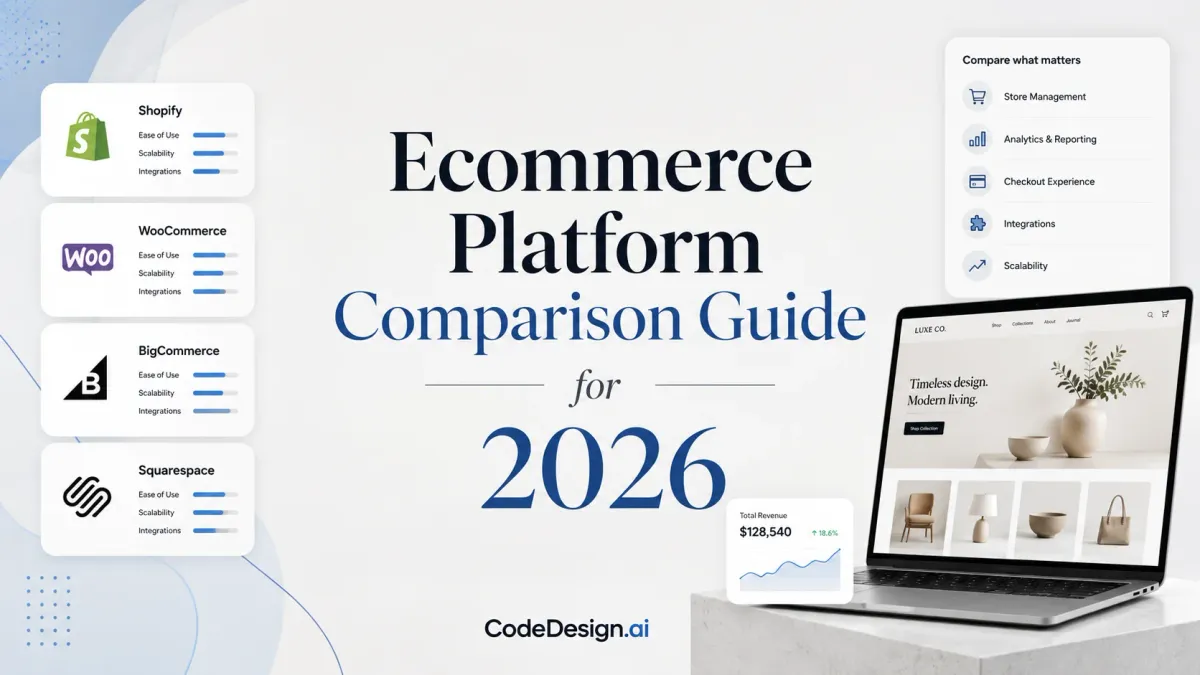
Ecommerce Platform Comparison Guide for 2026
You've launched the store, sales are starting to arrive, and then the platform begins making decisions for you. A checkout tweak needs an app. A design change needs a developer. A new sales channel exposes an integration gap. When the business outgrows the storefront, the monthly subscription may be the smallest problem on the table.
A useful ecommerce platform comparison has to look beyond feature counts. The decision should account for 24-month ownership cost, exportable code, developer control, and the speed of AI-assisted iteration. That's how you avoid choosing a platform that feels cheap today but creates an expensive rebuild later.
Table of Contents
- The Real Decision Behind Every Ecommerce Platform Choice
- Eight Evaluation Criteria That Actually Matter
- Side-by-Side Comparison of Five Leading Platforms
- The True Cost of Ownership Over 24 Months
- Pre-Launch and Migration Checklist for a Clean Switch
- When an AI Builder with Exportable Code Wins
- Matching Platforms to Real Buyer Profiles
- A Decision Framework for Your Next Two Years
The Real Decision Behind Every Ecommerce Platform Choice
A founder usually notices platform trouble in a quiet moment. The product range has expanded, the homepage needs a new conversion path, and the existing theme can't support it cleanly. The founder opens the app marketplace, finds a paid extension, and realizes the store now depends on a growing stack of tools just to behave like the business requires.
That pattern doesn't mean the original platform was wrong. It means the original decision focused on launch convenience rather than the store's likely growth curve. A first-time seller may need a simple catalog, reliable payments, and a manageable admin panel. A growing brand may need stronger integrations, more control over front-end code, and a migration path that doesn't discard years of SEO and customer data.
The cheapest subscription rarely represents the cheapest business decision. Monthly fees are only one part of ownership. Paid apps, themes, hosting, development time, payment costs, maintenance, and eventual replatforming can change the calculation completely. Independent migration tooling puts 2025/2026 replatforming budgets at about $24,875 to $316,100, depending on the project, which can outweigh platform fees by a wide margin. Migration cost estimates from Fraction Studio make the central point clear: switching costs belong in the buying decision, not in a crisis plan two years later.
The platform should match your likely next move
Shopify makes sense when fast setup, a mature app ecosystem, and a hosted operating model matter more than code ownership. WooCommerce suits teams that want control over hosting and WordPress content, provided they can manage maintenance. BigCommerce is compelling for merchants that want more native commerce capability and zero transaction fees on applicable plans, while Wix supports simpler businesses that value visual setup.
An AI-assisted builder changes the conversation for founders, agencies, and creators who need to iterate quickly and retain ownership. CodeDesign.ai can generate, edit, host, and export professional sites, including clean HTML/CSS and React code, so the storefront doesn't have to remain trapped inside a visual editor.
Payment operations deserve the same scrutiny as the storefront. A platform that looks flexible but complicates checkout, recurring payments, or provider connections can create operational drag, so review the available payment solutions before committing.
Practical rule: Choose the platform you can still operate after your first successful growth phase, not merely the one that gets you online fastest.
Eight Evaluation Criteria That Actually Matter
A strong ecommerce platform comparison starts with a buying framework. Score every candidate against the same criteria, then test the areas that could force a migration later.

1. Features
Separate must-have functionality from attractive extras. Product variants, inventory rules, discounts, subscriptions, customer accounts, and returns may matter more than a long marketplace catalog.
Ask the vendor: “Which required workflows work without third-party apps?”
2. Pricing
Review subscription charges alongside payment costs, app expenses, themes, hosting, support, and developer work. A transparent price is useful only when it reflects the stack you'll run.
Ask: “What costs appear after I add my required payment provider, integrations, and design changes?”
3. Scalability
A platform should support more products, channels, staff, and operational complexity without forcing a rushed rebuild. Scalability isn't just traffic capacity. It's the ability to keep daily work manageable as the business becomes less simple.
Ask: “What changes operationally when my catalog, team, or sales channels expand?”
4. SEO
Check editable titles, descriptions, canonical controls, redirects, sitemap behavior, structured data, internal linking, and page-speed fundamentals. Weak defaults can leave valuable product and category pages harder to discover.
Ask: “Can I control the technical and on-page SEO elements without custom development?”
5. Integrations
Inventory, fulfillment, accounting, email, analytics, customer support, and advertising systems all need dependable connections. A polished storefront won't compensate for orders being trapped in manual spreadsheets.
Ask: “Which systems have maintained integrations, and what happens when an integration fails?”
6. Exportability
Data export and code export are different. A platform may let you download products and orders while keeping the front end locked to its proprietary rendering system.
Ask: “Can I export production-ready HTML, CSS, or React code, and can I leave with my content intact?”
7. Developer control
Non-technical teams need ease of use, but developers need access to templates, APIs, scripts, and deployment workflows. The right balance depends on who will own the store after launch.
Ask: “What can a developer customize without fighting platform restrictions?”
8. Support
Support quality affects the cost of every incident. Look for usable documentation, responsive assistance, clear escalation paths, and an active ecosystem.
Ask: “Who helps diagnose a checkout, integration, or deployment problem when revenue is at risk?”
A practical way to document the answers is to use a simple requirements sheet and compare it with the platform features available through CodeDesign.ai. Don't score a feature as present until you've tested the actual workflow your team needs.
Side-by-Side Comparison of Five Leading Platforms
The matrix below avoids pretending that one platform wins every category. Ratings are editorial guidance based on each platform's operating model, not a universal performance score. Exportability and developer control receive extra weight because they influence future migration risk.
Ecommerce Platform Comparison Matrix
| Platform | Pricing | SEO | Scalability | Exportability | Ease of Use | Integrations | Developer Control | Best For |
|---|---|---|---|---|---|---|---|---|
| Shopify | Subscription plus app and payment costs | Strong core tools | High for most DTC growth | Limited platform portability | Excellent | Very broad ecosystem | Moderate, with platform constraints | Brands prioritizing speed and ecosystem depth |
| WooCommerce | Flexible stack, hosting and maintenance vary | Strong with WordPress control | Depends on hosting and engineering | Strong data and code control | Moderate | Broad plugin ecosystem | High | Content-led stores and technical owners |
| BigCommerce | Subscription model with 0% transaction fees on applicable plans | Strong native commerce SEO | High | Moderate | Good | Broad, API-oriented | Moderate to high | Merchants wanting native features and margin control |
| Wix | Subscription model with 0% transaction fees on applicable plans | Good for standard sites | Moderate | Limited to moderate | Very good | Good for common small-business tools | Moderate | Smaller stores and service-led businesses |
| CodeDesign.ai | AI-assisted builder with hosting and export options | SEO-oriented workflows | Suits sites, funnels, and growing digital businesses | Exportable HTML/CSS and React | Very good | Connects with common business workflows | High through code export and editing | Founders, agencies, SaaS marketers, and creators |
Shopify
Shopify wins when the merchant values rapid deployment, dependable hosted infrastructure, and a deep app ecosystem. It's a practical choice for a DTC brand that needs to sell across channels and expects the store to become the primary operating system for commerce.
The trade-off is dependence on Shopify's architecture and the cost of assembling advanced functionality through apps. If the brand expects unusual front-end requirements or wants to own the rendered code, test that constraint before launch.
WooCommerce
WooCommerce offers control because it sits inside WordPress and lets the merchant choose hosting, plugins, themes, and custom development. That's useful for content-heavy brands where editorial publishing and commerce share equal importance.
The cost is responsibility. Security, updates, performance, compatibility, backups, and developer oversight belong to the operating team. WooCommerce isn't a shortcut to ownership. It's an ownership model that requires technical discipline.
BigCommerce
BigCommerce deserves serious consideration when the merchant wants native commerce capability and zero transaction fees on applicable plans. It often suits brands that want to reduce reliance on apps while retaining a hosted platform and strong integration options.
Its interface can feel less immediately familiar than Shopify's, and complex implementations still require experienced developers. The platform's strengths show up when margin protection, catalog depth, and operational flexibility matter more than beginner simplicity.
Wix
Wix is suitable for a business where the website leads and ecommerce supports it. A boutique, consultant, or creator with a focused product range may prefer its visual workflow and unified site-building experience.
It's less convincing when the store needs complex operations, deep developer workflows, or an architecture designed for substantial commerce expansion. Don't choose it for an ecommerce roadmap that already looks operationally complicated.
CodeDesign.ai
CodeDesign.ai fits teams that want to move from prompt or visual concept to a published site while keeping a route to exported code. Its strongest use cases are landing pages, SaaS marketing sites, funnels, portfolios, and smaller business storefront experiences where iteration speed and ownership matter.
It isn't a replacement for every enterprise commerce backend. A merchant with complex inventory, wholesale pricing, or advanced fulfillment may need a dedicated commerce engine behind the front end.
The True Cost of Ownership Over 24 Months
Subscription price creates false confidence because it's easy to compare. The cost sits in the layers surrounding the platform.
Use this formula:
24-month ownership cost = subscriptions + payment and transaction costs + apps or plugins + themes and design + hosting + maintenance and development + migration or replatforming reserve.
The required layers differ by platform. Shopify usually shifts more infrastructure responsibility into the subscription while adding potential app costs. WooCommerce may reduce platform licensing pressure but puts hosting, security, plugin management, and technical labor on the merchant. BigCommerce can reduce transaction-cost pressure through 0% transaction fees on applicable plans, while Wix and Squarespace also list plans with 0% transaction fees, according to the independent 2026 comparison of major platforms. Review the platform fee comparison before comparing headline prices.
The migration reserve is the line most founders omit. Independent tooling estimates 2025/2026 replatforming budgets from about $24,875 to $316,100. Fraction Studio's migration calculator frames migration as a budget category, not an unlikely exception.

Build two scenarios, not one
Create a conservative scenario for staying on the platform and a growth scenario that includes additional tools, custom work, and a possible move. Don't use the graphic's illustrative amounts as a quote for your own store. Your catalog, order process, integrations, content, and design complexity will determine the actual figure.
The expensive mistake is choosing a platform based on the first invoice, then paying to undo that decision when the business becomes more complicated.
A platform with a slightly higher entry cost may be cheaper over two years if it avoids a custom rebuild. Conversely, an expensive platform can still be wasteful if the team uses only basic functionality. Price the workflow, not the logo.
For a deeper look at website project economics, use this guide to estimate the cost to build a website before approving a platform proposal.
Pre-Launch and Migration Checklist for a Clean Switch
A migration fails through omissions, not usually through one dramatic technical error. Treat the switch as a controlled release with a written inventory of everything the old store does.
Before building
- Export the source data: Download products, variants, customers, orders, reviews, discounts, media, and blog content in usable formats. Keep an untouched backup.
- Map every important URL: Record product, collection, category, article, policy, and campaign URLs. Decide which pages stay, merge, or disappear.
- Confirm code ownership: Ask whether the new platform exports clean HTML/CSS or React code, rather than only a visual preview or proprietary project file.
- Audit integrations: List payment providers, fulfillment tools, email systems, analytics, tax services, support tools, and internal workflows.
During implementation
Build the new catalog in a staging environment. Match metadata, heading structure, image alt text, structured data, navigation, and internal links before the switch. Google Search Central guidance emphasizes that important content should be findable through internal links, available as textual content, and represented by structured data that matches visible page text. This guidance on AI search visibility supports a simple migration rule: don't hide essential product information inside images or inaccessible interface elements.
Set up 301 redirects from every retired URL to its closest relevant replacement. Test checkout, taxes, shipping, discount codes, account creation, order confirmation, emails, and mobile layouts with realistic scenarios.
Launch day and after
Keep the old store accessible until the new experience passes a full QA review. Check broken links, missing images, canonical tags, indexability, sitemap output, redirects, analytics events, and payment settlements.
Ask a developer to inspect the exported code, not just the browser preview. A page that looks correct can still contain broken links, missing metadata, or inaccessible text.
When an AI Builder with Exportable Code Wins
Traditional SaaS platforms remain sensible for merchants with complex catalogs, established fulfillment operations, and extensive commerce integrations. They're not automatically the right answer for every founder who needs to sell online.
An AI-powered builder with exportable code can win when the main constraint is iteration. A solo entrepreneur may need to test positioning, landing pages, bundles, and campaign pages without waiting for a developer. An agency may need to create polished client sites, hand over the code, and avoid leaving the client dependent on an agency-owned environment. A SaaS founder may care more about conversion-focused pages and fast messaging changes than a massive retail backend.
The advantage isn't magic automation. It's a shorter path between an idea and a working page, combined with a credible exit path. CodeDesign.ai supports prompt-driven editing, visual editing, hosting, and export of clean HTML/CSS and React code. That combination gives a team room to iterate inside a managed environment while preserving the option to move the front end elsewhere.
Ownership changes the buying question
Most platform evaluations ask, “What can this system do?” A stronger question is, “What do I own if I stop paying for this system?”
Ownership is the new feature.
Exportable code doesn't remove every migration task. You'll still need to move data, verify integrations, preserve redirects, and retest the experience. It does reduce the risk that a visual rebuild becomes the only way to leave.
For teams comparing an AI workflow with a conventional storefront, review the practical model behind an AI HTML website builder for code export. Choose it when speed, page iteration, handoff, and front-end ownership outweigh the need for a specialized commerce back office.
Matching Platforms to Real Buyer Profiles
Generic platform advice fails because a solo founder, an agency, and a SaaS marketer don't have the same operating problem. Match the platform to the person doing the work and the business model behind the site.

Solo entrepreneur launching a first store
Choose Shopify when you need a dependable commerce setup, standard workflows, and access to apps without managing hosting. The trade-off is recurring platform dependence and the possibility that app requirements will expand as the store matures.
Choose Wix when ecommerce is secondary to a broader service or content site. It's easier to keep the experience unified, but you'll face more limits if commerce becomes operationally complex.
Agency building client sites
Choose CodeDesign.ai when the agency needs prompt-assisted production, visual editing, collaboration, hosting, and code export for clean handoffs. The trade-off is that a client requiring advanced commerce operations may still need a dedicated commerce platform.
For agencies creating product visuals and campaign assets, a resource such as AI model outfit ecommerce can complement the storefront workflow by helping teams think through how product presentation supports conversion.
SaaS founder needing high-converting pages
Choose an AI-assisted builder when messaging changes frequently and the marketing team needs to create, test, and refine pages without rebuilding a theme. Keep the commerce or billing backend separate if the product requires specialized subscription logic.
Designer who wants exportable code
Choose a workflow that treats export as a core requirement, not an emergency feature. WooCommerce offers deep ownership through WordPress and hosting, while an AI builder can shorten the route from design idea to editable implementation. The trade-off is that exported code transfers responsibility for deployment, maintenance, and future edits to your team.
A Decision Framework for Your Next Two Years
Ask three questions before signing up.
How fast must you launch? If speed and standard commerce workflows dominate, shortlist Shopify, Wix, or BigCommerce. If page iteration and code ownership matter more, include an AI-assisted builder.
How likely are you to outgrow the platform? High complexity points toward BigCommerce, WooCommerce with a capable technical team, or a specialized commerce architecture. Keep migration cost visible from the beginning.
Do you need to own the code? If the answer is yes, eliminate platforms that offer only data export or locked visual projects. Technical SEO and content discoverability also matter, so use this guide to evaluate website builder SEO.
The right choice supports your next two years without turning growth into a forced rebuild.
CodeDesign.ai lets you generate, edit, host, and export professional websites with AI-assisted and visual workflows, giving founders and agencies a practical way to iterate without surrendering code ownership. Visit CodeDesign.ai to create a site, test the workflow, and decide whether exportable architecture belongs in your ecommerce plan.