How to Build a Website from Scratch: A 2026 Guide
You've got the idea, maybe even the name, and the tab count in your browser keeps growing because every guide seems to say something different. One article tells you to pick a template, another says to code everything yourself, and a third makes it sound like you need to become a developer before you can launch a simple business site. That's usually the moment first-time founders freeze.
The good news is that building a website from scratch no longer means starting with a blank terminal and a six-month technical apprenticeship. The modern process is about making smart decisions in the right order, then using tools that reduce friction instead of creating it. The web itself has evolved this way too, from Tim Berners-Lee's 1989 proposal at CERN to a live first website in 1991, and now to a global internet of 5.35 billion users in 2024, which means your site can reach far beyond your immediate market (Wix guide on building a website from scratch).
Table of Contents
- Your Idea Needs a Home on the Web
- Laying the Groundwork Goals Domain and Hosting
- Choosing Your Build Path From AI Builders to Raw Code
- Designing Your Digital Storefront with AI Assistance
- Adding Compelling Content and Optimizing for Search
- The Final Checks Launch and Ongoing Maintenance
Your Idea Needs a Home on the Web
A founder with a strong offer often starts in the same place, a notebook, a blank browser window, and the feeling that the website part is bigger than the business part. That's normal. The trick is to stop thinking about the site as a technical project and start treating it like a storefront, a handshake, and a sales conversation rolled into one.

Your idea needs structure before software
The web works because structure comes first. That's been true since the early standards of HTML, HTTP, and URLs became the common building blocks for publishing online, and it's still true now when a site needs a homepage, a service page, a contact path, and a clear next step for visitors (Wix guide on building a website from scratch). If you skip structure, every later decision gets harder.
Start with one plain question, what should a visitor do after landing here? Some sites need bookings. Others need leads, email signups, or direct sales. If you can't answer that in one sentence, the build will wander.
Practical rule: Write the business goal before you touch colors, fonts, or layout choices.
The scale matters too. A website isn't a digital business card sitting in isolation, it's a front door to a market that includes most connected buyers and businesses worldwide, given the size of today's internet audience (Wix guide on building a website from scratch). That's why the best sites feel focused rather than crowded. They don't try to do everything. They do the next important thing well.
Think like an owner, not a passenger
A lot of first-time builders get stuck because they're really asking, “How do I make this look good?” when the better question is, “How do I make this work for the business?” That shift changes everything. A site can be attractive and still fail if the pages don't guide action.
Before choosing tools, define your audience in simple terms. Are you speaking to local buyers, remote clients, hiring managers, or a niche community? Each group expects different proof, different words, and different navigation.
A useful analogy is renting versus owning a storefront. Renting gets you open quickly, but the space might come with restrictions. Owning gives you more control, but you carry more responsibility. Website decisions work the same way, and that trade-off becomes central once you start choosing platforms.
Laying the Groundwork Goals Domain and Hosting
Good websites don't start with page design. They start with decisions about purpose, audience, and the route a visitor should take once they arrive. Mainstream guidance now treats website creation as a structured 10 to 12 step workflow, and those workflows consistently begin with defining purpose, choosing a platform, and securing a domain and hosting before design work begins (Hostinger's website creation guide).
Define the site before you buy the address
The quickest way to waste time is to register a domain name before you know what the site must do. A portfolio site, a local service business, and an online store all need different page priorities. If your homepage is trying to speak to everyone, it usually convinces no one.
Think of your website goal as the filter for every later choice. The goal determines the main menu, the page names, the content length, and even the tone of the copy. If you're building to collect leads, your pages should make that path obvious. If you're building to sell, the product or service path should be immediate.
Domain naming should stay simple. Short, memorable, and easy to spell beats clever but confusing. Avoid awkward punctuation and names that force people to guess. You want a domain someone can remember after hearing it once.
Hosting should reduce work, not add it
Hosting is where a lot of beginners get overwhelmed because the topic sounds technical. In practice, hosting is just the place your website lives so people can access it online. The useful question isn't “What sounds advanced?” It's “What removes the most friction for me now and later?”
A bundled setup can help here, especially for solo founders who don't want to manage separate providers for the domain, hosting, and launch process. Platforms like CodeDesign.ai can combine those pieces in one workflow, which keeps the build moving without requiring server knowledge. That matters because the fewer moving parts you have to coordinate, the easier it is to ship and maintain.
If you're trying to keep momentum, choose the setup that lets you focus on your offer, not on infrastructure.
Publishing a website properly also means thinking beyond the first draft. A site that launches cleanly and can be maintained without drama is far more useful than one that looks impressive but becomes difficult to update. Planning for that early saves real pain later.
Choosing Your Build Path From AI Builders to Raw Code
This is the fork in the road that shapes everything else. You can use an AI-powered builder, a CMS like WordPress, or custom code. Each path can work, but they solve different problems, and the key question isn't which one sounds most advanced. It's which one gives you the right mix of speed, control, and ownership.

Compare the trade-offs like business tools
An AI builder is like hiring a fast-moving assistant who gets the first draft done quickly. It's useful when speed matters and your site doesn't need unusually complex behavior. A CMS is more like a workshop full of parts and extensions. It gives you flexibility, but you'll spend more time learning how the pieces fit. Raw code is the custom-built machine, precise and powerful, but it asks the most from you in skill, time, and upkeep.
That's why the ownership question matters so much. Many guides focus on getting live fast, but they skip the harder issue of whether you can move, export, or evolve the site later. That risk is easy to ignore at launch and expensive to fix later (Jetpack on building a website from scratch).
Vendor lock-in is a real operational issue
If a platform makes it easy to start but hard to leave, that becomes part of the cost. Sometimes that cost doesn't show up until you want to hand the site to an agency, migrate to a new host, or rebuild around a new product line. The site may still work, but you're boxed into someone else's system.
That's why exportability and portability deserve a seat at the table from day one. You don't need to predict every future requirement, but you do need to avoid choices that trap the business if it grows. A website should behave like an asset, not a rented room with no keys.
What no-code really means in practice is that you can get the usability of a builder without giving up all future flexibility. Some AI builders now support code export or WordPress syncing, which gives founders a more practical middle ground. CodeDesign.ai fits that pattern, since it can generate a site, let you edit visually, and still preserve ownership options through export and sync workflows.
Choose the path that matches the lifecycle
The wrong decision is usually the one made for the wrong time horizon. If you need to validate an idea fast, a builder can be the right move. If you already know you'll need deep custom logic, code may be worth the investment. If you want a balance of speed and long-term control, a hybrid workflow is often the most rational choice.
The point is not to win a purity contest. The point is to ship a site you can live with six months from now.
Designing Your Digital Storefront with AI Assistance
Design is where your site starts to feel real. This is also where many non-designers panic and overcompensate, either by changing too much or by leaving the template almost untouched. The sweet spot is a polished starting point that still feels like your brand.

Start from a template, then make deliberate choices
Templates work because they solve the hardest visual problems first, spacing, hierarchy, responsiveness, and section flow. That means you're not starting from scratch visually even if your business is starting from scratch operationally. A good template gives you a structure that already behaves well on different screen sizes.
Template libraries are most useful when they're treated as starting points, not finished products. The moment you accept that, your design choices get easier. You stop asking whether a section is “perfect” and start asking whether it supports the message.
Pick one visual direction and stick with it. If you want calm and trustworthy, don't mix it with loud type and busy animations. If you want premium and minimal, don't crowd the page with too many blocks. Consistency reads as confidence.
Use AI to draft, then refine by hand
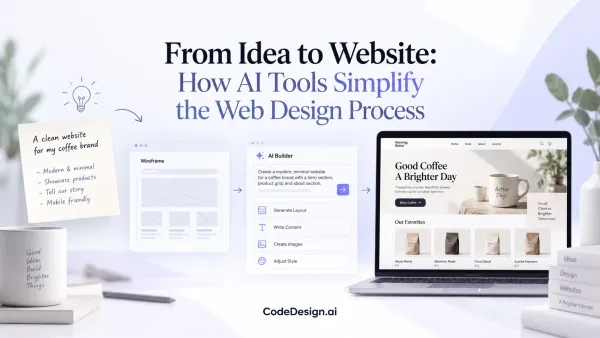
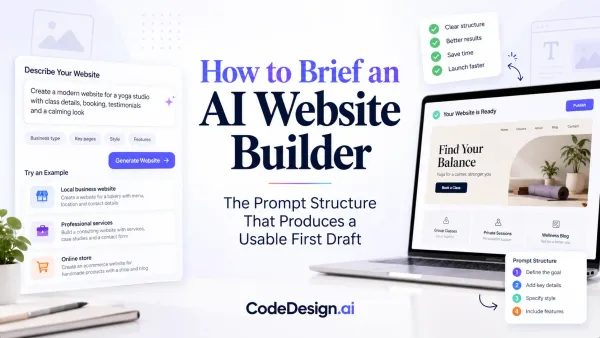
AI helps most when it handles the first pass. You describe the business, the offer, and the tone, then let the tool generate a layout you can review and edit. That's useful because it gets you out of the blank-canvas trap, which is where a lot of first-time builders lose momentum.
From there, the human work matters. Adjust the header so it says what you sell. Tighten the spacing. Replace generic images. Rewrite any section that sounds like a placeholder. A machine can generate a page, but it can't feel the nuance of your brand the way you can.
Design rule: If a section doesn't help a visitor understand, trust, or act, remove it.
This is also where a tool like CodeDesign.ai can be practical, because it combines prompt-driven generation with visual editing and code export. That mix helps non-designers move quickly without giving up control later. You can start with the AI draft, then fine-tune typography, spacing, and section order until the site feels intentional.
Don't decorate, direct
A website isn't a poster. It's a path. The design should make the next step obvious, whether that's booking a call, reading a service page, or checking out a product.
Buttons should stand out. Headings should tell the story quickly. Images should support the offer rather than distract from it. If the page looks beautiful but leaves people unsure what to do, it's not finished.
Adding Compelling Content and Optimizing for Search
A site without useful content is just an attractive shell. Visitors come for answers, proof, and direction, and search engines need clear text to understand what your pages are about. That's why content and SEO aren't separate tasks. They're the same job, done from two angles.
Write for people first, then make it legible to search engines
Strong web copy starts with the visitor's problem. What are they trying to solve, and what proof do they need before they take action? Write the headline around that answer. Then support it with short paragraphs, specific service details, and one clear call to action.
Blogging is one of the cleanest ways to build that authority over time. A business blog can help people find answers, build trust, and create more indexable pages for search engines, which is why consistent content publication remains a practical growth lever for businesses (Big Cat Creative on blogging for business). The key is usefulness, not volume for its own sake.
If you're unsure what to write, start with the questions customers already ask. Turn those into page sections, FAQ entries, or articles. That's often enough to create the first useful content layer without overthinking the editorial calendar.
Keep on-page SEO simple and disciplined
SEO on a new site doesn't need to be mystical. Use a clear page title, a concise meta description, descriptive headings, and alt text on images. Make sure your pages reflect the words buyers use when they search. Then keep your site structure tidy so important pages are easy to find.
A clean workflow helps here. Draft the page. Edit the page. Add the metadata. Check the image descriptions. Then review whether the page answers one clear intent. If it tries to satisfy too many intents, it usually performs worse.
Practical rule: One page should solve one main problem for one main audience.
Adding keywords to a website is most effective when it's done naturally inside useful copy, not forced into every sentence. That means you're building around relevance, not stuffing phrases where they don't belong. Search engines are looking for clarity, and readers are looking for confidence.
Make every page easy to scan
People skim web pages. They don't read them like novels. Short paragraphs, descriptive subheads, and a logical content order make a huge difference. Images should support the message, not interrupt it.
If you're using AI writing assistance, use it for drafting and restructuring, not for replacing judgment. The strongest pages still come from a founder's understanding of the offer, the customer, and the objections. AI can speed up the first pass, but the final version should sound like the business knows what it's doing.
The Final Checks Launch and Ongoing Maintenance
Publishing is not the finish line. It's the handoff from building to operating, and the operating part is where many first-time owners get caught off guard. The best launch day is the one that feels slightly boring because everything works the way it should.

Test like a real visitor, not like the builder
Pre-launch checks should be ruthless. Click every link. Press every button. Submit every form. Then check the site on different devices and browsers, because broken navigation and poor mobile rendering are among the most common avoidable failures in first-time launches (Backlinko's website creation checklist). A page that looks fine in the editor can still fail in the wild.
Speed also deserves attention. Slow pages don't just annoy people, they make the site feel unfinished. Analytics should be verified before launch too, because if you can't measure traffic, you can't improve the site once people start arriving.
A simple launch checklist helps keep the process calm.
- Content Review: Read every page for clarity, typos, and missing links.
- Mobile Responsiveness: Check layout and functionality on phones and tablets.
- SEO Basics: Confirm page titles, descriptions, and image text are in place.
- Security Setup: Verify SSL and basic protection are active.
- Performance Test: Load key pages and look for obvious slowdowns.
- Analytics Integration: Make sure your tracking tools are firing.
- Regular Backups: Confirm there's a restore path if something breaks.
- Software Updates: Keep the platform and add-ons current.
Treat maintenance as part of ownership
After launch, the site needs routine care. Content gets stale. Offers change. Contact details move. If the site doesn't keep up, trust gradually erodes. That's why ongoing maintenance matters as much as the first build.
Some guidance stops at publishing, but real ownership continues with backups, SEO refinement, analytics review, and basic compliance checks. HubSpot's advice ends with planning for future changes, and that's the right instinct, because the site should keep evolving with the business (HubSpot on building a website from scratch). A live site is never complete.
A website that gets regular attention becomes easier to improve, easier to trust, and easier to grow.
Website analytics are what tell you where people land, what they click, and where they drop off. That feedback should shape your next updates. If a page gets traffic but weak engagement, the copy may need work. If visitors keep asking the same question, the site should answer it sooner.
The lesson is simple. Launch is the beginning of site ownership, not the end. Build for movement, build for updates, and build in a way that lets you keep control as the business changes.
A CTA for CodeDesign.ai. If you want a website that can move quickly without trapping you in a dead-end platform, start with a build path that supports both speed and ownership. Launch your site, keep control of the code or export path, and give yourself room to grow without rebuilding from zero later.