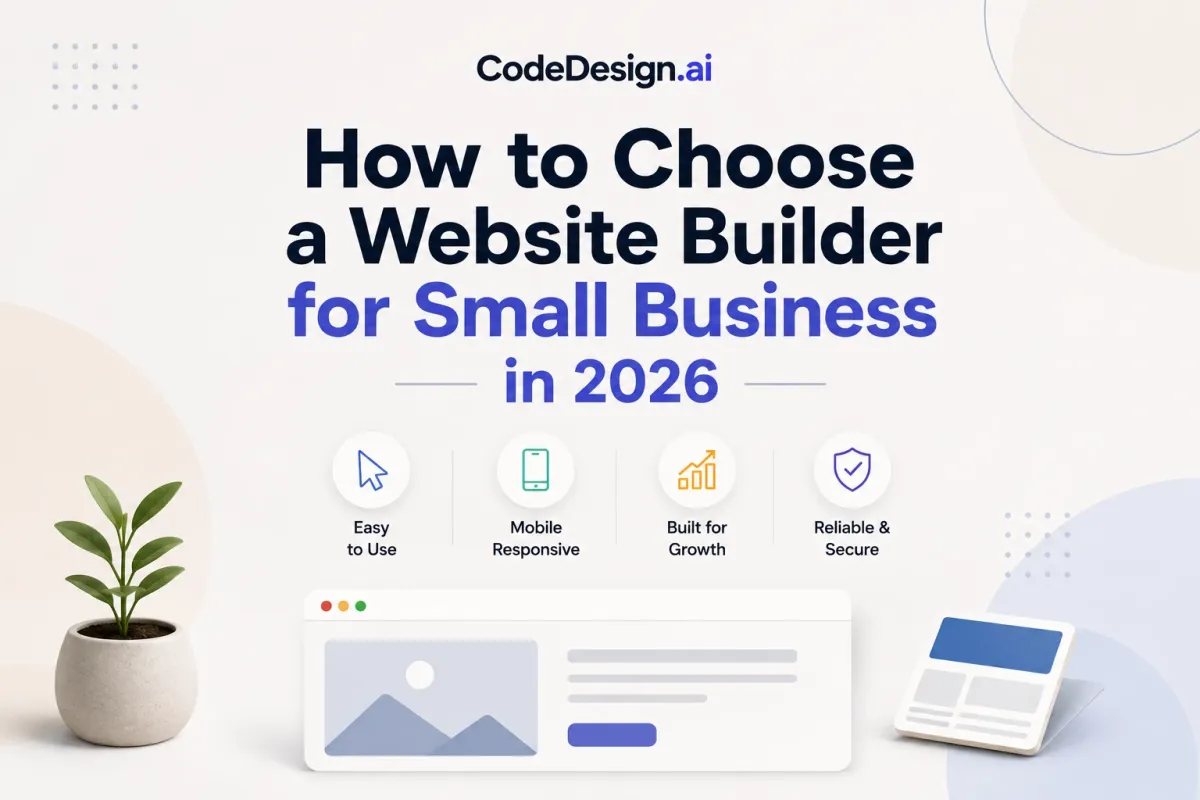
How to Choose a Website Builder for Small Business in 2026
You're probably at the point where the old site feels embarrassing, but rebuilding it also feels risky. Maybe the template looks fine, the homepage loads, and the quote form works, yet every extra feature seems to cost more, and you can already feel the lock-in if you pick the wrong platform. That's the core decision with a website builder for small business, not whether the design looks decent on day one, but whether the site still makes sense after bookings, email, SEO, and support requests start piling up.
The market tells the same story. The global website builders market is estimated at $3.57 billion in 2026, up from $3.06 billion in 2025, and projected to reach $7.67 billion by 2031 at a 16.58% CAGR. In the U.S., 64% of small businesses reportedly use website builder platforms instead of custom development, and 73% of small businesses now have a website uithings.com website builder statistics. That's not a niche tool category anymore. It's infrastructure.
Table of Contents
- Why the Builder You Pick Matters More Than the Template
- Mapping Your Site to Your Real Business Job
- The Core Features That Move the Needle
- The Full Cost of a Small-Business Website
- Building and Launching Your Site Step by Step
- Your Pre-Launch Checklist and Troubleshooting Habits
- Avoiding Lock-In and Choosing a Builder That Grows With You
Why the Builder You Pick Matters More Than the Template
A service business owner picks the cheapest plan because the homepage looks good enough and the setup is fast. Three months later, bookings need more flexibility, the contact form needs better delivery, and the email address attached to the domain starts looking unprofessional. That's when the “simple” builder turns into a patchwork of add-ons, and the cheap plan stops being cheap.
That mistake is common because templates are easy to judge and ownership is harder to see. A polished layout can hide weak booking tools, awkward SEO controls, or a platform that won't let you leave cleanly. If you want a website builder for small business that saves time, the key question isn't “Which template looks best?” It's “What will this cost me across the next 12 months, and how painful will it be if I outgrow it?”
Practical rule: choose for the business job first, design second. A nice homepage doesn't matter if the platform can't handle the workflows that make you money.
AI-first builders changed the equation because they cut the blank-page problem. Instead of wrestling with a rigid theme, you can start from a business description, then refine sections visually. That matters for solo founders and small teams who need to move fast without hiring a developer.
Ownership matters just as much. Some platforms are built to keep you inside their system, while others give you a path out through code export, WordPress sync, or both. If you're evaluating tools like CodeDesign.ai, the useful lens is not whether it can generate a page, it's whether you can publish, edit, and eventually leave without rebuilding from zero. What no-code means in practice
Mapping Your Site to Your Real Business Job
Start with the job, not the builder. A small-business site is usually there to do one of three things, generate leads, take bookings, or sell products. If you don't name the primary job, you end up paying for features that look impressive and never pull their weight.
Define the primary function
Write one sentence that finishes this line, “My site must…” If the answer is “collect qualified leads,” the builder needs forms, clear service pages, and strong contact routing. If the answer is “take appointments,” booking support matters more than flashy animations. If the answer is “sell products,” inventory, checkout, and shipping logic move to the top.
Match the audience to the device
Don't guess where visitors are coming from. Think through how they'll use the site. A local service business might get mobile-first traffic from social links, while a consulting firm may have visitors comparing several tabs on desktop. The builder you choose should handle both without making the site feel awkward on smaller screens.
Decide what you'll maintain yourself
Some owners want to update pricing, swap photos, and publish posts every month. Others want a site they barely touch. That difference matters because a platform with a built-in CMS and easy visual editing saves time if you plan to keep publishing, while a simpler setup can be enough if the site mostly sits still.
Map the next 12 months
Growth changes the feature mix fast. A site that launches as a brochure site may later need landing pages, blog content, or new integrations. If you expect that, choose a platform that won't force a full rebuild later.

A useful self-check is simple. If you can't explain the site's main job, its audience, and its likely growth path in two sentences, you're not ready to compare builders yet.
The Core Features That Move the Needle
Most builders sell the same headline features, templates, SEO, commerce, and “easy editing.” The difference is whether those tools come bundled in a way that still works after launch, or whether you end up paying for missing pieces one by one over the next 12 months.
Compare the feature clusters, not the marketing labels
A drag-and-drop editor matters because it cuts the cost of updates. Built-in CMS, forms, analytics, blogging, AI-assisted setup, code export, and WordPress sync matter because they reduce app sprawl, shorten setup time, and lower the odds that you get trapped in a workflow you outgrow. For a founder who needs a working site fast, core features like these decide whether the builder saves time or just looks polished at the demo stage, as outlined on CodeDesign.ai's features page.
Template breadth matters too. Benchmark reviews describe Wix as offering over 900 templates in one review and over 2,000 free templates in another, which shows how wide modern builder libraries have become WebsiteBuilderExpert's small business builder review. More templates do not automatically mean a better site, but they do help if you need a starting point that already fits your industry and lets you move without design overhead.
Know what is bundled and what is sold separately
Some builders include bookings, forms, or basic blogging out of the gate. Others push those functions into paid tiers or third-party apps. That is where the bill gets messy, because the base price can look low while the full setup cost keeps climbing after launch.
| Core Builder Features and What They Cost | ||
|---|---|---|
| Feature cluster | Why it matters | Bundled vs upsold |
| Templates and layout system | Speeds launch and shapes the first impression | Often bundled, quality varies by platform |
| Forms and contact capture | Turns visitors into leads | Sometimes bundled, sometimes pushed into add-ons |
| SEO controls | Helps search visibility and page structure | Basic tools are usually bundled, deeper control may be limited |
| Blogging and CMS | Supports ongoing content and landing pages | Commonly bundled in stronger builders |
| Bookings or commerce | Converts intent into revenue | Frequently gated by plan level or integrations |
A capable website builder for small business should also support a proper custom domain, not just a branded subdomain. The source on small-business features lists an own domain as a core requirement, not a bonus. Webnode on small business website builders
If a platform forces you to bolt on forms, analytics, or publishing tools one by one, you are buying friction, not flexibility.
The Full Cost of a Small-Business Website
Advertised monthly pricing is the least honest number in this category. It tells you very little about the full 12-month expense once you add a domain, business email, payment handling, templates, and the features you only realize you need after launch.
DIY builder plans commonly run $15 to $50 per month for service sites, while more complex e-commerce setups can range from $30 to $300 per month Wix small business website statistics. A separate comparison source says a DIY business website built with a builder typically costs $3 to $40 per month, depending on the platform and features included Colorlib business website builders comparison. Those ranges are useful because they show how wide the market is, but the base price is only one piece of the bill.
The line items that show up after launch
The costs that hurt are the ones owners forget to price in.
- Domain registration: your branded web address
- Business email: the address customers see and reply to
- Payment processing: the fee tied to checkout
- Template or theme upgrades: when the free version is too limited
- App subscriptions: bookings, SEO tools, memberships, or extra forms
A site also needs a path out. If you want to compare options properly, calculate the full 12-month cost before you commit to a builder. For businesses that also run physical operations, it's worth noting that the same budgeting discipline applies to operational software — evaluating the preventive maintenance software for manufacturing follows a nearly identical cost-comparison process. That number should include the plan, the domain, email, transaction fees, and any add-ons you will use.
The gap between DIY and agency work is even sharper. Independent small-business research cited by Wix reports that a typical site built by a design agency or professional web designer costs $2,000 to $9,000, with $1,200 per year in average maintenance fees Wix small business website statistics. That is a very different buying decision. Agency work can make sense for complex brand work, but many small businesses do not need that kind of burn to get online.

A cheap builder that pushes you into five extra subscriptions is not cheap. It is just underpriced at the start.
Building and Launching Your Site Step by Step
The fastest builds start with one paragraph, not a hundred design choices. A modern AI-first builder should take a plain description of your business, then turn that into a first draft with sections mapped out. From there, the work becomes editing, not inventing.
Start with the draft, then refine the layout
Begin by describing the business in plain language. Good AI builders can turn that into a page structure, service sections, calls to action, and initial copy. Then move into the visual editor and trim anything that feels bloated, repetitive, or off-brand. The speed gain lives here, because you're editing a working page instead of staring at a blank canvas.
Use prompts to regenerate individual sections when one block misses the point. That's especially useful for hero text, service descriptions, and homepage intros. Built-in AI writing tools also help with service pages and blog posts, which matters if content publishing is part of your growth plan.
Publish with ownership in mind
Publishing should be a decision, not an afterthought. A solid workflow gives you a secure cloud host with free SSL, a path to your own domain, and a way to keep control if you later need WordPress sync or clean code export. That last part matters more than most owners realize, because it keeps redesigns and migrations from becoming rescue projects.
Practical rule: if the platform can't explain how you leave, it's not really your site.
Before launch, set the essentials, page titles, meta descriptions, forms, analytics, and the first version of your site map. If you're using CodeDesign.ai, its workflow is built around prompt generation, visual editing, WordPress sync, and exportable HTML/CSS or React code, which fits teams that want speed without giving up ownership. How to publish a website
The right builder should let you move from idea to live site without forcing you into technical debt. If it also lets you keep the code or sync the content later, even better.
Your Pre-Launch Checklist and Troubleshooting Habits
A launch is a sequence of checks, not a dramatic switch flip. The sites that convert on day one usually have fewer surprises, fewer broken forms, and fewer hidden problems on mobile.
Run the checklist before you send traffic
- Custom domain check. Make sure the branded address resolves correctly and points to the live site.
- SSL verification. Confirm the secure connection is active and the browser shows a secure session.
- Mobile layout pass. Open key pages on a phone and check spacing, tap targets, and readable text.
- Form submission test. Send a real test lead and confirm it reaches the right inbox or CRM.
- SEO title and meta review. Read each page's title and description aloud to catch duplicates or awkward wording.
- Analytics check. Verify that traffic and conversion tracking are recording properly.
- Backup review. Confirm the platform has a recovery path before you make major edits.
- Privacy policy link. Make sure it's visible in the footer or a clear utility area.
The fastest way to verify a good launch is to act like a skeptical customer. Fill out the form. Tap the buttons. Reload the site on mobile data. If anything feels broken or slow, fix it before you announce the site publicly.

Build troubleshooting into the routine
When a form stops delivering, test the destination first, then the form settings. When a page slips in search, check whether the title, content, or internal links changed. When a template update breaks a section, compare the current page to the last clean version before you start guessing.
If you need to export in a hurry, the question is whether the platform gives you a real escape path. That's why portability matters long after launch day. A site you can't recover, move, or rebuild without drama is a liability, not an asset.
Avoiding Lock-In and Choosing a Builder That Grows With You
Monthly price is the easiest thing to compare, and the least useful. The bigger risk is getting trapped in a platform that looks affordable now but gets expensive when you need to expand, move, or rebrand.
Ask the ownership questions first
Can you export the site as clean code, sync it to WordPress, or self-host it later? Are your domain, email, and customer data portable? Will the platform still fit if the business doubles in size or adds a second offer line? Those are the questions that decide whether a builder is a launch tool or a long-term operating system.
The lock-in problem is real because cheaper builders can cost more later through plugins, replatforming, and migration work. A 2026 small-business guide explicitly warns about those ongoing expenses, and the Business Development Bank of Canada notes that low-cost builders differ sharply on export and self-hosting flexibility The Small Business Expo on best website builders, BDC on free and low-cost website creation options. The lesson is blunt, if a platform traps your content, you're renting momentum.
Match the builder to the stage
- Solo founders and freelancers should prioritize fast setup, AI draft generation, and simple publishing.
- Growing service businesses need bookings, forms, and a clean path for content updates.
- Product sellers should put commerce tooling, inventory, and shipping logic first.
- Agencies need portability, repeatable workflows, and the ability to manage multiple client sites without a mess.
The builder profile matters as much as the feature list. Some platforms are great for quick public-facing pages but weak on exit strategy. Others handle export and ownership cleanly but ask for more setup discipline up front. CodeDesign.ai fits the AI-first, export-friendly side of that decision, which is the direction I'd push if you care about speed and don't want to box yourself in. AI HTML website builder for code export
Pick the platform that fits your next 12 months, not the cheapest line item this month. If you want a site you can grow, move, and own, start with CodeDesign.ai and build from there.