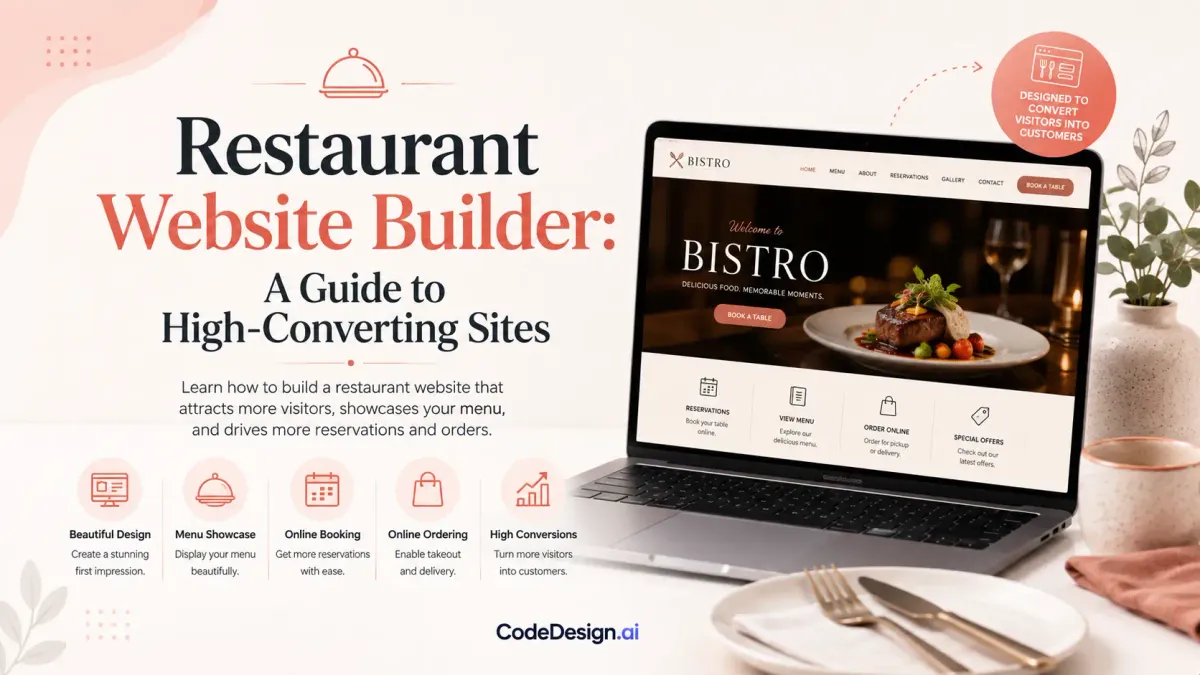
Restaurant Website Builder: A Guide to High-Converting Sites
In 2019, 77% of diners visited a restaurant website before dining in or ordering out, according to Restaurant Dive's summary of a survey of 1,101 U.S. adults. That finding changes how operators should evaluate a restaurant website builder. The question isn't whether the site looks polished. It's whether the site helps a hungry visitor choose, order, reserve, return, and give you usable evidence about what drove the transaction.
A high-converting restaurant site behaves like part of the operation. It answers practical questions quickly, keeps the menu readable on a phone, routes guests toward direct ordering or reservations, and gives the owner enough attribution data to distinguish profitable channels from vanity traffic. Design still matters, but design without a measurable path to revenue is decoration.
Table of Contents
- Why Your Restaurant Website Is Your Most Important Sales Channel
- Essential Features Every Restaurant Website Builder Must Have
- Choosing Templates and Design That Convert Visitors Into Customers
- Integrating Online Ordering, Reservations, and Payment Systems
- SEO, Local Search, and Analytics That Prove Revenue Impact
- Launch Checklist and Common Troubleshooting Scenarios
Why Your Restaurant Website Is Your Most Important Sales Channel
A restaurant website carries revenue impact at the moment a guest decides whether to visit, order, or reserve. The website may receive visitors from Google, social media, a map listing, or a QR code, but it often becomes the place where uncertainty is resolved.
Guests want immediate answers: Is the restaurant open? What does the menu include? Can it handle dietary needs? Where is it located? How can someone book or order? If those details are buried, motivated visitors may call staff, abandon the session, or choose another restaurant.

Friction has a commercial cost
A difficult website creates problems at the point of purchase. Confusing navigation, an outdated appearance, or a menu that is hard to read can stop a visitor before an order or reservation begins. These are not cosmetic defects. They directly affect whether someone spends money with the restaurant.
Mobile performance makes the issue sharper. A restaurant website builder should put the menu, address, hours, order button, and reservation action within easy reach on a phone. Visitors should not need to pinch, zoom, or search through several menus to complete a basic task.
A fast path to conversion also protects staff time. If hours, allergy information, parking details, and ordering instructions are clear, fewer guests need to call with routine questions. That gives the team more capacity for service while the website handles repeat information consistently.
Practical rule: Treat every important website element as part of the service experience. A hard-to-read menu is the digital equivalent of handing a guest a smudged menu in the dining room.
The revenue case becomes stronger when the site supports direct transactions. Orders placed through a restaurant's own channel can reduce dependence on third-party marketplaces, while analytics can show which pages, campaigns, and locations produce completed orders or reservations. Track those outcomes instead of treating visits and page views as proof of success.
Multi-location operators, franchisees, and agencies also need repeatable brand controls without losing local accuracy. A specialist such as a marketing company for franchises can coordinate local campaigns with a central framework, but each location still needs its own hours, menu, address, ordering route, and reservation flow.
Budget decisions should follow the same commercial logic. Review the scope and economics in this guide to the cost to build a website, then judge the investment by completed orders, confirmed reservations, calls, and direction requests. A polished homepage matters only when it helps produce those actions.
Essential Features Every Restaurant Website Builder Must Have
A restaurant website builder should shorten the path from intent to order or reservation. Guests often arrive hungry, on a phone, and ready to make a quick decision. Start with that mobile journey, then adapt the layout for larger screens.
The primary action should be visible early, supported by one clear CTA, and available without unnecessary navigation. Keep guest checkout to only the information required to complete the transaction. The goal is a focused flow that removes distractions rather than adding visual features.

Build around the guest's next action
Evaluate these capabilities before comparing fonts, animations, or template libraries:
- Mobile-first layout: Buttons, menu categories, forms, and phone links must remain easy to use on a narrow screen.
- Structured online menu: Content should include categories, descriptions, prices where appropriate, photos, allergens, dietary filters, and modifiers. A menu uploaded as one image is difficult to read, search, and update.
- Direct ordering: Pickup and delivery should follow a clear route, without sending guests through unrelated pages or unnecessary account creation.
- Reservation management: Availability should connect with the booking system, while confirmations and reminders follow a consistent process.
- Location information: Address, hours, service area, parking notes, and map directions should be easy to find before a guest pays or submits a reservation.
- Simple editing: Staff should be able to change holiday hours, remove an unavailable item, or publish a special without waiting for a developer.
Integration determines whether those features help during service. Check connections with the point-of-sale system, reservation software, payment processor, analytics tools, and customer relationship systems. If staff must copy orders or customer details between platforms, the site creates operational work instead of reducing it.
Separate convenience from lock-in
Native ordering and reservation tools can keep the guest journey under one brand and simplify support. Embedded third-party systems may offer deeper operational controls, specialized reporting, or functions a smaller builder cannot provide. Choose based on the restaurant's priorities, not on the feature list alone.
Review how the platform handles outages, data ownership, fees, menu synchronization, and staff permissions. A low-friction interface has limited value if a busy team cannot correct a sold-out item or confirm whether an order reached the kitchen.
CodeDesign.ai offers AI-assisted templates and visual editing for pages such as menus, ordering pages, business hours, and food-truck sites. Its feature overview for restaurant website creation provides one reference point for comparing editing and publishing capabilities. The practical test is whether staff can maintain accurate content and complete a transaction without technical assistance.
Choosing Templates and Design That Convert Visitors Into Customers
A restaurant template should guide a decision, not merely display a brand mood. The strongest layouts make the cuisine visible, put the primary action near the top, and keep essential information available as the visitor scrolls. A visually dramatic homepage can still fail if guests need to search for the menu or leave the domain to order.
Compare two common approaches. A photo-led homepage with a short value proposition, visible hours, location, and a clear Order Now or Book a Table button gives visitors a route forward. A cinematic homepage with a large video, several competing calls to action, and a menu hidden behind decorative navigation asks visitors to work before they can evaluate the restaurant.
Choose a template by task, not by color
Use the template preview as a working prototype. Test these actions on a phone:
- Find the menu without opening multiple layers of navigation.
- Locate dietary information and item modifiers.
- Start an order or reservation.
- Call the restaurant or get directions.
- Return to the primary CTA after scrolling through photos.
If one of those actions feels awkward in the preview, customization won't necessarily fix the underlying layout. Select a structure that already respects the guest journey, then apply brand colors, type, photography, and tone.
Food photography deserves discipline. Use images to clarify the offer and support choice, not to create a heavy gallery that delays the useful content. A single strong hero image can establish appetite and atmosphere, while carefully selected dish images can support menu decisions. An autoplay video may look impressive on desktop but can add loading weight and distract from ordering on mobile.
Keep brand expression inside a conversion system
Brand personality doesn't require sacrificing clarity. A fine-dining restaurant may use restrained typography and spacious layouts. A casual food truck may use brighter colors and more energetic copy. Both still need readable menus, obvious hours, a location, and a frictionless transaction path.
Templates from the AI restaurant website collection can give a small operator a starting structure for a café, restaurant, or food truck. Before publishing, replace generic imagery and copy, remove unused sections, and write calls to action that match the actual service. “Reserve a table” is more useful than a vague “Discover more” when the visitor is ready to book.
Avoid stuffing the homepage with every available feature. Put the restaurant's strongest proof and clearest action first. Move the story, press mentions, events, and secondary content lower on the page, where interested visitors can explore without blocking guests who need tonight's menu or a booking link.
Integrating Online Ordering, Reservations, and Payment Systems
The transaction path shows whether a restaurant website builder supports real operations. A site can attract visitors yet lose revenue if the ordering widget loads slowly, the reservation calendar shows outdated availability, or a failed payment leaves staff without a recovery process. Treat the website as the customer-facing layer, while the operational platforms remain the source of truth.
Use a staged integration. Connect one workflow, test it with staff, then add the next.

Connect the systems that run the service
Assign ownership before configuring connections. The POS may control menu availability and order status. A reservation platform may manage tables and time slots. A payment processor may handle authorization and refunds. The website should exchange accurate information with these systems rather than becoming a second, conflicting database.
API connections and webhook notifications help keep events aligned. An order confirmation should reach the guest and the kitchen workflow. A cancelled reservation should release the table. An unavailable item should disappear from the order flow. Test these events directly instead of judging an integration by the embedded widget's appearance.
Then configure the guest journey. Keep the menu, cart, checkout, confirmation, and support details visually consistent with the main site. Show the service area, opening hours, fees, estimated timing, and pickup instructions before payment. Use a short checkout, a persistent Order Now action, and guest checkout where the platform supports it. These choices reduce hesitation without hiding information customers need.
Test failure, not only success
A successful test order proves little. Run an unavailable-item order, invalid address, declined payment, closed service period, sold-out time slot, duplicate click, and abandoned cart. Check the message shown to the guest, the alert received by staff, and whether the order or reservation remains in a usable state.
Test the handoff as well. Confirm that menu changes reach the ordering interface, reservation updates reach the calendar, and refunds can be reconciled with the POS. A small mismatch can create double bookings, unavailable dishes, or manual calls during a busy service.
Payment security should be handled by the processor through a supported builder integration. Customers do not need technical payment details, but the site does need secure transport, clear refund procedures, and a reliable record of completed orders. Teams comparing checkout providers can review CodeDesign.ai payment solutions alongside the ordering and reservation tools already in use. Choose the setup that reduces manual work while preserving speed, consistent branding, and usable reporting.
A transaction is complete only when the guest receives confirmation and the restaurant can fulfill it.
SEO, Local Search, and Analytics That Prove Revenue Impact
A restaurant website earns its keep when search visibility leads to orders, reservations, calls, or direction requests that the operator can measure.
Build local relevance into the site from the start. Create crawlable pages for the menu, each location, hours, reservations, ordering, and contact details. Use descriptive titles, clear headings, structured restaurant information, and an internal hierarchy that makes important pages easy to reach. Google's guidance on creating a logical site structure and linking related pages supports using crawlable links instead of leaving key content isolated.
Connect discovery to action
Keep the restaurant's name, address, phone number, hours, cuisine, and service details consistent across the website and local listings. Put menu and location context on the pages where visitors need it, rather than loading the homepage with every keyword. Restaurants serving multiple neighborhoods should give each location its own page, with its address, hours, parking or access details, menu, and ordering options.
Mobile performance affects both search visibility and completed actions. A 2026 technical SEO dataset reported 78.4% of restaurant traffic from mobile devices, a median PageSpeed score of 73/100, and average Largest Contentful Paint of 13.8 seconds, compared with Google's 2.5-second good threshold, according to PageSpeed Matters' restaurant website speed study. The same source associated slow experiences with a 62.5% bounce rate. Compress food photography, avoid heavy homepage video, and check Core Web Vitals on actual mobile layouts. A fast page matters only if the menu, order button, and reservation path remain easy to use.
Use analytics as an operating dashboard
Install Google Analytics 4, Google Tag Manager, and Meta Pixel where appropriate. Define events around business outcomes, including menu views, order starts, completed checkouts, reservation starts, confirmed reservations, calls, direction requests, coupon use, and returning visitors. Pageviews alone cannot show which campaign produced a booking or which page helped a guest place an order.
| Metric | Industry Average | Target for Success |
|---|---|---|
| Restaurant traffic from mobile devices | 78.4% | Design and test mobile first |
| Median PageSpeed score | 73/100 | Improve beyond the reported median |
| Average Largest Contentful Paint | 13.8 seconds | Move toward Google's 2.5-second good threshold |
| Mobile abandonment beyond three seconds | 53% | Keep key pages under the three-second risk point |
The figures in this table come from the linked PageSpeed Matters restaurant performance dataset. Treat them as a diagnostic starting point, not a forecast for a particular restaurant.
Tie attribution to a confirmed action whenever the ordering, reservation, and analytics systems support it. A useful dashboard should show whether paid social produces orders, whether organic menu pages assist reservations, and whether returning guests arrive through email or direct traffic. Track revenue by channel where possible, then account for cancellations, refunds, delivery fees, and third-party commissions. Direct orders may carry more value than marketplace orders, but the comparison needs completed transactions rather than clicks.
Use restaurant SEO guidance from CodeDesign.ai to review the technical foundation, then organize reports around decisions an operator can act on. Search visibility supports the business. Confirmed orders, bookings, repeat visits, and their contribution margins show whether the website deserves further investment.
AI search makes clear, specific content more useful. Industry analysis of AI Overview citations reports that 76.1% of citations originated from top-10 organic results in one 2026 analysis, as described by Cited's AI Overview SEO research. Answer-first copy, question-based headings, named facts, author information, outbound references, and a visible update date can help search engines and AI systems interpret restaurant content, as summarized in ClickPoint Software's coverage of State of AEO findings. Use those elements to answer practical guest questions, not to fill pages with generic search phrases.
Launch Checklist and Common Troubleshooting Scenarios
A launch should be tested like a service shift, not admired like a design review. Ask someone unfamiliar with the site to find the menu, place a test order, make a reservation, call the restaurant, and request directions from a phone. Watch where they hesitate.
Verify the guest path before publishing
- Mobile testing: Check the homepage, menu, cart, reservation calendar, forms, and confirmation pages on multiple screen sizes.
- Payment flow test: Complete successful and failed payment scenarios, then confirm that staff and customers receive the right messages.
- Contact form and email check: Submit every form and verify delivery, reply addresses, spam handling, and notification ownership.
- Menu update review: Confirm item names, descriptions, prices, allergens, modifiers, availability, hours, and seasonal notices.
- Broken links: Crawl the site, test navigation, and check every order, booking, phone, map, and social link.
- Speed review: Compress new images, remove unnecessary scripts, and retest the pages visitors use most.
- Analytics validation: Use preview and debug tools to confirm that menu views, order starts, reservations, calls, and completed actions are recorded.

Diagnose problems by tracing the handoff
If an order button opens a blank page, test the integration in isolation, then check whether the embedded script is blocked, outdated, or receiving incorrect menu data. If a payment is declined, confirm whether the processor rejected it or the order system failed to receive the response. If the site is slow, inspect newly uploaded images, video backgrounds, third-party widgets, and analytics scripts before redesigning the page.
A mobile menu that overlaps content often comes from a template breakpoint or an oversized navigation label. Reduce the menu depth, shorten labels, and retest with real tap interactions. Missing analytics events usually indicate that the tag is firing on the wrong page, a consent setting is blocking it, or an external checkout has no return event.
For domain and SSL problems, confirm that the domain is connected to the correct published site and that the certificate is active in the platform dashboard. Don't repeatedly change settings without recording what changed. Third-party systems should also have an owner, a renewal process, and a fallback contact, because an integration can fail long after the website launches.
Maintenance habit: Recheck the menu, hours, ordering flow, reservation availability, and conversion tracking after every major operational change.
A restaurant website builder earns its place when it makes those checks repeatable. The launch is only the first service. Ongoing updates, testing, and revenue reporting keep the site aligned with the restaurant customers experience.
CodeDesign.ai provides AI-assisted restaurant templates, visual editing, hosting, SEO tools, analytics, form collection, and export options for teams building menus, ordering pages, and local restaurant sites. Visit CodeDesign.ai to create a restaurant website that supports the guest journey from discovery through order or reservation.