Restaurant website templates and an AI builder.
Pick a template or describe your place. Get a restaurant website with your menu, hours and bookings in minutes.
Built on CodeDesign4M+ websites
Loved by500K+ creators
Trustpilot & G24.7 out of 5
Your sample site follows the type of place and sections you pick above
Restaurant website templates
The best restaurant website templates for cafés, bakeries, pizzerias, bars and fine dining. Every template is responsive, from a simple one page restaurant website template to a full multi-page site, so it works on phones first. Preview any design, then let the AI rewrite the words, menu and photos for your place.
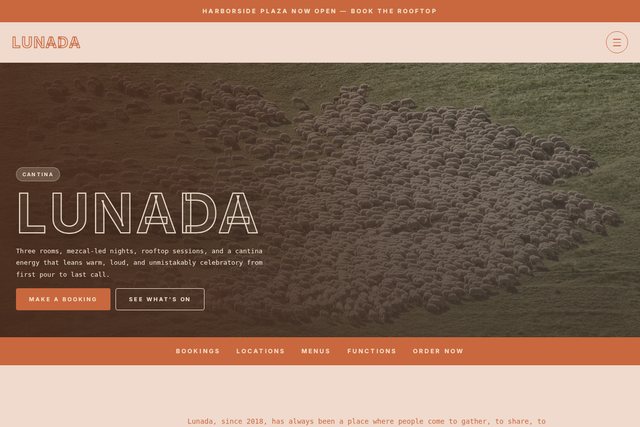 NewLunada CantinaMexican cantinaAn AI Companion template. Open it, then ask the AI to rewrite it for your place.View template
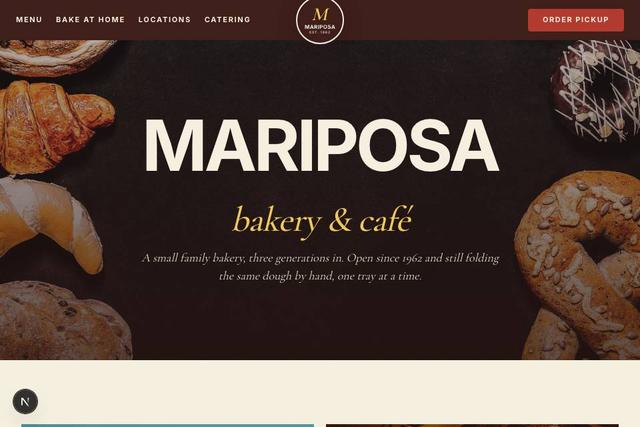 NewMariposa BakeryBakeryAn AI Companion template. Open it, then ask the AI to rewrite it for your place.View template
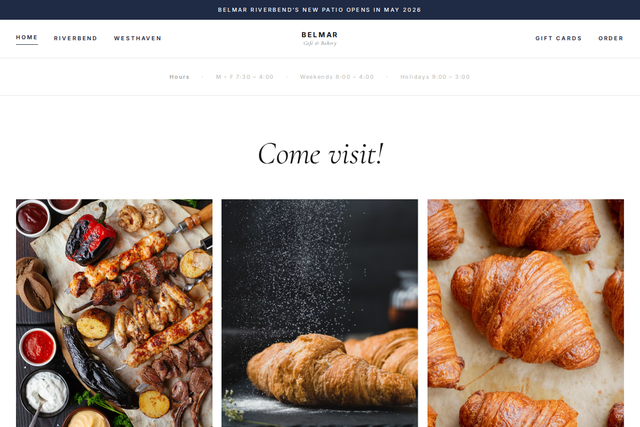 NewBelmar Café & BakeryCafé and bakeryAn AI Companion template. Open it, then ask the AI to rewrite it for your place.View template
FooderaRestaurantA restaurant reservation website template with an online menu, a booking section and your chef’s story.Use templatePreview
Dine EliteFine diningAn elegant fine dining website template with your chef’s story and photos of the dining room.Use templatePreview
Pizza FeastPizzeriaA pizzeria template with big food photography and a clear contact button.Use templatePreview
Burger HouseBurger restaurantA bold template for burger joints with menu highlights and a reservation section.Use templatePreview
Cafe PulseCaféA simple café template that puts your menu and reviews first.Use templatePreview
Flavor FusionRestaurant and dessertsA restaurant template with a menu, a gallery and a booking section.Use templatePreview
Blissful BakesBakeryA warm bakery template with your story, featured bakes and contact details up front.Use templatePreview
Heavenly BitesBakery and roasteryA bright template for macarons, pastries and coffee.Use templatePreview
Cake GaloreCake shopA playful cake shop template with featured cakes for every occasion.Use templatePreview
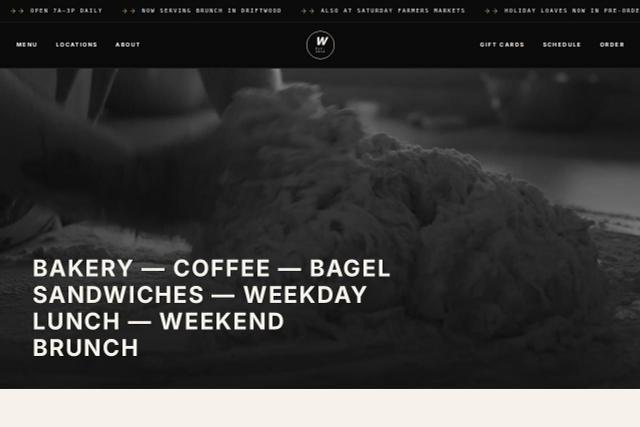 NewWickridge Bread Co.Bread bakeryAn AI Companion template. Open it, then ask the AI to rewrite it for your place.View template
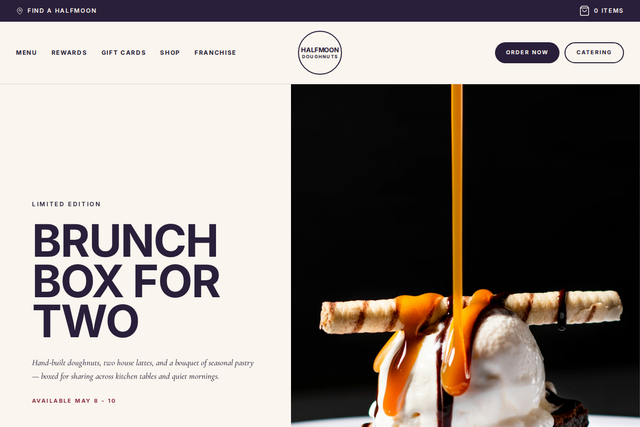 NewHalfmoon DoughnutsDoughnut shopAn AI Companion template. Open it, then ask the AI to rewrite it for your place.View template
- Can’t find your style?Describe your restaurant and the AI designs a website for it, with your menu, hours and photos laid out.Describe my restaurant
- More templatesBrowse every restaurant, café and food template in the CodeDesign library.All restaurant templates
Looking for more? Browse all restaurant website templates or every CodeDesign template.
What should a restaurant website include?
Guests come to a restaurant website with three questions: what’s on the menu, when are you open and how do I get a table. Answer those in the first few seconds, then give them reasons to come in. CodeDesign drafts each part from a short description of your place.
Your menu as real text
A text menu loads fast on phones and can be read by Google and AI assistants. A PDF often can’t. Mark dietary options and allergens clearly.
The AI drafts itHours, address and phone
On every page, written exactly as they appear on your Google Business Profile. Make the phone number tap to call.
The AI drafts itA clear way to book
Link “Book a table” to the reservation tool you already use, or take bookings for private dining, tastings and events with the built-in scheduler.
Built in: booking calendarPhotos that make people hungry
Real photos of your dishes, your dining room and the people who cook. Guests trust what they can see.
The AI lays them outRecent reviews
Three or four short reviews with first names, and a link to your Google reviews so people can read more.
The AI lays them outPrivate dining, events and catering
A page with group sizes, set menus and an enquiry form, so bigger bookings reach you instead of a busy phone.
Built in: Form BuilderAn order online button
Point it at the ordering or delivery partner you already use, so the button always works and orders land in the system your kitchen knows.
Links to your ordering partnerYour story
Who cooks, where your ingredients come from and why you opened. It’s what makes people choose you over the place next door.
The AI drafts itFast pages that work on phones
Most people look up a restaurant on their phone, often on the way. Keep pages light and put the menu one tap away.
Every template is responsive
Can a restaurant website template take online orders?
A CodeDesign restaurant website brings guests in: your menu, hours, photos, reviews and bookings. It doesn’t process food orders or payments. Most restaurants already have an ordering partner and a reservation tool, so the site links to them instead of replacing them. If you’re looking for a restaurant website template with online ordering, that’s the simplest setup: a fast site with an Order online button.
Everything that gets people through the door
- Menu pages you can update any time
- Hours, address and a directions link
- A booking calendar for private dining, tastings and events
- Enquiry forms for catering and large groups
- An AI chatbot for questions about hours, parking and allergens
- Analytics, cookie consent and your own domain
The tools your restaurant already runs on
- Online ordering, pickup and delivery
- Table management and reservation software
- Gift cards and loyalty programs
- Your point of sale
Add “Order online” and “Book a table” buttons that go straight to those tools.
A restaurant website builder that does the work
CodeDesign is an AI restaurant website creator with the extras a restaurant needs built in. Your site, booking calendar, enquiry forms, chatbot and analytics live in one dashboard.
-
AI first draft
Describe your place, get a restaurant website
Write a sentence about your restaurant. The AI generator writes the homepage, menu, story and visit pages and lays out your photos. Then ask the AI Companion to make the tone warmer, add a brunch menu or change the colours to match your sign.
- Menu, story, gallery, events and visit pages
- Change any section by asking the AI
- Visual editor for text, photos, colours and layout
- Write the site in your guests’ language
A wood-fired pizzeria in Brooklyn with natural wine. Warm and a little playful. AI CompanionDone. I built Home, Menu, Our story, Private events and Visit us. Add a weekend brunch menu AI CompanionAdded a brunch section with eight dishes and the Saturday and Sunday hours. HomeMenuBrunchOur storyEventsVisit us -
Bookings
Private dining and events straight onto your calendar
Create bookable slots for private dining, chef’s tables, tastings or cooking classes, each with its own capacity and questions to answer before booking. CodeDesign checks Google or Outlook Calendar for conflicts so nothing is double booked.
- Group sizes and a capacity per slot
- Questions before booking, such as allergies or occasion
- Date overrides for holidays and private hire
- An inline calendar, a floating button or your own button
 Trattoria MartaChef’s tableBefore you bookAny allergies or a special occasion?
Select a date and timeOctober 2026‹ ›
MTWTFSS1213141516171819202122232425
18:0019:30Next21:00
Trattoria MartaChef’s tableBefore you bookAny allergies or a special occasion?
Select a date and timeOctober 2026‹ ›
MTWTFSS1213141516171819202122232425
18:0019:30Next21:00
-
AI chatbot
Answers guests’ questions while you’re in service
Train the chatbot on your menu, hours and FAQs. It tells guests when you open, whether there’s parking and which dishes are vegetarian, and hands the chat to you when a person should reply.
- Trained on your own pages, menus and PDFs
- Captures large party and catering enquiries
- Hand the chat over to your team at any point
- Your name, colours and greeting
TTrattoria MartaOnline · answers instantly Are you open on Monday? Yes, from 5pm to 10pm. The kitchen takes last orders at 9:30.Visit page Do you have vegetarian pasta? Yes. The cacio e pepe and the pesto trofie are vegetarian. Tell your server about any allergies.Menu -
Forms
Catering and large group enquiries
Use Form Builder for catering requests, private hire, job applications or a newsletter sign-up, then put the form on any page. Ask for the date, group size and budget up front, so you can reply with a proper quote.
- Catering and private hire enquiries
- Newsletter and event sign-ups
- Job applications for front and back of house
Catering enquiryWe reply within one working day Event dateFriday 14 November Number of guestsUnder 2020 to 5050 to 100100+ Menu styleSharing plattersBuffetPlated Send enquiry New catering enquiryOffice lunch · 40 guests -
Get found
Show up when people search for places to eat
Every page gets a title and description you control. Website Analysis flags missing titles and broken links, built-in analytics shows which pages guests read, and the Blog app lets you post seasonal menus and events that bring people back.
- Page titles and descriptions for local search
- A site audit that flags SEO issues
- Visitors, sources and top pages
- Your own domain, connected in a few steps
Last 28 days 4,906Visitors+21%11,380Views+17%1m 54sVisit duration Top pagesViews/menu4,210/visit-us2,388/private-dining916
Websites for every kind of restaurant
Good restaurant website design starts with how guests choose you. Pick your format and the AI starts from the pages and wording that suit it. Each card fills in the prompt box above, ready to edit.
Restaurant and fine dining websites
Lead with the room and the food, keep the menu one tap away and make booking obvious. For fine dining, add tasting menus and a dress code.

Café and coffee shop websites
Opening hours first, then what makes your coffee and food worth the walk. Add Wi-Fi and seating details for people who want to stay.

Bakery and dessert shop websites
Big photos of what’s fresh today, your bake schedule and a form for custom cakes and celebration orders by enquiry.

Pizzeria websites
Show the oven and the dough, list your pizzas with honest descriptions and link straight to your delivery partner.

Bar and brewery websites
A bar website template needs the drinks list, events calendar and late hours up front, plus a way to book tables for groups.

Food truck websites
Food truck website templates need one thing first: where you’ll be this week. Add your menu, your story and a form for private events and festivals.

Fast casual and takeaway websites
From burger joints to a Chinese takeaway website template, keep it simple: the menu, the location and a big order online button that goes to your ordering partner.

Catering websites
Sample menus by event type, photos of past events and an enquiry form that asks for the date, guest count and budget.
Best restaurant website builders in 2026
The restaurant website builders owners ask us about most: what each costs, whether it builds a site from a prompt, whether it takes online orders and whether you can take your site with you.
| Builder | Free plan | Builds from a prompt | Online ordering | Code export |
|---|---|---|---|---|
| CodeDesign | Yescodedesign.app address | Yes | Nolinks to your ordering partner | YesHTML and React |
| Wix | Yeswith Wix branding | Yes | Yesordering and reservations | No |
| Squarespace | No14-day trial | Yes | Add-onthrough Tock | No |
| Owner.com | No | Noset up for you | Yeswith a branded app | No |
Features from each builder’s own website on 10 and 11 October 2026. Plans change often, so check before you choose.
CodeDesign
Best for: a fast, good-looking site you own
Builds your restaurant website from a prompt or a template, with bookings, forms, a chatbot and analytics built in. Export the code any time.
Watch out: No built-in online ordering. Link your ordering partner from the site.
Wix
Best for: ordering and reservations in one place
A big app market, with restaurant ordering and reservation tools.
Watch out: You can’t export your site’s code, so leaving means rebuilding.
Squarespace
Best for: polished design out of the box
Strong templates, with reservations and takeout through Tock.
Watch out: No free plan, and Tock is a separate product with its own fees.
Owner.com
Best for: restaurants that want ordering done for them
A website, online ordering, a branded app and marketing in one package, set up for you.
Watch out: From $249 a month plus a fee on each order, which is a lot if you only need a website.
How to make a restaurant website in 6 steps
Whether you start from a template or let the AI design it for you, a restaurant website takes an afternoon with these steps. For more detail, read our guide on how to make a restaurant website.
Generate my first draftStart from a template or a description
Pick a template above, or describe your place to the AI restaurant website generator: cuisine, location, atmosphere and what makes you different.
Put your menu online as text
Type or paste your menu so it reads well on phones and in search. Group it the way guests order, and mark vegetarian, vegan and gluten-free dishes.
Add hours, address and phone
Use exactly the same details as your Google Business Profile, show them on every page and make the phone number tap to call.
Connect bookings and ordering
Link “Book a table” to your reservation tool and “Order online” to your ordering partner, or use the built-in calendar for private dining and events.
Add real photos and reviews
Swap placeholders for photos of your food, your room and your team, then add a few recent reviews with permission. Need ideas? See these cool restaurant websites.
Publish on your own domain and keep it fresh
Connect your domain, give each page a clear title, and update seasonal menus, events and opening hours as soon as they change.
Loved by 500K+ creators and small businesses
Showing our 5 star reviews from Trustpilot and G2.
-
A Great Website Builder for Non-Technical Business Owners
I recently created my first website using CodeDesign.ai, despite having no knowledge of coding, programming languages, or web development. The platform made the entire process remarkably simple and intuitive. As a business owner rather than an IT professional, I found CodeDesign.ai to be an excellent solution for creating a professional-looking website quickly and efficiently.
Henry Seeton Jun 9 2026, from Singapore -
Exactly what we needed to get online
We used CodeDesign.ai to build our website for our clinic, and honestly, it’s been a lifesaver! Their platform made it possible for us to create and launch our own site something we’d been trying to do for months. Before finding CodeDesign, we actually paid a lump sum to someone who promised to build our site and delivered nothing. So finally being able to do it ourselves feels amazing.
Jae Chris, USon Nov 3 2025, from United States -
Game Changer for Web Development!
I’ve been using CodeDesign.app for a recent project, and I have to say, it is hands down one of the most impressive AI website builders I’ve come across.
• Speed: Go from idea to live site in minutes.
• Code Export: The generated code is surprisingly clean and easy to work with if you need to host it elsewhere.
• Customisation: You aren’t locked into rigid templates; the editor gives you full control over colours, fonts, and layout.
SJ Parker, AUon Nov 11 2025, from Australia
More for your restaurant
- Restaurant name generatorName ideas for a new restaurant, café or bar.
- Cool restaurant websitesExamples to learn from before you design yours.
- All restaurant templatesMore website templates for restaurants and cafés.
- Booking calendarBookings for private dining, tastings and events.
- AI chatbotAnswer questions about hours, menus and parking.
- DomainsFind and register a domain for your restaurant.
- Website analyticsSee how many guests read your menu.
- Cookie consentA banner that holds tracking scripts until visitors agree.
Restaurant website questions
Can’t find an answer? Contact us or book a demo.
What is the best restaurant website builder?
It depends on how you take orders. If your ordering and reservations already run through other tools, an AI website builder such as CodeDesign gives you a fast, good-looking site with your menu, hours and bookings, and lets you export the code. If you want online ordering built into the website, look at Wix or an all-in-one service such as Owner.com, at a higher monthly cost.
Is CodeDesign a free restaurant website builder?
You can start from any of these restaurant website templates and build and preview your site for free, without a credit card. Some templates in the library are marked Pro. Plans with the AI builder start at $29 a month, and yearly plans come with a free domain.
Can my restaurant website take online orders?
Not directly. CodeDesign websites don’t process food orders or payments. Add an Order online button that links to the ordering or delivery partner you already use, so orders go into the system your kitchen knows.
Can guests book a table on my website?
Link a Book a table button to your reservation tool, or use the built-in booking calendar. It takes bookings for set time slots with a capacity, which suits private dining, chef’s tables, tastings and events, and it checks Google or Outlook Calendar for conflicts.
How do I put my menu on my restaurant website?
Describe your restaurant and the AI drafts a menu page, then type or paste your real dishes into it. A text menu works better than a PDF on phones and in search, and you can update it whenever the menu changes.
How do I get my restaurant website to show up on Google?
Use the same name, address and phone number as your Google Business Profile, give every page a clear title and description, and keep your menu as text. Website Analysis flags issues such as missing titles or broken links, and fresh pages for seasonal menus and events give people a reason to come back.
Can I use my own domain?
Yes. Register a new domain in CodeDesign or connect one you already own.
Can I export the HTML of my restaurant website?
Yes. Export the site as HTML or React and host it anywhere, or publish on CodeDesign hosting with your own domain.
Do I need a designer to make a restaurant website?
No. Pick a template or describe your place and the AI designs the restaurant website for you. Then change text, photos, colours and layout in the visual editor or by asking the AI Companion.
Can a chatbot answer questions about hours and allergens?
Yes. Train the AI chatbot on your pages, menus and FAQs and it answers questions about opening hours, parking and dishes at any hour. Keep your allergen information up to date, and remind guests to tell staff about allergies.
Can I make a website for a food truck, bar or catering business?
Yes. Choose your type of place in the prompt box, or start from the bar, café, bakery and pizzeria templates, and the AI adapts the pages, such as weekly locations for a food truck or an events calendar for a bar.
Your restaurant website, drafted in about a minute.
Describe your place, your food and your neighbourhood. You can change every word before guests see it.
Or start from a restaurant template.