





4 MILLION +
sites
have already
been built

4 MILLION +
sites
have already
been built
Expert Help
/
Lovables

Make your Figma app workflows actually work
Your Figma app is workflow-ready.
A page is useful only when the next step works. We test forms, lead routing, payments, bookings, alerts, and analytics around your Figma Make app, then fix the parts that break the customer journey.
Free audit within 4 hours
Stays on Figma
Refund if we don't ship
supabase/migrations/001_init.sql
7
-- generated by Lovable
8
ALTER TABLE
orders
9
ENABLE ROW LEVEL SECURITY
;
10
CREATE POLICY
"allow_all"
ON
orders
11
12
// ↑ anyone can read or update any order
13
// ↑ no auth check, no user_id filter
14
3 RLS issues found · auditing
+ 6 more in this repo
Why projects stall
Figma flow check
The last 20% kills you.
Figma: Leads, bookings, payments, alerts, and account flows need end-to-end testing before real buyers use them.
Figma forms routing
Figma submissions should reach the right inbox, sheet, CRM, or webhook. We test success and failure states.
Stripe webhook won't verify
Figma checkout needs keys, webhooks, order records, thank-you pages, and error states checked together.
Figma bookings handoff
Figma booking paths need timezone copy, calendar links, confirmation text, and clear follow-up steps.
Figma alerts testing
Figma admin alerts should arrive with the right fields. We check triggers, format, and missing details.
Figma CRM fields
Figma lead data loses value when fields are vague. We map name, email, source, need, and context clearly.
Figma analytics events
Figma tracking should answer real questions. We add useful events for CTAs, forms, checkout, and key actions.
How it works
Send the link.
We take it from there.
01
Send your project
Share your Figma project or files. Tell us what is broken and what must go live first.
~ 2 minutes
02
Free audit
A specialist reviews the code, identifies the real blockers, and sends back a fixed-price quote with scope and timeline.
~ 4 hours
03
AI + expert ship it
Our AI handles refactors and boilerplate at speed. Humans handle architecture, security, and edge cases. You get live progress.
1–10 days
04
Review & launch
Preview link, revision rounds, then deploy. You keep all the code. Optional: migrate to CodeDesign for AI-managed maintenance.
Same day
Make your Figma app clearer and easier to launch with expert help.
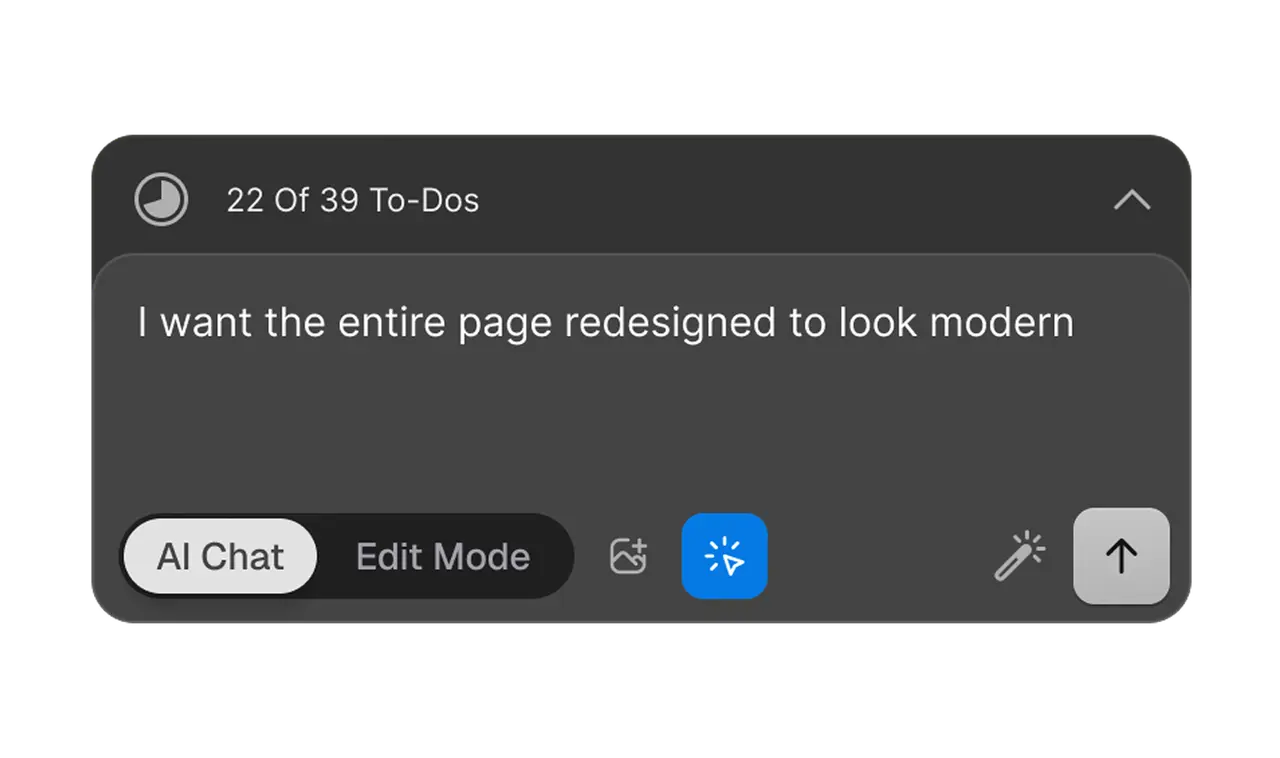
Edit with Words. Just tell the AI what you want
All good things starts with a homepage. Get inspired without breaking your wallet with premium plan with Codedesign.ai.

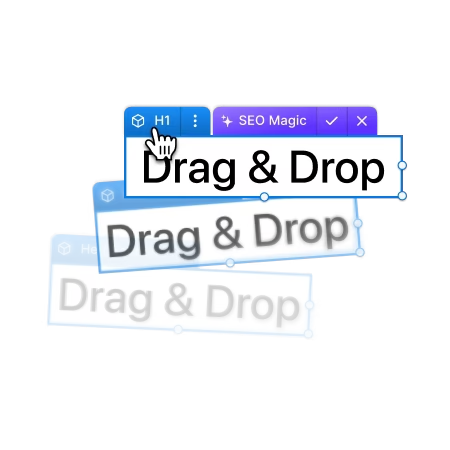
Drag, drop & fine-tune every element of your site
Every great project starts with a homepage. Get inspired and enjoy premium features at a price you'll love with Codedesign.ai.
Supported platforms
If an AI made it,
we can finish it.
We work in the framework, language, and stack your AI tool generated. No forced rewrites unless you ask for one.
Claude Code
Codebases, repos, agentic builds
OpenAI Codex
Generated code, any stack
Lovable
React + Vite + Supabase exports
Replit Agent
Full-stack apps, any language
Figma expert help starts at
$299 USD
Quick Fix
Within 4 hours
One specific blocker — auth broken, Stripe won't connect, deploy fails, mobile broken.
Within 4 hours
One specific blocker resolved
Deploy + verify in production
Written explanation of the fix
1 revision round
Production Ready
5–7 days
/ project
Your prototype, made production-grade. Auth, payments, DB, responsiveness, deploy — everything sound.
5–7 business days
Full audit + all critical fixes
Auth, payments, DB hardened
Mobile + responsiveness sound
Deployed to your domain
2 revision rounds + 14 days support
Custom Build
Talk
Bigger scope: new features, full rewrites, ongoing development, enterprise compliance.
Scoped per project
New feature development
Full rebuilds on a better stack
Monthly retainer available
NDA + MSA ready
Trusted by Builders Worldwide
4M+
sites
have already been built
Figma Make helped us start, but CodeDesign made the app feel ready for real visitors.
Leo Martin
Australia
We sent a rough Figma Make build and got back sharper copy, cleaner sections, and a safer launch path.
Theo Harris
England
The team found issues we missed in Figma Make. Mobile, forms, and SEO felt much better after cleanup.
Lucas Hayes
Austra.
100% Satisfaction Guarantee
If our specialist cannot resolve your technical issue, you don't pay. It's that simple.
Direct Access: Work directly with the people who built Codedesign
FAQ
Can CodeDesign finish my Figma Make app without a full rebuild?
Yes. For Figma Make, we first identify what is already useful, then improve the parts that block launch. That usually means copy clarity, mobile QA, SEO fields, forms, links, and publish settings before considering any rebuild.
What will you check first in my Figma Make project?
For Figma Make, we start with the visitor path. That means opening key pages, pressing CTAs, testing forms, reviewing mobile layout, checking metadata, and looking for setup gaps tied to screen logic, copy, responsive states, and handoff. You get fixes that matter to launch.
Can this help my Figma Make page rank better in search?
Yes, when the Figma Make page has enough useful content to deserve it. We improve headings, titles, descriptions, FAQs, internal links, image context, and answer-led sections so people and search systems understand it faster.
Can you make my Figma Make app work on a custom domain?
Yes. For Figma Make, we can review DNS, SSL, redirects, canonical URLs, preview links, sitemap signals, and environment settings tied to the live version. The public URL should behave like the approved project, not a broken copy.
Will you change the design I already like in Figma Make?
We protect the Figma Make direction you already approved. Changes focus on clarity, spacing, responsive behavior, trust signals, and broken flows. If a visual choice hurts usability or conversion, we explain the issue first.
What access do you need to review my Figma Make build?
Usually, a Figma Make project link, repo, export, invite, or zip file is enough to begin. Add a short note about what feels broken, what outcome you want, and any deadline. We keep the process simple for non-technical users.
Who is this Figma Make expert help best suited for?
It fits founders, agencies, marketers, and small teams who have a promising Figma Make build but need stronger copy, working flows, SEO basics, mobile polish, and a safer route to launch without losing time.
Most trusted AI Website Builder with Zero Limits. Free to start. Go annual and get 20%off plus a free domain.
Products
Industries
Resources
AI Writing Tools
SEO Content Tools
Templates
Company
Community
Legal & Policies
CodeDesign Inc. 16192 Coastal Highway, Lewes, DE 19958, County of Sussex
At CodeDesign, Inc., your privacy and security are our top priorities. We are committed to transparency in how we handle your data, and we have made our data policies easily accessible in the page footer so you can understand exactly how we thrive to protect your information online.
The user generated data is not accessed or, used for training or processed by CodeDesign.ai nor it is stored by Open AI as we have signed up to the Zero Data Retention policy, which means none of your data will be retained by Open AI for any period of time. Open AI encrypts all data at rest (AES-256) and in transit (TLS 1.2+), and we adhere to industry-leading security measures, including highly restricted access to the core areas, to ensure your information remains secure and confidential at all times.

For your security, all data is yours & all orders are processed via Stripe.
©2021-2026 CodeDesign, Inc. All rights reserved.


