AI website builder for SaaS.
Describe your product. Get a SaaS website that turns visitors into sign-ups.
Built on CodeDesign4M+ websites
Loved by500K+ creators
Trustpilot & G24.8 out of 5

Your sample site follows the product type and sections you pick above
What should a SaaS website include?
A SaaS website has one job: get the right visitor to sign up, start a trial or book a demo. That takes the nine pages and sections below. CodeDesign drafts each one from a description of your product, so you start from a full site instead of a blank canvas.
A homepage that says what it does
One line on who it’s for and the outcome they get, a real product screenshot and one main call to action. Visitors decide in seconds whether to keep reading.
The AI drafts itFeature pages by job to be done
Group features by the problem they solve, not by your menu. Each page shows the workflow, a screenshot and a short proof point.
The AI drafts itA pricing page that answers objections
Three plans at most, a comparison table, what happens when the trial ends and a short FAQ about billing, seats and cancelling.
The AI drafts itCustomer logos and stories
Logos near the top, then testimonials with a name, role and photo, and a case study with numbers for buyers who need to convince their boss.
The AI lays them outA clear next step
A sign-up button that links to your app, a calendar to book a demo for sales-led plans, or a waitlist before launch. One primary action per page.
Built in: demo booking and formsAn integrations page
Buyers check that you work with the tools they already pay for. List each integration with a line on what it does.
The AI drafts itDocs, help and a changelog
A help center answers setup questions before they reach support, and a changelog shows the product is alive and improving.
The AI drafts the pagesA blog that brings in searches
Articles that answer the questions your buyers type into Google and AI assistants. Comparison and how-to posts bring in people ready to buy.
Built in: BlogSecurity, privacy and cookie consent
A security page for B2B buyers, a privacy policy, terms, and a consent banner so EU and UK visitors agree before tracking scripts run.
Built in: cookie consent
SaaS website builder or SaaS app builder?
They solve different problems. A SaaS website builder makes the marketing site that wins sign-ups. An app builder makes the product people log in to. Most teams need both, and they work best kept apart.
Built with CodeDesign
Everything a buyer sees before they log in.
- Homepage, features, pricing and integrations
- Demo booking, waitlist and lead forms
- Blog, docs, changelog and SEO
- Hosting on your domain, or export the code
“Sign up” and “Log in” buttons link to your app, for example app.yourproduct.com.
Your own code or an app builder
Everything a customer uses after they log in.
- Accounts, logins and permissions
- Subscriptions and billing
- Your database and business logic
- In-app dashboards and settings
Build it in your own stack or with an app builder such as Lovable or Bubble.
Everything your SaaS site needs to convert
CodeDesign is an AI SaaS website builder for startups and growing teams, with the growth tools built in. Your site, demo calendar, waitlist forms, support chatbot and analytics live in one dashboard instead of five subscriptions.
-
AI website builder
From product description to launch-ready site
Describe what your product does and who it’s for. The AI writes the homepage, features, pricing and changelog, and lays out screenshots, logos and testimonials. Then ask the AI Companion to tighten the headline or add a comparison table.
- Home, features, pricing, integrations and docs pages
- Rewrite any section by asking the AI
- Visual editor for text, images, colours and layout
- Generate the site in your customers’ language
Shipnote turns merged pull requests into release notes. Clean, technical, for dev teams. AI CompanionDone. I built Home, Features, Pricing, Changelog, Docs and Book a demo. Add a plan comparison under pricing AI CompanionAdded a three-plan comparison with a billing FAQ below it. HomeFeaturesPricingChangelogDocsBook a demo -
Code export and hosting
Own your code from day one
Publish on CodeDesign hosting with your own domain, or export the site as HTML or React and deploy it next to your app. No lock-in, so your marketing site can move when your stack does.
- Export clean HTML or React code
- Hosting with your custom domain
- Publish through WordPress if your team uses it
- Invite teammates to your workspace
Export HTMLReactWordPress export default function Pricing() { return <section className="pricing"> <PlanCard name="Growth" price="$49" /> </section> } Download code shipnote.devPublished on CodeDesign · SSL on app.shipnote.devYour product, on your own stackLinked -
Demo booking
Demos go straight onto your sales calendar
Create a 30 minute demo, set the hours your team takes calls and put the calendar on your pricing page. CodeDesign checks Google or Outlook Calendar for conflicts and adds a Zoom, Google Meet or Microsoft Teams link to every booking.
- Questions to qualify a lead before they book
- Buffers, notice time and a daily limit
- Group sessions for webinars and onboarding
- An inline calendar, a floating button or your own button
- Booking events sent on through a webhook
 Marcus Bell · Account executiveProduct demoBefore we talkHow many people are on your sales team?
Select a date and timeOctober 2026‹ ›
MTWTFSS1213141516171819202122232425
9:0011:00Next13:3016:00
Marcus Bell · Account executiveProduct demoBefore we talkHow many people are on your sales team?
Select a date and timeOctober 2026‹ ›
MTWTFSS1213141516171819202122232425
9:0011:00Next13:3016:00
-
Forms
Waitlists, trials and lead forms
Use Form Builder for an early access list before launch, a contact sales form for bigger accounts, or a short survey after sign-up. Put any form on any page.
- Waitlist and early access sign-ups
- Contact sales and demo request forms
- Short surveys and onboarding questions
Get early accessWe’re letting in new teams every week Work emaildana@arcway.com Company size1–1011–5051–200200+ What would you use it for?Weekly release notes for our customers and sales team. Join the waitlist New sign-upDana W. · 11–50 people -
AI chatbot
Answers pre-sales questions around the clock
Train the chatbot on your pages, docs and FAQs. It answers “Do you integrate with HubSpot?” or “Is there a free plan?” at any hour, captures the visitor’s work email and hands the chat to your team when a person should reply.
- Trained on your own pages, PDFs and FAQs
- Captures leads into a live inbox
- Hand the chat over to sales or support
- Your name, colours and greeting
SShipnote assistantOnline · answers instantly Is there a free plan? Yes. The free plan covers one project and 50 subscribers. Paid plans start at $29 a month and include custom domains.Pricing page Can I see it with our repo? Leave your work email and we’ll set up a demosam@kitebox.ioSend -
Get found
SEO, a blog and analytics built in
Publish comparison and how-to articles from the Blog app, draft them with the AI writing tools and run Website Analysis to catch missing titles, broken links and thin pages. Built-in analytics shows visitors, sources and top pages, and its script sets no cookies.
- A blog with SEO-ready posts
- A site audit that flags SEO issues
- Visitors, sources and top pages
- Cookie consent for EU and UK visitors
Last 28 days 18,240Visitors+24%52,907Views+19%2m 48sVisit duration Top pagesViews/pricing9,812/blog/release-notes-examples6,104/changelog3,377
Websites for every kind of SaaS
Good SaaS website design starts with how your buyers decide. Pick your category and the AI starts from the pages and wording that suit it. Each card fills in the prompt box above, ready to edit.
B2B SaaS websites
Buyers compare vendors and loop in their team. Lead with outcomes, show logos early and give sales-led plans a demo calendar next to pricing.
AI product websites
Show, don’t claim. Put a real example of the output above the fold, explain what data it uses and how it’s kept private, then offer a free try.
Developer tool websites
Developers want docs, code samples and honest pricing. Link the docs and changelog from the header and skip the marketing fluff.
Fintech websites
Trust is the product. Lead with security and compliance, show fees in plain numbers and make the contact sales path easy to find.
Productivity app websites
Show the workflow in a short loop or screenshots, compare plans by team size and make the free plan the obvious first step.
Marketing tool websites
Your buyers measure everything. Lead with results, add a calculator or benchmark and keep a case study one click from the homepage.
Mobile app websites
A landing page that sells the app in one screen: phone screenshots, ratings, store badges and a short reason to download today.
Analytics platform websites
Explain which data sources you connect, show a sample dashboard and answer data security questions before buyers ask.
SaaS website templates to start from
Prefer to start from a finished design? These are real CodeDesign templates for SaaS, AI and fintech products. Open one, then ask the AI to rewrite it for your product.
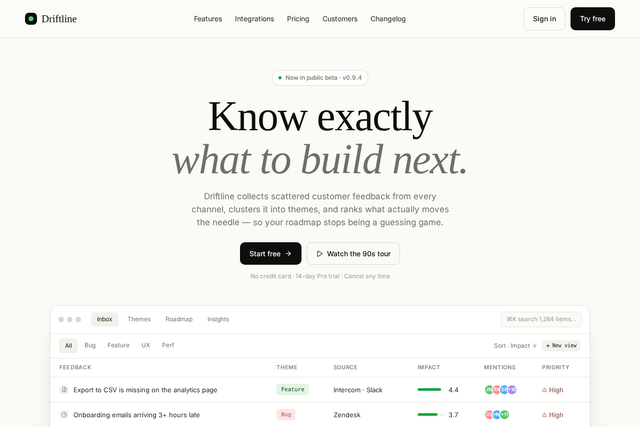
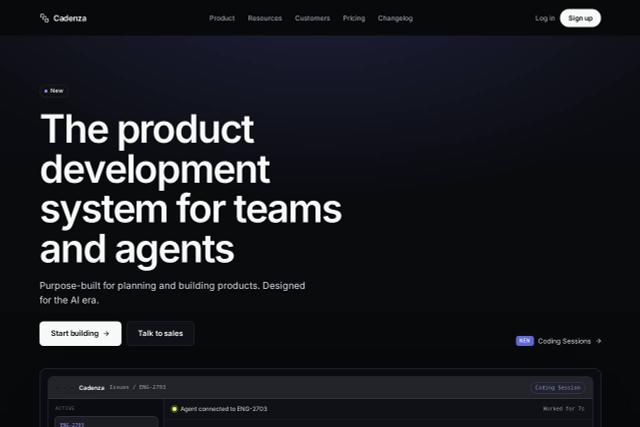
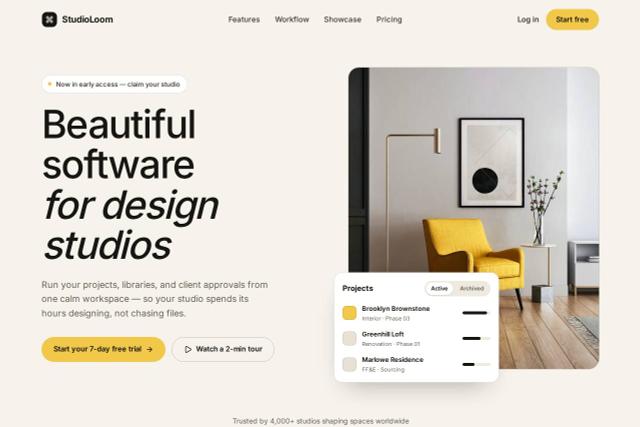
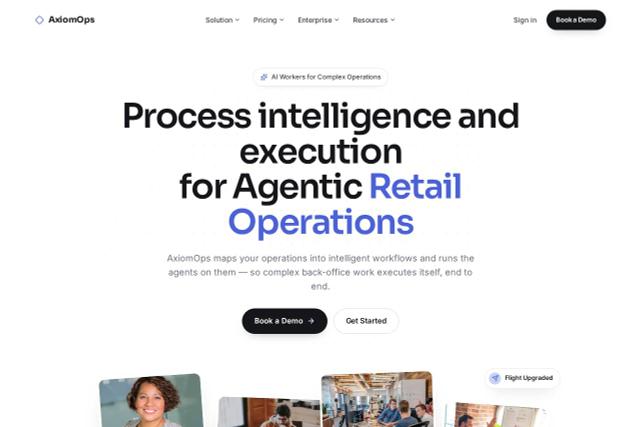
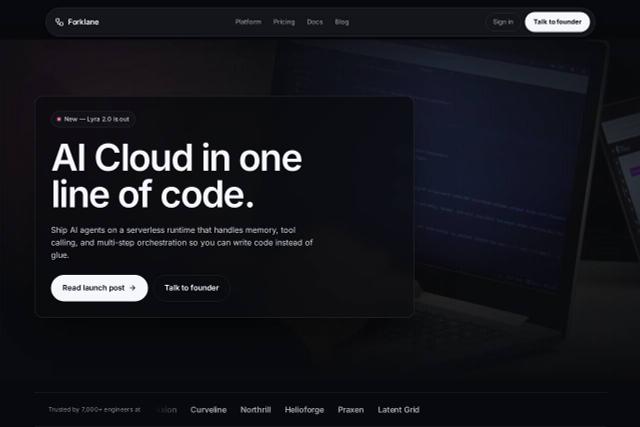
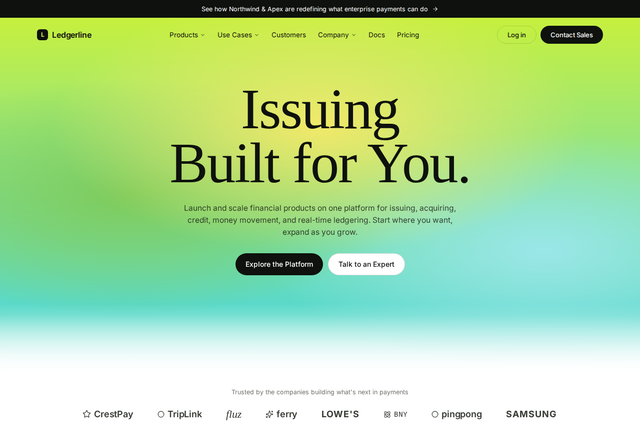
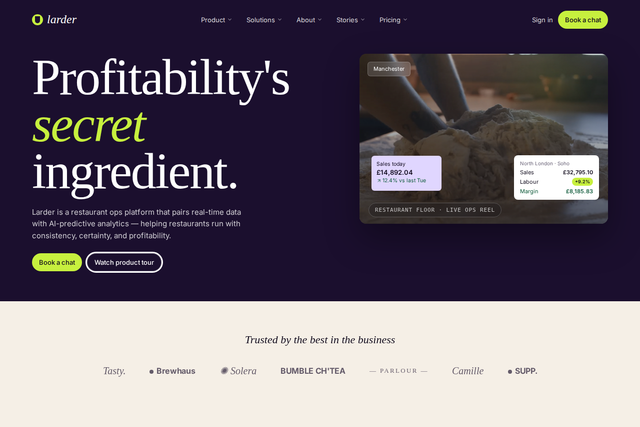
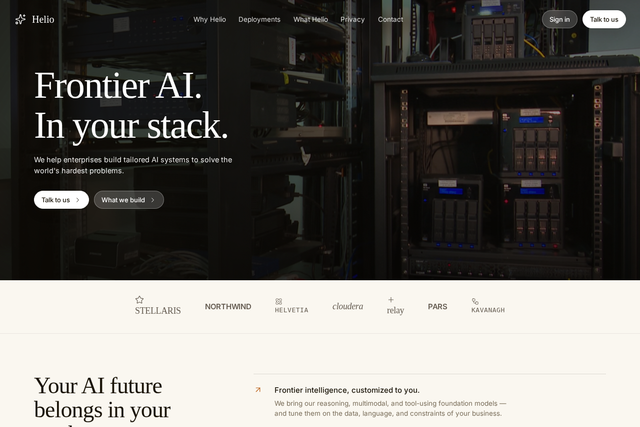
Best SaaS website builders in 2026
The builders SaaS teams ask us about most: what each costs, whether it builds a site from a prompt, and whether you can take your code with you.
| Builder | Free plan | Builds from a prompt | Code export |
|---|---|---|---|
| CodeDesign | Yescodedesign.app address | Yeswhole site | YesHTML and React |
| Framer | YesFramer domain | PartlyAI helps with layouts | No |
| Webflow | Yeswebflow.io, 2 pages | PartlyWebflow AI | Partlypaid Workspace plans, no CMS content |
| Wix | Yeswith Wix branding | Yes | No |
| Unicorn Platform | Drafts onlycan’t publish | Partlyedit with prompts | YesHTML on paid plans |
| Lovable | Yes5 credits a day | Yesapps and sites | Yesthrough GitHub |
Features from each builder’s own website on 10 and 11 October 2026. Plans change often, so check before you choose. For general AI builders, see the best AI website builders compared.
CodeDesign
Best for: launching a marketing site fast and owning the code
Builds the whole site from a prompt, with demo booking, forms, a chatbot and analytics built in. Export HTML or React any time.
Watch out: It builds your marketing site, not the app. Logins and billing stay in your product.
Framer
Best for: design-led teams who want motion and polish
A design-first editor with a CMS, smooth animations and AI help with layouts.
Watch out: No code export, and you’ll design most pages yourself.
Webflow
Best for: large content sites with a deep CMS
Fine-grained design control and a powerful CMS for big marketing teams.
Watch out: Costs grow with seats, and code export needs a paid Workspace plan and leaves CMS content out.
Wix
Best for: teams that want lots of add-ons
A big app market and plenty of templates, with AI to start the first draft.
Watch out: You can’t export your site’s code.
Unicorn Platform
Best for: simple startup landing pages on a budget
Startup-focused blocks, a blog and HTML export on paid plans.
Watch out: The free plan can’t publish a site, and design control is limited.
Lovable
Best for: building the app itself
Generates full web apps from prompts and syncs the code to GitHub.
Watch out: It’s an app builder first, so marketing pages take more setup.
How to build a SaaS website in 7 steps
Whichever builder you choose, these steps take a SaaS website from idea to launch and keep it bringing in sign-ups afterwards.
Generate my first draftWrite a one-line value proposition
Say who it’s for and the outcome they get: “Release notes your users actually read” beats “a modern changelog platform”. That line becomes your headline, your page title and your prompt.
Generate the first draft
Describe your product to the AI website builder and pick the sections you need. You get a homepage, features, pricing and the rest to edit in about a minute.
Show the real product
Replace placeholder art with real screenshots or a short screen recording. Visitors trust what they can see working.
Build a pricing page that answers objections
Keep it to three plans, compare them in a table and answer the billing questions buyers ask: trials, seats, upgrades and cancelling.
Add proof
Customer logos near the top, testimonials with real names and faces, and one case study with numbers. Ask customers for permission first.
Give every visitor a next step
Link “Start free” to your app’s sign-up, add a demo calendar for sales-led plans, or a waitlist before launch.
Launch on your domain and keep shipping
Connect your domain, set titles and descriptions for every page, add cookie consent and analytics, then publish a changelog entry and a blog post each month.
Loved by 500K+ creators and small businesses
Showing our 5 star reviews from Trustpilot and G2.
-
A Great Website Builder for Non-Technical Business Owners
I recently created my first website using CodeDesign.ai, despite having no knowledge of coding, programming languages, or web development. The platform made the entire process remarkably simple and intuitive. As a business owner rather than an IT professional, I found CodeDesign.ai to be an excellent solution for creating a professional-looking website quickly and efficiently.
Henry Seeton Jun 9 2026, from Singapore -
Exactly what we needed to get online
We used CodeDesign.ai to build our website for our clinic, and honestly, it’s been a lifesaver! Their platform made it possible for us to create and launch our own site something we’d been trying to do for months. Before finding CodeDesign, we actually paid a lump sum to someone who promised to build our site and delivered nothing. So finally being able to do it ourselves feels amazing.
Jae Chris, USon Nov 3 2025, from United States -
Game Changer for Web Development!
I’ve been using CodeDesign.app for a recent project, and I have to say, it is hands down one of the most impressive AI website builders I’ve come across.
• Speed: Go from idea to live site in minutes.
• Code Export: The generated code is surprisingly clean and easy to work with if you need to host it elsewhere.
• Customisation: You aren’t locked into rigid templates; the editor gives you full control over colours, fonts, and layout.
SJ Parker, AUon Nov 11 2025, from Australia
More for your SaaS launch
- Landing page generatorA one-page site for a launch, a feature or a campaign.
- Code exportExport clean HTML and host it anywhere.
- Demo schedulerBooking pages for demos, onboarding and webinars.
- AI chatbotAnswer pre-sales and support questions around the clock.
- Website analyticsSee visitors, sources and your most-read pages.
- Cookie consentA banner that holds tracking scripts until visitors agree.
- SaaS website templatesStart from a finished SaaS design.
- Best SaaS landing pagesExamples to learn from before you write yours.
SaaS website questions
Can’t find an answer? Contact us or book a demo.
What is the best website builder for SaaS?
It depends on what you’re building. For the marketing site, an AI website builder such as CodeDesign gets a full site with pricing, demo booking and a blog live fastest, and lets you export the code. Framer and Webflow suit design-led teams who want to craft every page by hand. For the app itself, use your own stack or an app builder such as Lovable or Bubble.
Which AI website builder is best for SaaS startups that iterate fast?
Pick one that edits by prompt and doesn’t lock you in. In CodeDesign you can regenerate the design, ask the AI Companion to rewrite copy for a new positioning, or spin up a new landing page for a launch in minutes, then export the code if you outgrow the builder.
Can CodeDesign build my SaaS app?
No. CodeDesign builds the marketing website: the homepage, features, pricing, docs and blog, plus the forms and booking around them. Your app, with its logins, billing and database, stays in your own code or an app builder. Point the site’s Sign up and Log in buttons at your app.
How much does a SaaS website cost?
You can build and preview a SaaS website on CodeDesign for free, without a credit card. Plans with the AI builder start at $29 a month, and yearly plans come with a free domain.
What pages should a SaaS website have?
A homepage, feature pages, pricing, customer stories, integrations, docs or a help center, a changelog, a blog, and legal pages for privacy, terms and cookies. Add a demo booking page for sales-led plans, or a waitlist before launch.
Can I export my SaaS website’s code?
Yes. Export the site as HTML or React and host it wherever your app lives, or publish on CodeDesign hosting with your own domain.
Can my website and app share a domain?
Yes. Many SaaS teams put the marketing site on the main domain, such as yourproduct.com, and the app on a subdomain such as app.yourproduct.com, set up in the domain’s DNS.
Can visitors book a demo from my SaaS website?
Yes. The built-in appointment scheduler lets you create a demo event, ask qualifying questions before someone books, check Google or Outlook Calendar for conflicts and add Zoom, Google Meet or Microsoft Teams links. Show the calendar inline, as a floating button or behind your own button.
How do I collect waitlist sign-ups before launch?
Add a waitlist or early access form with Form Builder and place it on your homepage or a launch page. Ask for a work email and one or two questions, such as company size, to prioritise who you let in first.
Will my SaaS website rank on Google and show up in AI answers?
CodeDesign builds pages with titles, descriptions and a clean structure, and Website Analysis flags SEO issues such as missing titles or broken links. To get found, publish pages that answer buyer questions directly, such as comparisons, pricing explainers and how-to guides.
Does it handle cookie consent and privacy?
Yes. Cookie Manager adds a consent banner that holds tracking scripts until visitors agree, and the built-in analytics script sets no cookies.
Can my team work on the website together?
Yes. Invite teammates to your workspace so founders, marketing and product can edit the same site.
Your SaaS website, drafted in about a minute.
Describe what your product does and who it’s for. You can change every word before launch.
Or start from a SaaS template.