White label AI website builder for agencies.
Turn a client brief into an editable website. Then host it, keep it in WordPress or export the code.
Built on CodeDesign4M+ websites
Loved by500K+ creators
Trustpilot & G24.7 out of 5
Agency, reseller or hosting provider? Tell us the white-label setup you need

The sample client site follows the client type and sections you pick above
What is a white label AI website builder?
A white label AI website builder helps an agency create client websites as part of its own service. The AI turns a brief into a first draft. The agency checks the facts, edits the design and copy, gets approval, and decides how to publish or hand over the finished site.
CodeDesign combines AI generation with a visual, drag-and-drop editor. Your team can refine the copy, layout, images, and mobile view before the client sees the site. You may also see it called a white label website creator, a private label site builder or a reseller website builder.
- Start with the client briefBusiness, customers, pages, tone and the one action the site should drive.
- Keep creative controlEdit every section visually or by asking the AI, until it matches the client’s brand.
- Choose how to deliver itCodeDesign hosting on the client’s domain, WordPress, or exported code.
A simple customer website workflow
Agencies and digital service providers already have their own sales, review, and delivery process. CodeDesign should fit into it, not replace it.
Write the brief
Write down the business, customer, pages, tone, and main action. Add the location if it matters. Flag anything the AI must not guess.
Build the first draft
Generate the site, then check the facts and rough edges. Fix the weak copy. Test the layout on a phone before you share it.
Get approval and publish
Send the client a review link or follow your normal approval process. Once the site is ready, use the publishing or handoff option agreed for the project.
Everything your agency needs to deliver client sites
A white label website builder for agencies is only as good as what you can hand over. CodeDesign drafts the site, then gives your team the editor, the handoff options and the add-ons clients ask for.
-
AI first draft
From client brief to editable website
Paste the brief: the business, the customer, the pages and the main action. The AI writes the copy, lays out the sections and picks images. Then your team rewrites a section by asking the AI Companion, or edits it directly in the visual builder.
- Service, about, contact, location and booking pages
- Rewrite any section by asking the AI
- Drag-and-drop editing of copy, images, spacing and mobile layout
- Generate client sites in the client’s language
Brief: plumbing and heating company in Manchester. Same-day callouts, Gas Safe, family run. Main action: book a callout. AI CompanionDone. I built Home, Services, Areas we cover, Reviews and Book a callout. Client wants a boiler service page AI CompanionAdded a boiler service page with pricing questions and a booking button. HomeServicesBoiler serviceAreasReviewsBook a callout -
Publishing and handoff
Hand over the site the way the client needs it
Publish on CodeDesign and connect the client’s custom domain, keep WordPress in the client’s publishing setup, or export the code for another host or a developer. Plan access varies, so confirm the options for your agency.
- CodeDesign hosting on the client’s domain
- A WordPress publishing workflow
- HTML or React code export for developers
- Share projects with teammates who have a CodeDesign account
Handoff PublishWordPressExport code ridgewayheating.co.ukClient’s domain · SSL on Client’s WordPressKeep their publishing setup HTML or React exportFor another host or a developer Shared with 3 teammatesNorthlight Studio workspace Ready to hand over -
Client add-ons
Bookings, forms and a chatbot for every client
Add the tools small businesses ask for without another subscription: an appointment calendar that checks Google or Outlook for conflicts, lead and intake forms from Form Builder, and an AI chatbot trained on the client’s own pages.
- Appointment booking with Zoom, Meet or Teams links
- Lead forms, surveys and intake flows
- An AI chatbot that hands chats to the client’s team
- Cookie consent for EU and UK visitors
 Brightsmile DentalCheck-upBefore you bookAre you a new or existing patient?
Select a date and timeOctober 2026‹ ›
MTWTFSS1213141516171819202122232425
09:0011:30Next14:0017:45
Brightsmile DentalCheck-upBefore you bookAre you a new or existing patient?
Select a date and timeOctober 2026‹ ›
MTWTFSS1213141516171819202122232425
09:0011:30Next14:0017:45
-
Reporting
SEO checks and analytics across client sites
Website Analysis finds technical SEO issues and tracks fixes across your sites, from missing titles to broken links and thin pages. Built-in analytics shows each client’s visitors, sources and top pages, so monthly reporting takes minutes.
- A site audit for every client site
- Visitors, sources and top pages
- A blog with SEO-ready posts
- Domains you can register for clients
Website Analysis 3Errors7Warnings24Pages checked To fix on brightsmiledental.co.ukPagesMissing meta description3Duplicate page title2Image without alt text5 Client sites this monthVisitorsBrightsmile Dental2,418Harper & Vale Law1,906Ridgeway Heating3,122
How to compare white label website builders
The best white label website builder depends on the customer experience and business model you support. Test the core creation workflow now, then confirm branding, access, capacity, and pricing with the CodeDesign team.
- Available now
AI first draft
Turn a detailed client brief into a complete, editable website. Prompt-to-site generation creates the first draft.
- Available now
Visual editing
Change the copy, sections, images, spacing, and mobile layout without code. Continue refining the site after generation.
- Available now
Publishing and handoff
Use CodeDesign hosting and a custom domain, keep WordPress, or export the website code. Plan access varies.
- Confirm with the team
Business branding
Define where your business name, logo, and domain should appear in the customer experience.
- Confirm with the team
Client access
Confirm who can review or edit, what permissions each person gets, and how white-label reviews work.
- Confirm with the team
Plan, price, and capacity
Ask how many team members and client sites are included, what support is available, and the current price.
Best white label website builders in 2026
The white label site builders agencies ask us about most, compared on what matters for client work: whether white label is included, whether it builds sites from a prompt and how you hand the work over.
| Builder | White label | Builds sites from a prompt | Hosting and handoff |
|---|---|---|---|
| CodeDesign | On requestset up with the CodeDesign team | Yeswhole site from a brief | Flexiblehosting, WordPress or code export |
| Duda | Yeson its white-label plan | Yes | Hostedon Duda |
| 10Web | Yeson agency plans | Yes | WordPresshosted by 10Web |
| Brizy Cloud | Yeson its top cloud plan | Yes | Hostedon Brizy Cloud |
Features from each builder’s own website on 11 October 2026. Plans change often, so check before you choose.
CodeDesign
Best for: AI drafts with flexible handoff
Generates the whole client site from a brief, with hosting, a WordPress workflow and code export when the client needs it.
Watch out: Branding, client access and pricing are set up with the team rather than picked from a price list.
Duda
Best for: agencies running many client sites on one platform
A mature agency platform with client management and AI site generation.
Watch out: White label sits on a higher plan with a set number of sites, and each extra site adds to the bill.
10Web
Best for: agencies that deliver WordPress sites
AI-built WordPress sites with a branded dashboard and builder on Agency Core.
Watch out: Every site is WordPress, so plugins and updates come with it.
Brizy Cloud
Best for: a simple white-label editor
A drag-and-drop builder with a white-label platform and an AI builder on its top cloud plan.
Watch out: White label is only on its top cloud plan, with a fixed number of sites.
Pick the handoff that fits the customer
Some customers want a managed site. Others already use WordPress or need the code. Keep that decision open until you understand the job.
Publish with CodeDesign
Publish on CodeDesign and connect the customer’s custom domain. Ask about plan limits if you manage several customer sites.
Use a WordPress workflow
Use CodeDesign for the first draft and visual work while WordPress remains in the client’s publishing setup.
WordPress pluginExport the website code
Export the website code when the client wants another host or a developer handoff. Code export depends on the plan.
Custom code export
Common website projects for agencies and providers
These projects often share the same basic sections, but the brief, copy, and design still need to fit the customer.
Campaign landing pages
Create the first version from the campaign brief, then tighten the offer and connect the page to the client’s lead process. Need multi-step pages? Use the AI funnel builder.
Small-business websites
Build the common service, about, contact, and location pages without arranging every section by hand.
Portfolio and personal sites
Give consultants and creators a solid first structure for their work, background, and inquiry form.
Microsites and launch pages
Create a focused site for an event, product launch, or short campaign without adding pages the project does not need.
Website redesigns
Turn the client’s existing content and requirements into a clearer first draft, then refine it around the goals that matter now.
White-label WordPress sites
Start the design in CodeDesign, then keep WordPress in the client’s publishing workflow when the project requires it.
Mobile-first local sites
Every generated site is responsive, so restaurants, salons and trades look right on the phones their customers search on.
Sites from a template
Start a client project from a CodeDesign template when the brand is set, then let the AI rewrite it for the client.
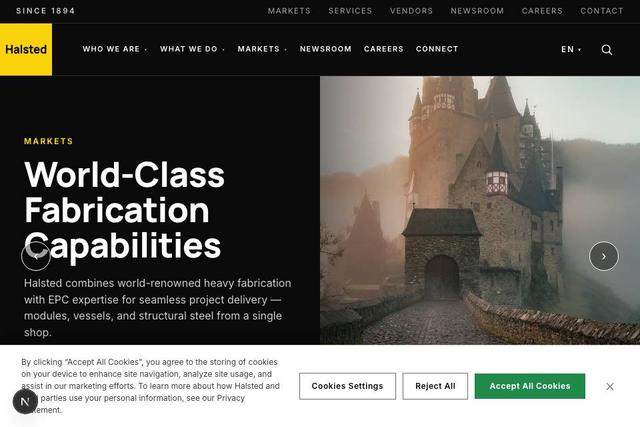
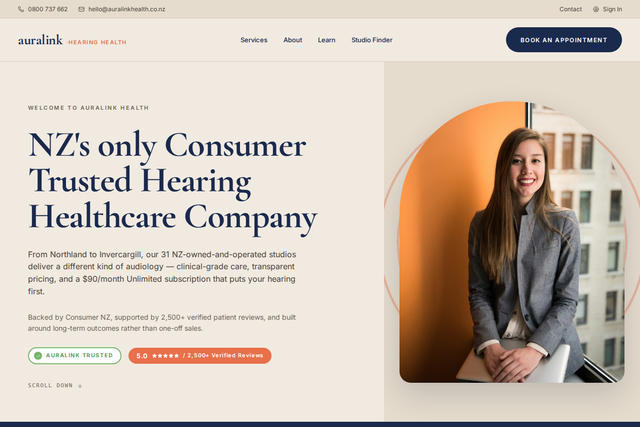
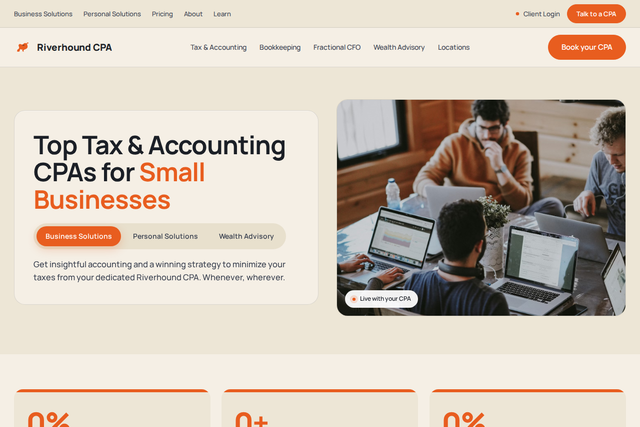
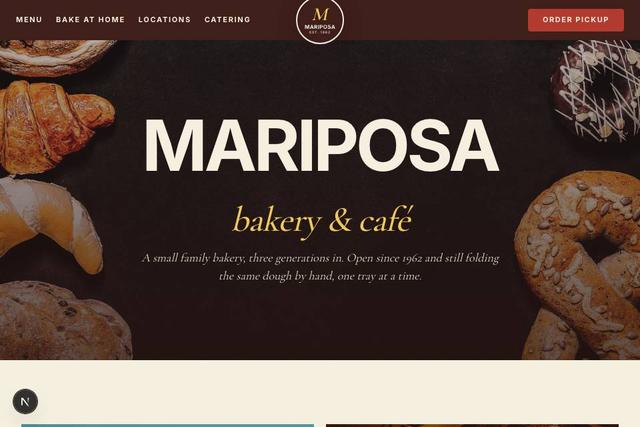
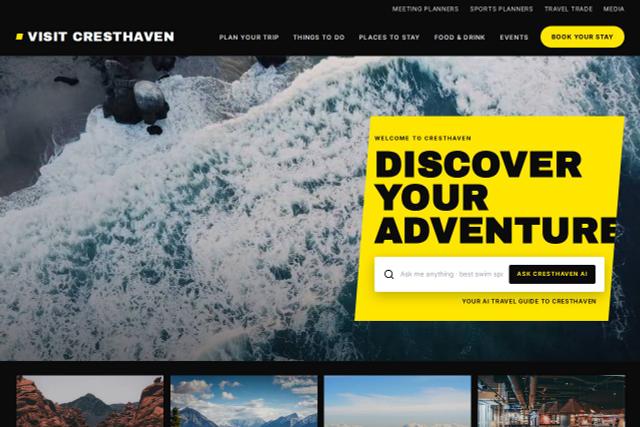
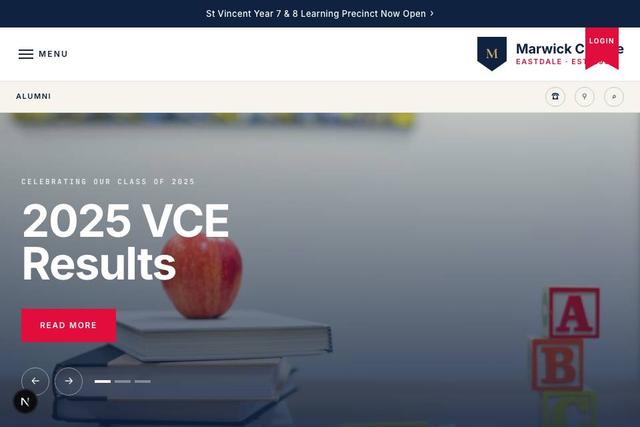
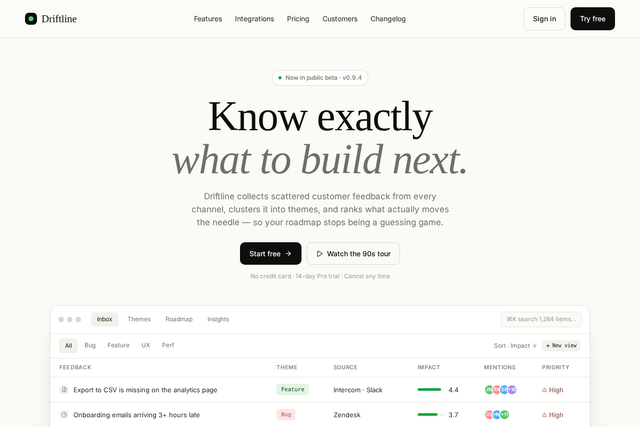
Templates for client work
Real CodeDesign templates across the industries agencies build for. Open one, then ask the AI to rewrite it from the client’s brief.
How to start offering white label websites
A practical way to add white label websites to your agency’s services, whichever builder you choose.
Request white-label setupPick who you build for
Choose one or two client types you know well, such as dentists or trades. Briefs, page lists and pricing get easier when every project looks alike.
Package the offer
Decide what a site includes, how many rounds of changes, and what a monthly care plan covers: hosting, edits, SEO checks and reporting.
Write a reusable brief
Capture the business, customers, pages, tone, main action and anything the AI must not guess. Then generate the first draft from it.
Review before the client sees it
Check every fact, fix weak copy, swap in the client’s real photos and test the site on a phone.
Agree the handoff up front
Decide whether you’ll host the site on the client’s domain, publish through WordPress or hand over exported code, and write it into the proposal.
Confirm branding, access and pricing
Before you resell, confirm where your brand appears, who can review or edit, and what each client site costs. Tell CodeDesign your setup.
Loved by 500K+ creators and small businesses
Showing our 5 star reviews from Trustpilot and G2.
-
A Great Website Builder for Non-Technical Business Owners
I recently created my first website using CodeDesign.ai, despite having no knowledge of coding, programming languages, or web development. The platform made the entire process remarkably simple and intuitive. As a business owner rather than an IT professional, I found CodeDesign.ai to be an excellent solution for creating a professional-looking website quickly and efficiently.
Henry Seeton Jun 9 2026, from Singapore -
Exactly what we needed to get online
We used CodeDesign.ai to build our website for our clinic, and honestly, it’s been a lifesaver! Their platform made it possible for us to create and launch our own site something we’d been trying to do for months. Before finding CodeDesign, we actually paid a lump sum to someone who promised to build our site and delivered nothing. So finally being able to do it ourselves feels amazing.
Jae Chris, USon Nov 3 2025, from United States -
Game Changer for Web Development!
I’ve been using CodeDesign.app for a recent project, and I have to say, it is hands down one of the most impressive AI website builders I’ve come across.
• Speed: Go from idea to live site in minutes.
• Code Export: The generated code is surprisingly clean and easy to work with if you need to host it elsewhere.
• Customisation: You aren’t locked into rigid templates; the editor gives you full control over colours, fonts, and layout.
SJ Parker, AUon Nov 11 2025, from Australia
More for agencies
- Agency website builderBuild your own agency’s website with AI.
- WordPress AI website builderGenerate a site and sync it to WordPress.
- Code exportExport clean HTML and host it anywhere.
- AI funnel builderFunnels and landing pages for client campaigns.
- Appointment schedulerBooking pages for client websites.
- AI chatbotA chatbot trained on each client’s pages.
- Website analyticsVisitors, sources and top pages for reports.
- Choosing a white label builderA longer guide to comparing your options.
Frequently Asked Questions
Can’t find an answer? Describe your agency setup or book a demo.
What is a white-label AI website builder?
A white-label AI website builder lets an agency create and deliver websites as part of its own service. The AI produces the first draft. The agency checks the facts, edits the design and copy, and decides how to hand the site to the client.
Is a white label site builder the same as a reseller website builder?
The terms overlap, but they do not always describe the same setup. A reseller website builder often focuses on selling the platform under another brand. A white label site builder may also cover agency branding, client access, and delivery. Compare the exact branding, permissions, billing, and support before you choose.
What is a private label website builder?
It is another name for a white label website builder: a platform an agency or reseller uses to build and deliver websites as its own service. Compare what each platform lets you brand, who can access client projects and how billing works.
What is included in CodeDesign’s white-label setup?
The exact setup depends on what your agency needs. Tell CodeDesign how clients will access projects and where your brand should appear. Add your expected site count and preferred publishing route. The team will confirm the price and limits before you sign up.
Is there a free white label website builder?
You can test the core workflow on CodeDesign for free: generate a client site from a brief, edit it and preview it, without a credit card. White-label branding, client access and agency pricing are confirmed with the CodeDesign team when you request a setup.
Can I build client or customer websites from a brief?
Yes. Add the client’s business details and audience to the brief. List the required pages and main goal. CodeDesign creates a responsive first draft for your team to check and edit before the client sees it.
Can my team edit the generated website?
Yes. Your team can rewrite the copy and replace images. The visual editor handles sections, colors, spacing, and mobile layout. The generated site is a draft, not a locked template.
How do I publish or hand off a customer website?
You can publish with CodeDesign and connect a custom domain, keep WordPress in the client’s publishing setup, or export the website code for another host or developer. Some options depend on the plan.
Can I build white label landing pages and funnels?
Yes. Use CodeDesign as a white label landing page builder: generate campaign landing pages from a brief, or use the AI funnel builder for multi-step funnels, then publish on the client’s domain or hand over the code.
Can clients or teammates review a project?
You can share a project with other CodeDesign account holders. Ask the CodeDesign team who can view or edit a project and how white-label reviews work before you plan the client experience.
Can a client website use its own domain?
Yes. A website published with CodeDesign can use a custom domain. Ask about current plan limits if your agency expects to manage several client sites.
How do I get white-label pricing?
Use the agency request form to explain how many sites you expect to manage, how clients should access them, and how you plan to publish. The CodeDesign team will confirm the current setup, price, and limits.
Your next client site, drafted in about a minute.
Paste the client brief. Your team checks it, edits it and hands it over the way the client needs.
Running an agency or reseller business? Request your white-label setup.