CodeDesign.ai logo
Ham menu icon
Close Icon Ham menu
AI Website Studio Icon

AI Website Studio by CodeDesign

AI Visual Sitemap Generator

Describe the site you want to build. CodeDesign turns that prompt into a live Website Canvas with the pages your business needs and the tools that belong on each one. Change the map in chat, then start building from the same screen.
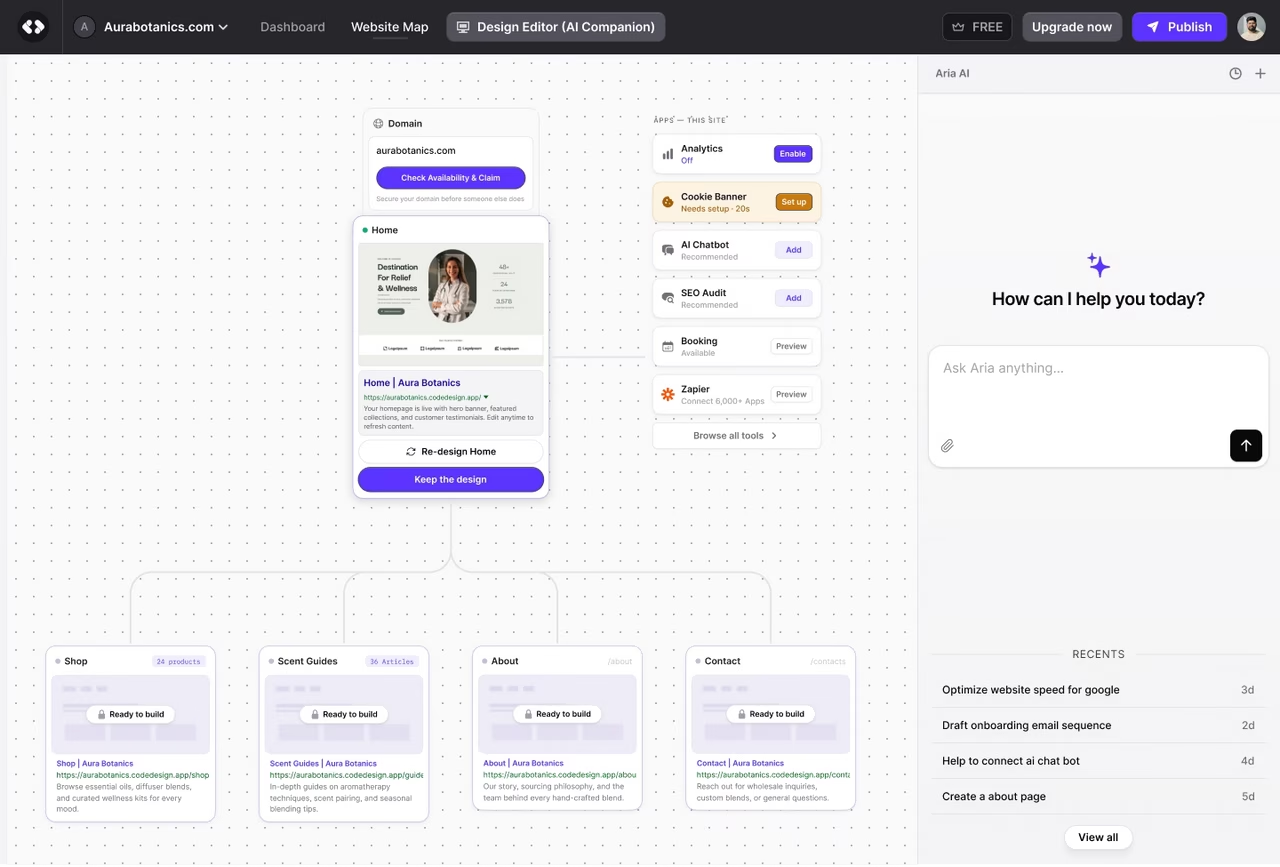

AI Website Studio Dashboard
Buy Me a Coffee logo - Customer logo

"I just generated a decent-looking website with AI. Web dev is going to change a whole lot, it’s crazy"

A website plan you can start building

You begin with the business, not a diagram. CodeDesign works out a sensible first structure and gives you a visual plan to review.

01

Describe Your Website

Say what the business does, who it serves and what visitors should be able to do. Add any pages or tools you already know you need.


02

Check the Website Studio

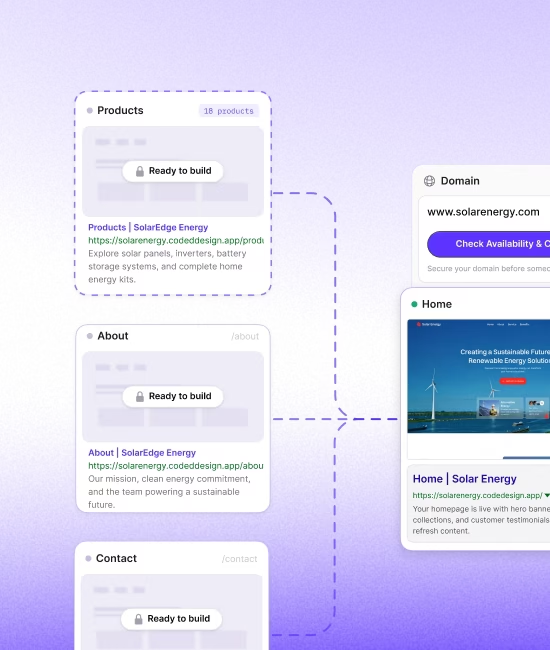
Review every page as a card in the site tree. See which pages sit under others, where the domain connects and which tools belong on each page.


03

Change it, then build

Ask the AI Companion to add, remove, rename or move a page. When the structure feels right, open a page in the builder and work on the site itself.


The page map and the work behind it

The canvas shows the home page, child pages and the links between them. Spot a missing service page or overloaded navigation before either problem reaches the finished site.

See the whole site at once

The canvas shows the home page, child pages and the links between them. Spot a missing service page or overloaded navigation before either problem reaches the finished site.

Free SSL encryption and private WHOIS domain registration badges

Put tools where they will be used

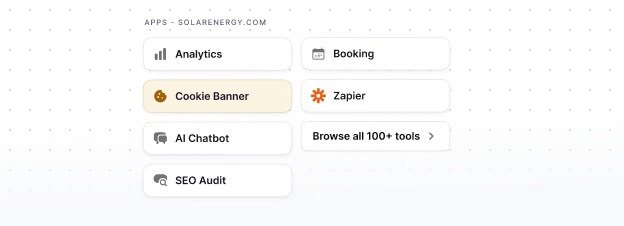
Website Canvas shows tools beside the pages that use them.

Free SSL encryption and private WHOIS domain registration badges

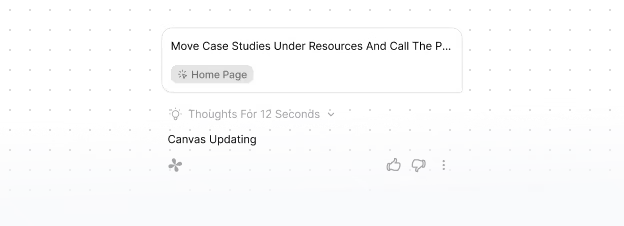
Edit the canvas by talking to it

Ask for a pricing page, move case studies under Resources or shorten the main navigation.

Keep the domain in view

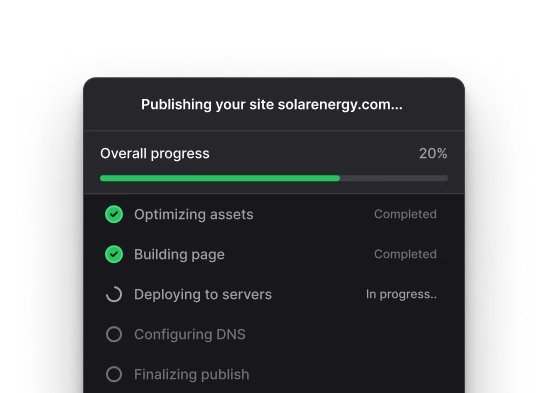
See the domain claim and connection as part of the website project.

Free SSL encryption and private WHOIS domain registration badges

AI Website Studio vs visual sitemap tools

Different tools solve different stages of the job. Some plan and hand off. Others document a site that already exists. Website Canvas connects the plan to the pages and tools you will build in CodeDesign.

Plan it, connect the tools, then build

Check mark

Generates website sitemap from a business prompt

Check mark

Domain availability check

Check mark

Tool & app integration

Check mark

Accepts sitemap changes through the AI Companion

Check mark

Opens the planned pages in the CodeDesign builder

BEST FOR

First-time website builders who want the plan and the finished site in one workspace.

Relume logo Flowmapp logo Octopus.do logo

relume · Flowmap · Octopus.do

Plan and hand off

Check mark

Generate or edit sitemaps with AI

Check mark

Production usually continues in another builder or development workflow

Check mark

Export gated to paid tiers, if at all

Check mark

No Responsive preview

Check mark

No connected live-site tools inside the sitemap workflow

BEST FOR

Designers and agencies that already have a production stack.

Powermapper logo visualsitemaps logo

VisualSitemaps · PowerMapper

Audit a site that already exists

Check mark

Generate or edit sitemaps with AI

Check mark

Starts with an existing website, not a new business prompt

Check mark

Export gated to paid tiers, if at all

Check mark

No Responsive preview

Check mark

Does not turn the sitemap into editable website pages in the same product

BEST FOR

SEO and UX teams documenting or restructuring a live website.

Feature groupings are based on official product pages reviewed on July 20, 2026. Product capabilities can change.

You do not need to know which page comes next

If you can explain the business to another person, you can start. Tell CodeDesign what you sell, who it is for and what a visitor should do on the site. The first map gives you something specific to react to.


If the About page feels too prominent or booking belongs under two services, ask the AI Companion to fix the structure. Open the visual builder when you want direct control over a page.

CodeDesign AI website studio screenshot new page

Frequently Asked Questions

What is a sitemap?

FAQ Plus Button Icon

A sitemap is a list or diagram of the pages on a website and how they connect. A visual sitemap shows those pages as cards and branches, which makes the structure easier to review before you build.

Is a visual sitemap the same as an XML sitemap?

FAQ Plus Button Icon

No. An XML sitemap is a file made mainly for search engines. Website Studio gives people a visual planning view. It helps you decide what the site should contain and how visitors will move through it.

Do I need design or coding skills?

FAQ Plus Button Icon

No. Start with a plain-language description of the business and the result you want from the website. You can change the map in chat and edit each page with CodeDesign's visual builder.

Is the AI sitemap generator free?

FAQ Plus Button Icon

You can start generating for free. Editing, publishing, custom domains and code export can depend on your CodeDesign plan.

Does your AI website generator support code export?

FAQ Plus Button Icon

Absolutely! Our AI website generator allows you to export the HTML code with a additional support.

Can I edit the sitemap after it is generated?

FAQ Plus Button Icon

Yes. Ask the AI Companion to add, remove, rename or move a page. You can keep adjusting the map in Website Studio as the site changes.


Does CodeDesign build the website too?

FAQ Plus Button Icon

Yes. The visual map is connected to the builder. Once you are happy with the structure, open a page and continue with the copy, design and publishing work in CodeDesign.


Can I add tools to individual pages?

FAQ Plus Button Icon

Yes. Website Studio can show tools such as Analytics, SEO Audit, Chatbot, Cookie Banner, Booking and Zapier on the pages where you plan to use them.


What is the difference between Website Studio and the AI Visual Sitemap Generator?

FAQ Plus Button Icon

Website Studio is the product name you will see inside CodeDesign. AI Visual Sitemap Generator describes what the page helps you do and makes the tool easier to find in search.

Can I connect my own domain?

FAQ Plus Button Icon

Yes. Paid CodeDesign plans support custom domain connections. Check the current plan details before you publish.

Describe your business. Get a site in 60 seconds.

Most trusted AI Website Builder with Zero Limits. Free to start. Go annual and get 20%off plus a free domain.

Trusted Reviews

star icon star icon star icon star icon star icon

Rated 4.8/5.0 on Trustpilot & G2

More than 400k makers trust CodeDesign.ai

At CodeDesign, Inc., your privacy and security are our top priorities. We are committed to transparency in how we handle your data, and we have made our data policies easily accessible in the page footer so you can understand exactly how we thrive to protect your information online.

The user generated data is not accessed or, used for training or processed by CodeDesign.ai nor it is stored by Open AI as we have signed up to the Zero Data Retention policy, which means none of your data will be retained by Open AI for any period of time. Open AI encrypts all data at rest (AES-256) and in transit (TLS 1.2+), and  we adhere to industry-leading security measures, including highly restricted access to the core areas, to ensure your information remains secure and confidential at all times.

Security Icon

For your security, all data is yours & all orders are processed via Stripe.

© 2026 CodeDesign, Inc.