Web design for electricians and electrical contractors
Electrician website design that wins the next job.
See what a good electrician website shows. Then describe your jobs and areas, and the builder drafts every page.
You see every page of the draft before anything goes live.
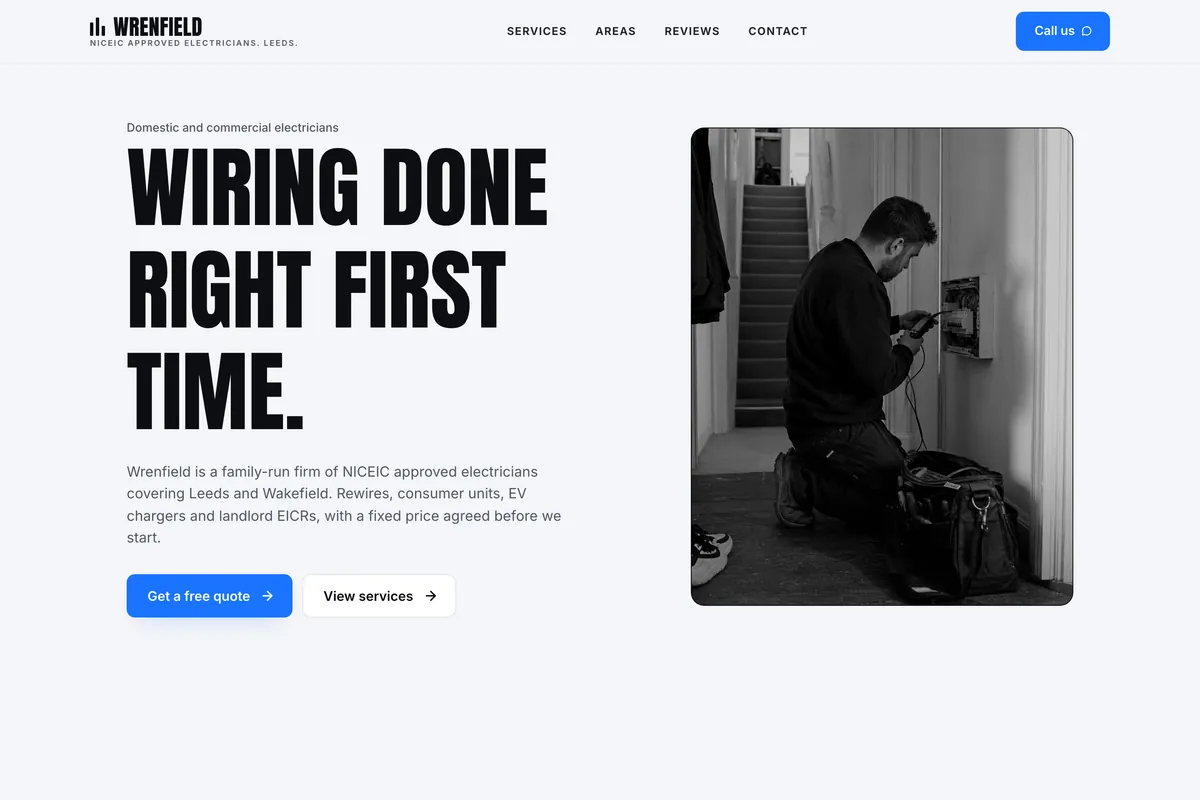
Good electrician web design is not about looks. It answers what a worried customer asks first.
Someone with a tripping fuse board or an EICR due compares two or three electricians in a few minutes. These four things decide who gets the call.
- In the header
A phone number that dials when tapped
Most people looking for an electrician are on a phone. Keep the number, your hours and a call button in the header of every page, not buried on a contact page.
- Trust
Registration and insurance in plain sight
Show your NICEIC, NAPIT or ECA membership and Part P in the UK, or your state licence number and insurance in the US. Say where a customer can check the number.
- Services
One page per job, with a price guide
A rewire, a consumer unit swap, an EV charger and an EICR are different searches. Give each one a page: what is included, how long it takes and a from-price.
- Evidence
Photos and reviews from real jobs
A before-and-after of a fuse board, and a review that names the job and the town, do more than a stock photo of a lightbulb. Add the date so they look current.
An electrician website example you can start from
This is Stagholt, one of more than 2,000 templates in the library, shown with an electrician’s services in it. Start from it and put in your own jobs, areas and number, or let the AI do it.
- Six services on the home page, each with its own page
- A quote button and your number in the header
- Room for your registrations, reviews and areas
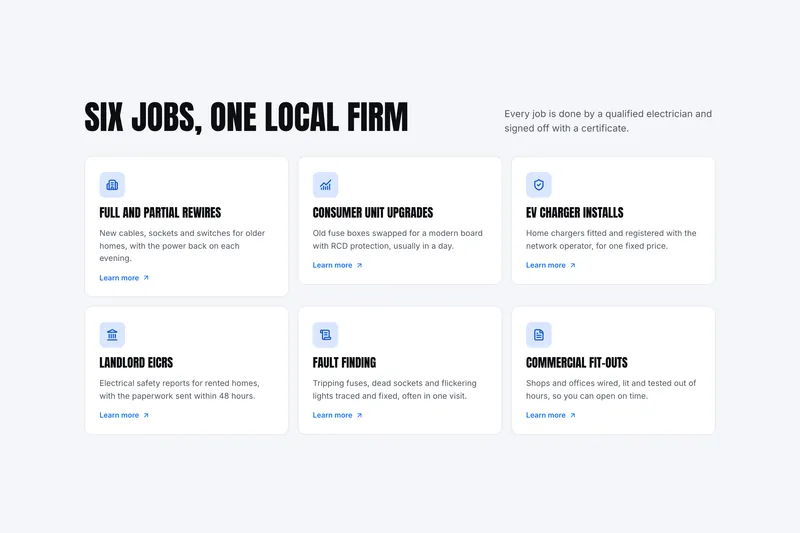
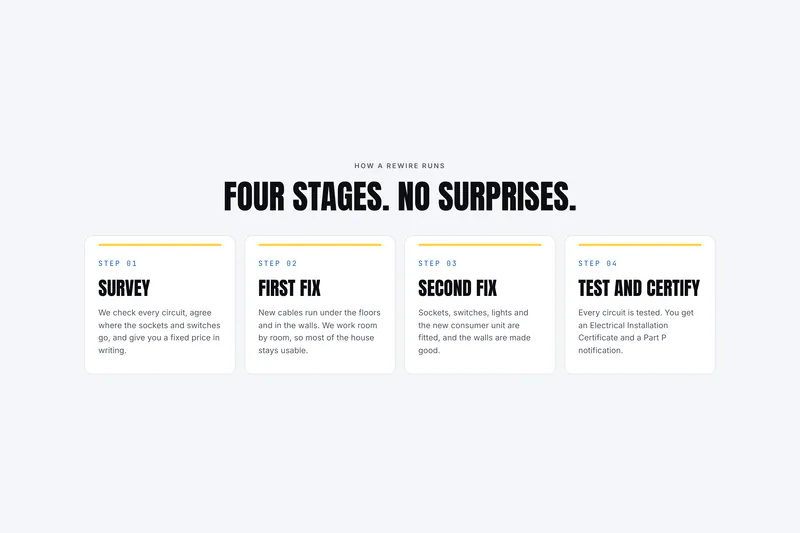
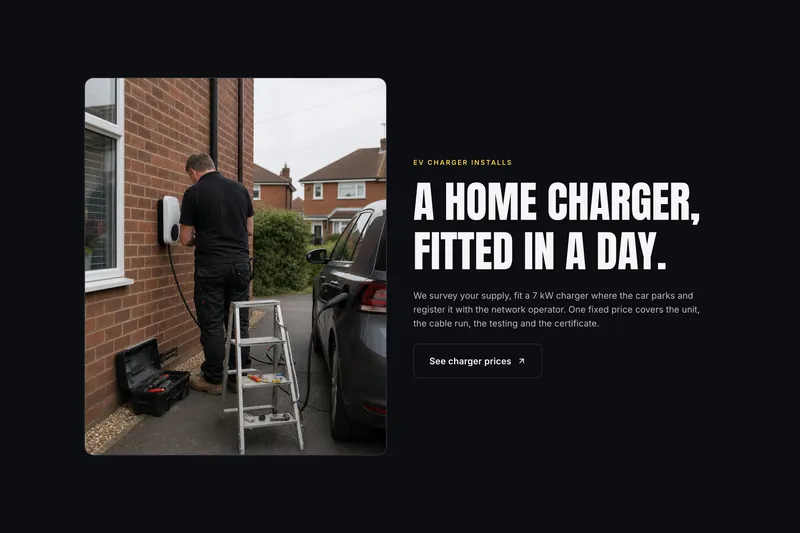
Design a page for each kind of electrical work
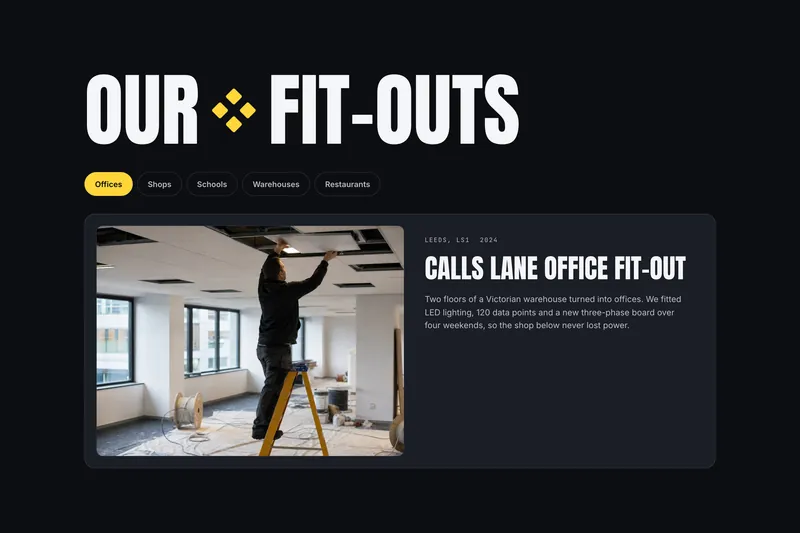
A landlord booking an EICR and a driver pricing a charger ask different questions. Each tab is a page of the same example site, written for the person who books that job.
How do customers find an electrician online?
Design wins the call once someone is on the site. These three places decide whether they reach it at all.
Google Search
People search the job and the place: “consumer unit replacement Sheffield”, “EV charger installer Denver”. A page for each service and each area gives Google something to match.
What it readsOne page per service and per area, each with a clear title
Google Maps
The map results read your Google Business Profile before your site. Link the profile to the site and keep the name, address and phone number identical on both.
What it readsA matching name, address and number, linked from your profile
AI assistants
ChatGPT, Gemini and Perplexity answer “who installs EV chargers near me?” from pages they can read. Write your services, areas and prices as text, not inside images.
What it readsPlain sentences on what you do, where, and for how much
How to make an electrician website with CodeDesign
Three steps from a description of your business to a site you can put on the van.
Describe your business
List your services, the towns you cover, your hours and your registration number in the box at the top of this page. Plain words are enough.
Edit the draft
The AI builder drafts the pages. Correct the prices, add photos of your own work and remove any service you do not offer.
Go live
Publish free on a codedesign.app address, or connect your own domain on a paid plan. Then add the address to your Google Business Profile.
Loved by 500K+ creators and small businesses
Showing our 5 star reviews from Trustpilot and G2.
-
A Great Website Builder for Non-Technical Business Owners
I recently created my first website using CodeDesign.ai, despite having no knowledge of coding, programming languages, or web development. The platform made the entire process remarkably simple and intuitive. As a business owner rather than an IT professional, I found CodeDesign.ai to be an excellent solution for creating a professional-looking website quickly and efficiently.
Henry Seeton Jun 9 2026, from Singapore -
Exactly what we needed to get online
We used CodeDesign.ai to build our website for our clinic, and honestly, it’s been a lifesaver! Their platform made it possible for us to create and launch our own site something we’d been trying to do for months. Before finding CodeDesign, we actually paid a lump sum to someone who promised to build our site and delivered nothing. So finally being able to do it ourselves feels amazing.
Jae Chris, USon Nov 3 2025, from United States -
Game Changer for Web Development!
I’ve been using CodeDesign.app for a recent project, and I have to say, it is hands down one of the most impressive AI website builders I’ve come across.
• Speed: Go from idea to live site in minutes.
• Code Export: The generated code is surprisingly clean and easy to work with if you need to host it elsewhere.
• Customisation: You aren’t locked into rigid templates; the editor gives you full control over colours, fonts, and layout.
SJ Parker, AUon Nov 11 2025, from Australia
Electrician website design questions
Something else? Ask us or book a demo.
What should an electrician website include?
A phone number and a call button on every page, the areas you cover and your registration: NICEIC, NAPIT or ECA in the UK, a state licence in the US. Then a page for each service with a price guide, photos of finished jobs and reviews that name the job.
How much does electrician website design cost?
It depends on who builds it. With CodeDesign you can start free, with no credit card, and publish on a yoursite.codedesign.app address. Your own domain needs a paid plan; the Individual plan is $15 a month. See pricing for every plan.
Can I design an electrician website myself?
Yes. Describe your business in plain words and the AI website builder drafts every page. You then change words and photos by clicking on them, and check each page on desktop, tablet and phone.
What pages does an electrical contractor website need?
A home page, a page per service, a page per area you want work in, an about page with your registrations, reviews and contact. Commercial contractors should add sectors and case studies, because buyers look for jobs like their own.
How do I get my electrician website found on Google?
Give each service and each area its own page with a clear title, keep your Google Business Profile matching the site, and ask customers for reviews. Page titles, descriptions, a sitemap and schema are set for you on every plan.
Can customers book a quote visit or an EICR online?
Yes, on the Growth and Scale plans. The booking calendar lets customers pick a time themselves, so you are not returning calls from a ladder. See appointment scheduling.
Are there electrician website templates I can start from?
Yes. The library has more than 2,000 templates, including trade designs like the one on this page. Browse the electrician website templates, or start from a prompt instead.
Your electrician website, designed from one prompt.
Tell the builder what you do and where you work. Change every word and photo before it goes live.
Or start from this electrician template.